

MailChannels
MailChannels routes a domain's incoming mail through MailChannels Inbound Filtering before it reaches this server's mail server. You connect the account here; account owners then switch it on per domain from their own MailChannels page.
A domain can be filtered by at most one of MailChannels and SpamExperts. Enabling one where the other is active is refused.
Overview
URL: /admin/email/mail-channels
The page is the MailChannels tab of the Email area.
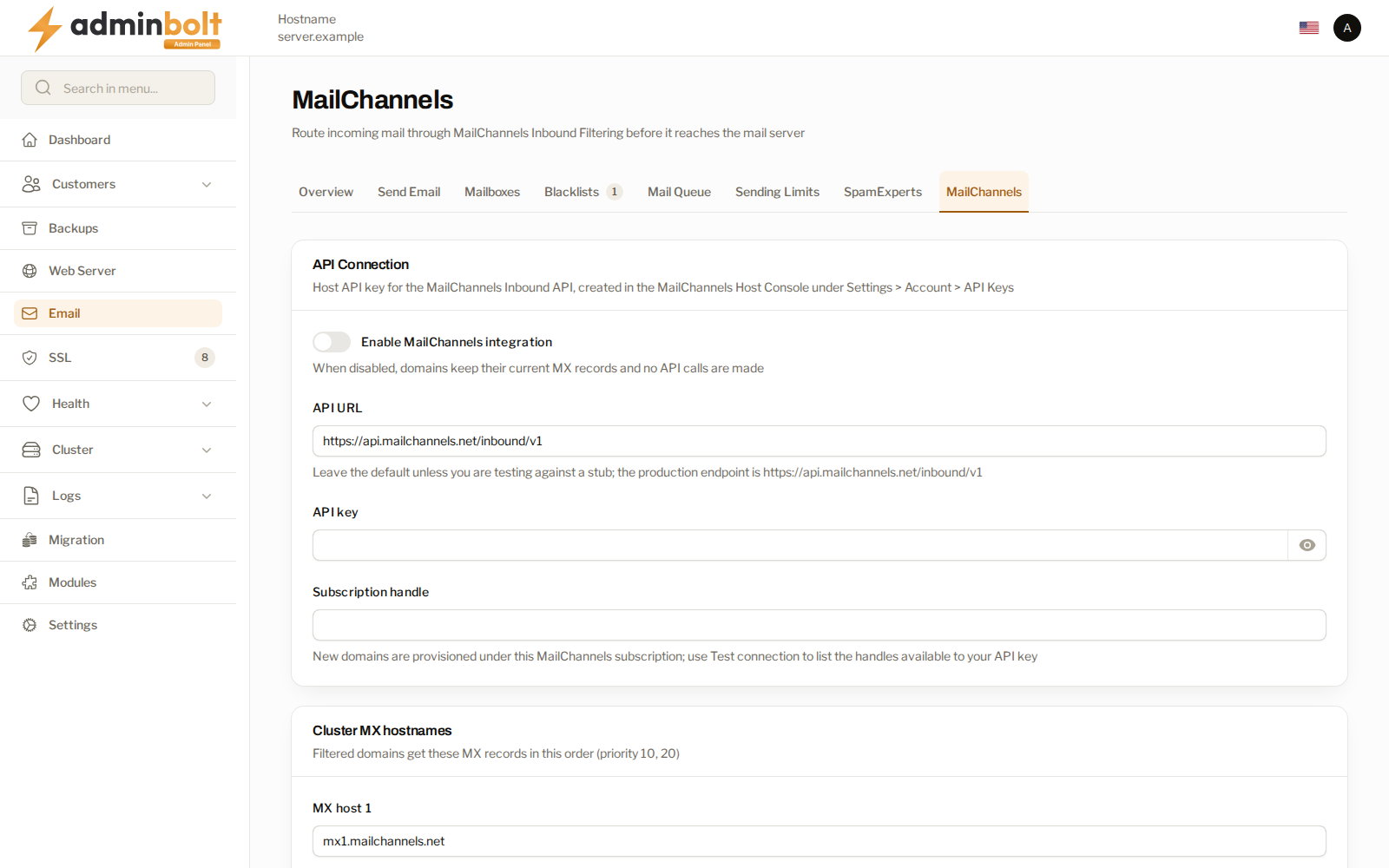
API connection
Enable MailChannels integration is the master switch. While it is off, domains keep their current MX records and the panel makes no calls to the service.
| Field | What to enter |
|---|---|
| API URL | The Inbound API endpoint. Leave the default unless you are testing against a stub. |
| API key | A Host API key, created in the MailChannels Host Console under Settings > Account > API Keys. |
| Subscription handle | The subscription new domains are provisioned under. |
Test connection validates the key and lists the subscription handles it can reach, which is how you find the value for the handle field.
Cluster MX hostnames
A filtered domain gets these two MX records, at priorities 10 and 20. Changing them changes where the world delivers your customers' mail.
Trusted delivery IPs
Mail arriving from the filter has already been scanned and reaches you from the filter's own addresses. Listing them here lets it skip the local spam scan, so a filtered message is not penalised for failing SPF against the relay address. The field is prefilled with the published inbound delivery addresses; add one address or CIDR range per line if you need more.
Reseller access
Limit access to selected resellers restricts the feature to the resellers you pick and their customers. Accounts you manage directly are always allowed.
How a domain is switched over
Enabling filtering registers the domain and swaps its MX records only once the filter confirms the delivery route, and disabling restores the MX records first. Mail keeps flowing either way.
The apex MX of a filtered domain is held against zone edits, imports, and DNS templates, so nothing quietly takes the domain off the filter. An hourly sync and a daily verify repair drift and retry unfinished changes.
Related pages
- SpamExperts - the other inbound filter. A domain uses one or the other.
- Client MailChannels - the per-domain switch and the one-click sign-in.
- Email Settings - the rest of the mail configuration.
- Hosting Plans - the plan feature that exposes the client page.