

Server Time
Server Time shows the clock, the timezone, and the time synchronisation of this server, and lets you change all three.
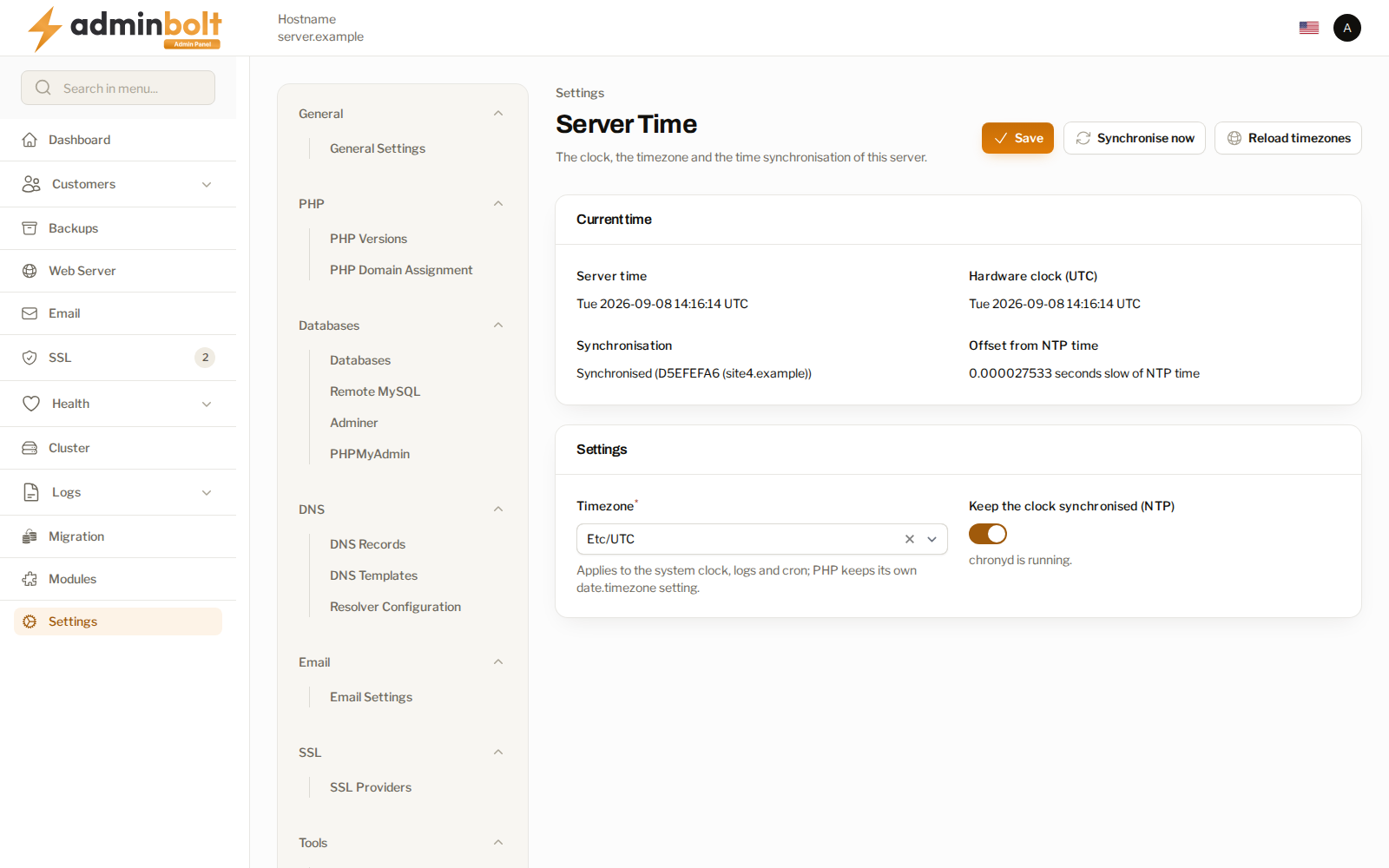
Overview
URL: /admin/settings/server-time
Open it from Settings > System > Server Time in the sidebar.
A correct clock matters beyond convenience: log timestamps, cron schedules, certificate validity, and one-time password checks all depend on it. The page reads the machine through the agent, so it reports the server's own state rather than the time in your browser.
Current time
The Current time section is read-only:
| Field | What it shows |
|---|---|
| Server time | The current local time on the server, in the timezone below. |
| Hardware clock (UTC) | The machine's hardware clock, always in UTC. |
| Synchronisation | Synchronised, with the time source in brackets when one is known, or Not synchronised. |
| Offset from NTP time | How far the clock has drifted from network time. |
When the panel cannot reach the agent, the section says so and the page states that the clock state is unknown. It does not guess a value, and Save and Synchronise now are disabled until the machine can be read again.
Settings
- Timezone - the server timezone, searchable by name. It applies to the system clock, to logs, and to cron. PHP keeps its own
date.timezonesetting, which this field does not change. - Keep the clock synchronised (NTP) - turn network time synchronisation on or off. The helper text under the toggle says whether the time synchronisation service is currently running.
Actions
- Save - apply the timezone and the synchronisation toggle. Both changes are attempted, and each one is reported on its own, so a timezone the server refuses does not silently discard the synchronisation change made in the same save.
- Synchronise now - step the clock to network time immediately.
- Reload timezones - refresh the list of timezones offered in the field.
When the server refuses a change, the notification carries what the server itself reported, so you can act on the real reason.
Related pages
- Cron Jobs - scheduled jobs, which run in the timezone set here.
- System Settings - the rest of the system area.