

Certificate Providers
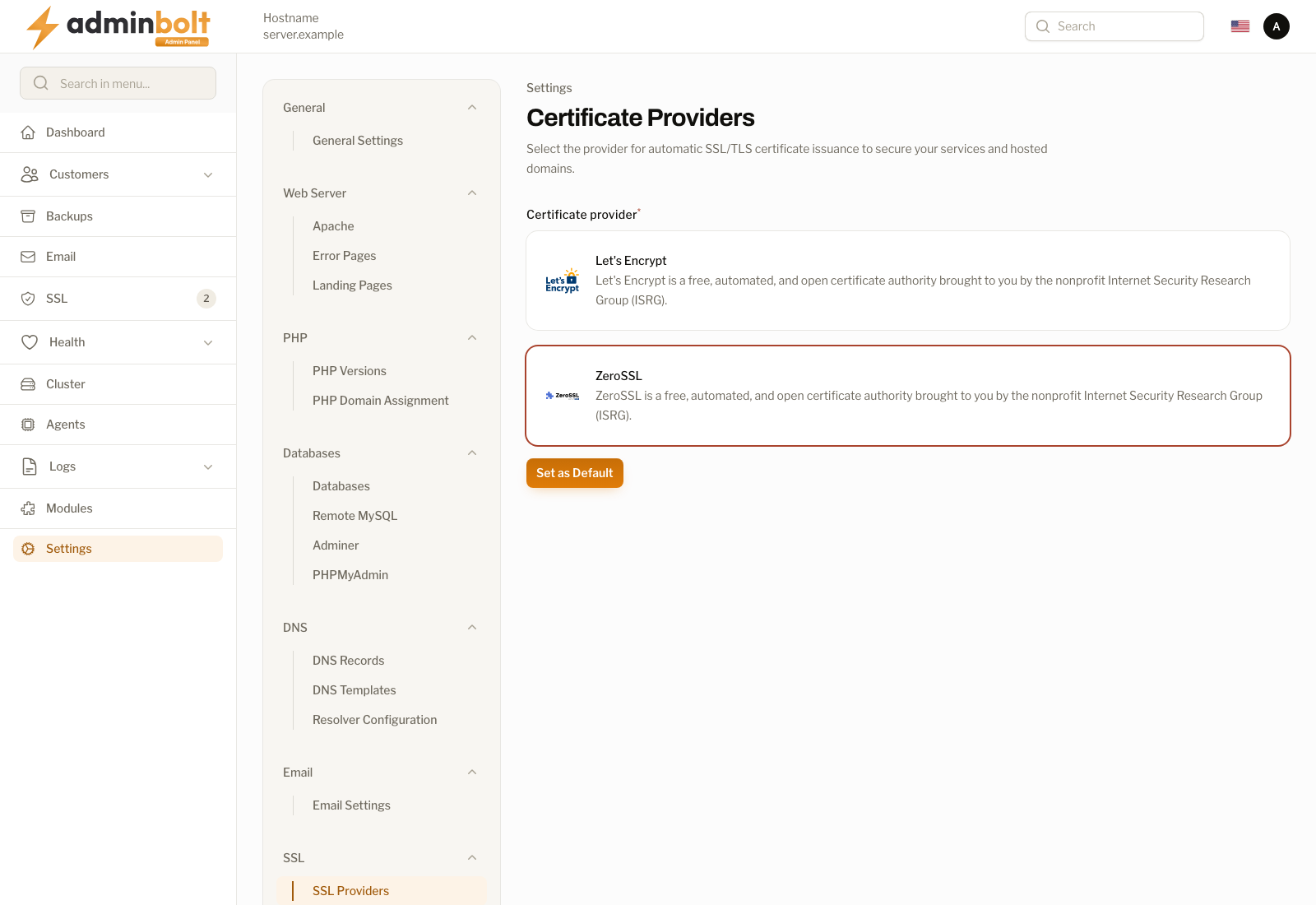
The Certificate Providers page chooses the SSL/TLS certificate authority AdminBolt uses when it issues certificates automatically for services and hosted domains.
Overview
URL: /admin/settings/auto-ssl-providers
Navigate to Settings > SSL > SSL Providers. The page header reads: "Select the provider for automatic SSL/TLS certificate issuance to secure your services and hosted domains."
The certificates themselves, and every issuance attempt, are listed on SSL Certificates under SSL in the main sidebar. This page decides only which authority the automatic issuance asks.
Available Providers
Certificate provider is a required choice between two entries, each with a name, a short description, and the provider's logo:
Let's Encrypt
A free, automated, and open certificate authority brought to you by the nonprofit Internet Security Research Group (ISRG).
ZeroSSL
A certificate authority that issues free SSL/TLS certificates over ACME, as an alternative to Let's Encrypt.
Actions
- Set as Default - saves the selected provider as the system default for automatic SSL certificate issuance. Certificates already installed keep the authority that issued them; the change applies to the next issuance or renewal.
Related pages
- SSL Certificates - the installed certificates and the issuance history.
- SSL for hosting accounts - per-account coverage.