

Subscribers
URL: /client/subscribers
Manage individual subscribers for your mailing lists.
Manage Subscribers
Add and configure subscribers for your mailing lists.
- New Subscriber button - Add a subscriber to a mailing list
- Search bar - Find subscribers by email address
- Filter button - Filter by subscription status (All), moderator status (Yes/No/-), digest mode (Yes/No/-), or no mail status (Yes/No/-)
- Empty state - "No Subscribers" displays when no subscribers exist
- Pagination - Navigate through pages of subscribers
Subscribers are individual email addresses assigned to mailing lists and can be configured with moderation, digest mode, and mail delivery preferences.
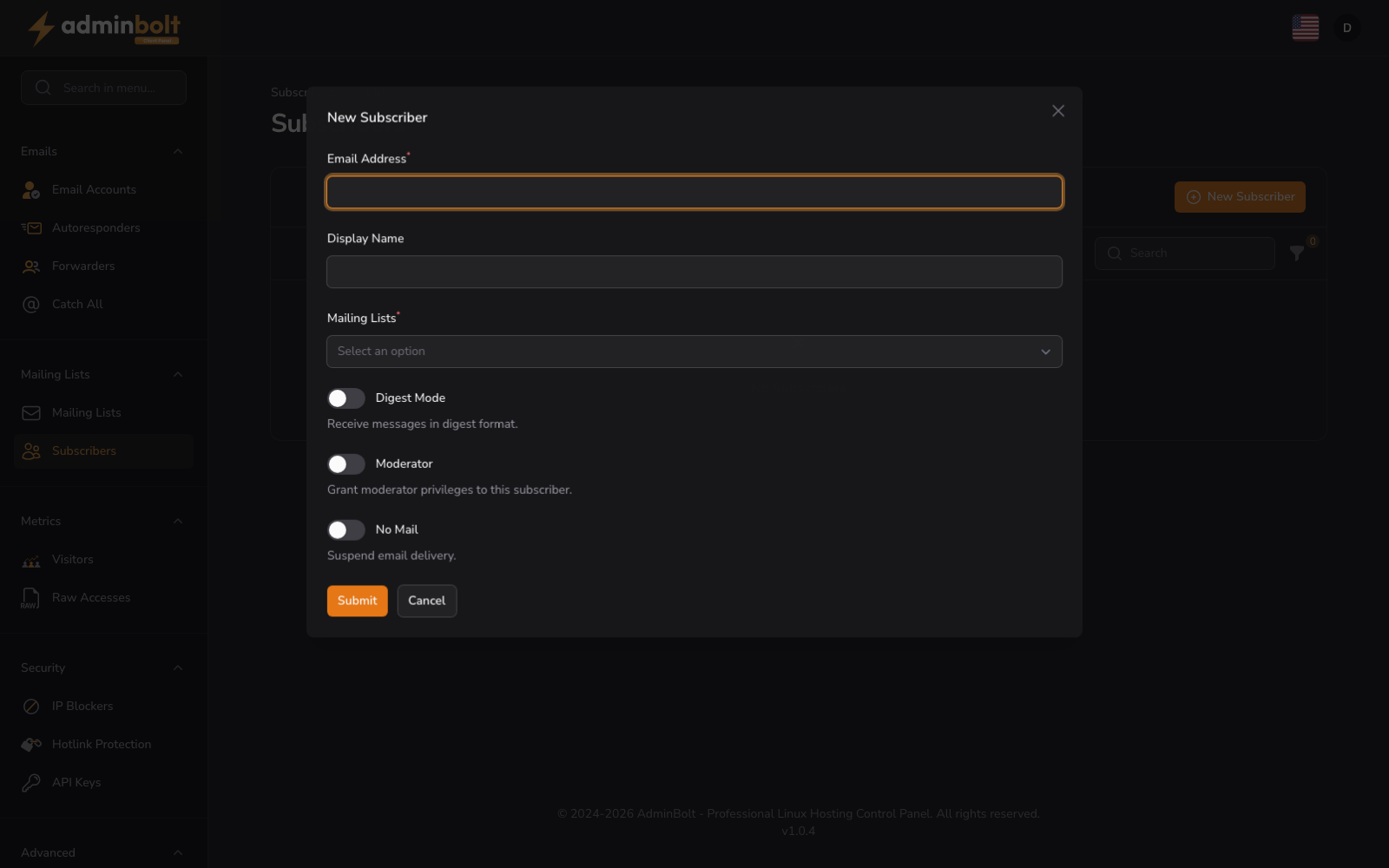
Adding a Subscriber
- Email Address (text, required) - The email address of the subscriber to add
- Display Name (text) - An optional display name for the subscriber
- Mailing Lists (searchable dropdown, required) - Select one or more mailing lists this subscriber should be added to
- Digest Mode (toggle) - When enabled, the subscriber receives a periodic digest instead of individual messages
- Moderator (toggle) - When enabled, the subscriber has moderator privileges on the selected lists
- No Mail (toggle) - When enabled, the subscriber remains on the list but does not receive any messages
Form buttons: Create, Create & create another, Cancel