

Backup Destinations
A backup destination is the storage that account backups are written to. Every backup policy names one. Create the destination first; a policy cannot be saved without one.
Overview
URL: /admin/backups/destinations
The page is the Destinations tab of Backups.
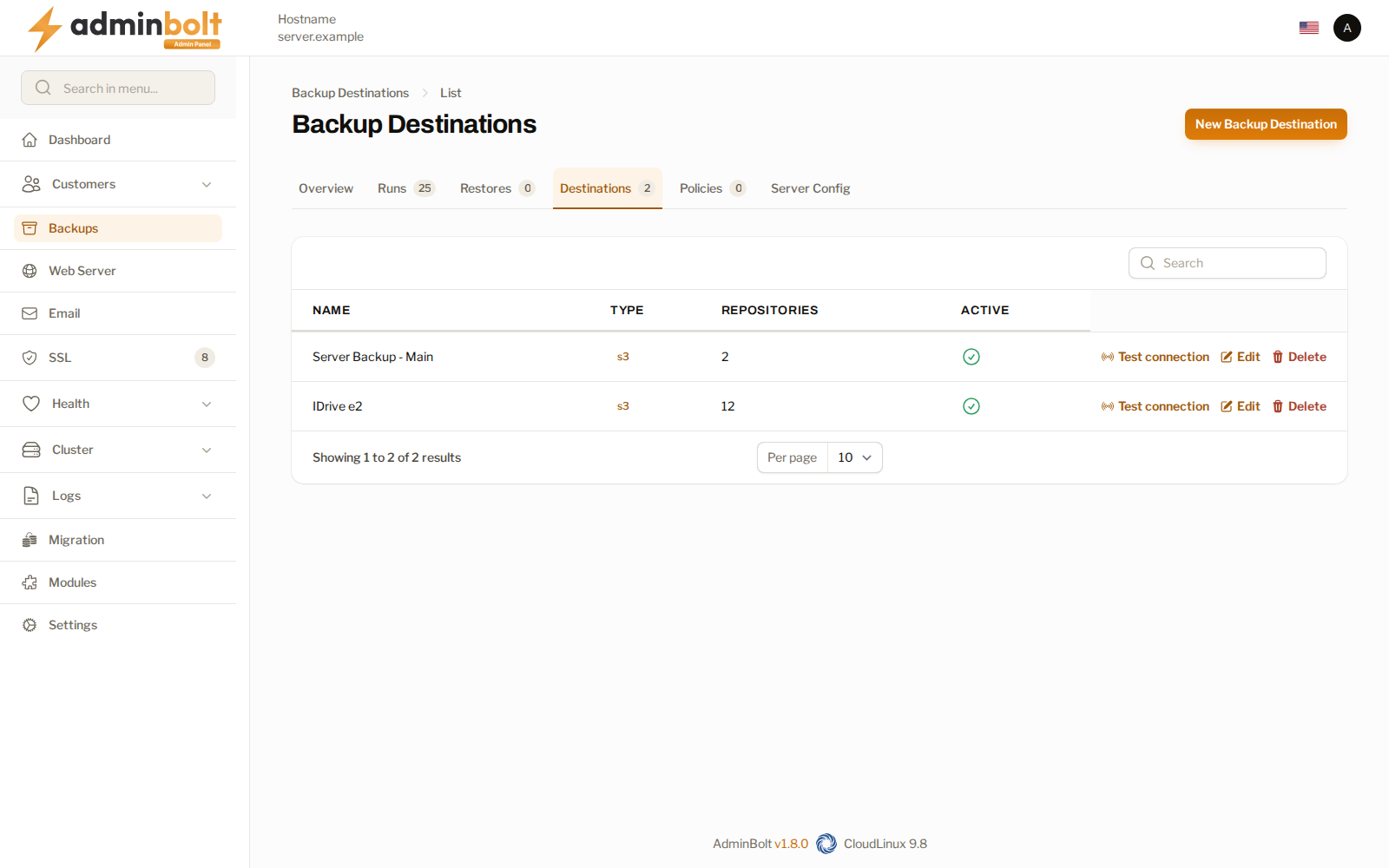
| Column | What it shows |
|---|---|
| Name | The name you gave the destination. It is what you pick from in a policy. |
| Type | The kind of storage. |
| Repositories | How many repositories the destination currently holds, one per account backed up to it. |
| Active | Whether policies may use it. |
Test connection checks that the panel can reach the storage with the credentials you entered, and reports the reason when it cannot. Run it after creating a destination and before attaching a policy to it, so a failure surfaces now rather than during the first backup.
Creating a destination
New Backup Destination, at /admin/backups/destinations/create, asks for a name and a type. The remaining fields depend on the type you pick.
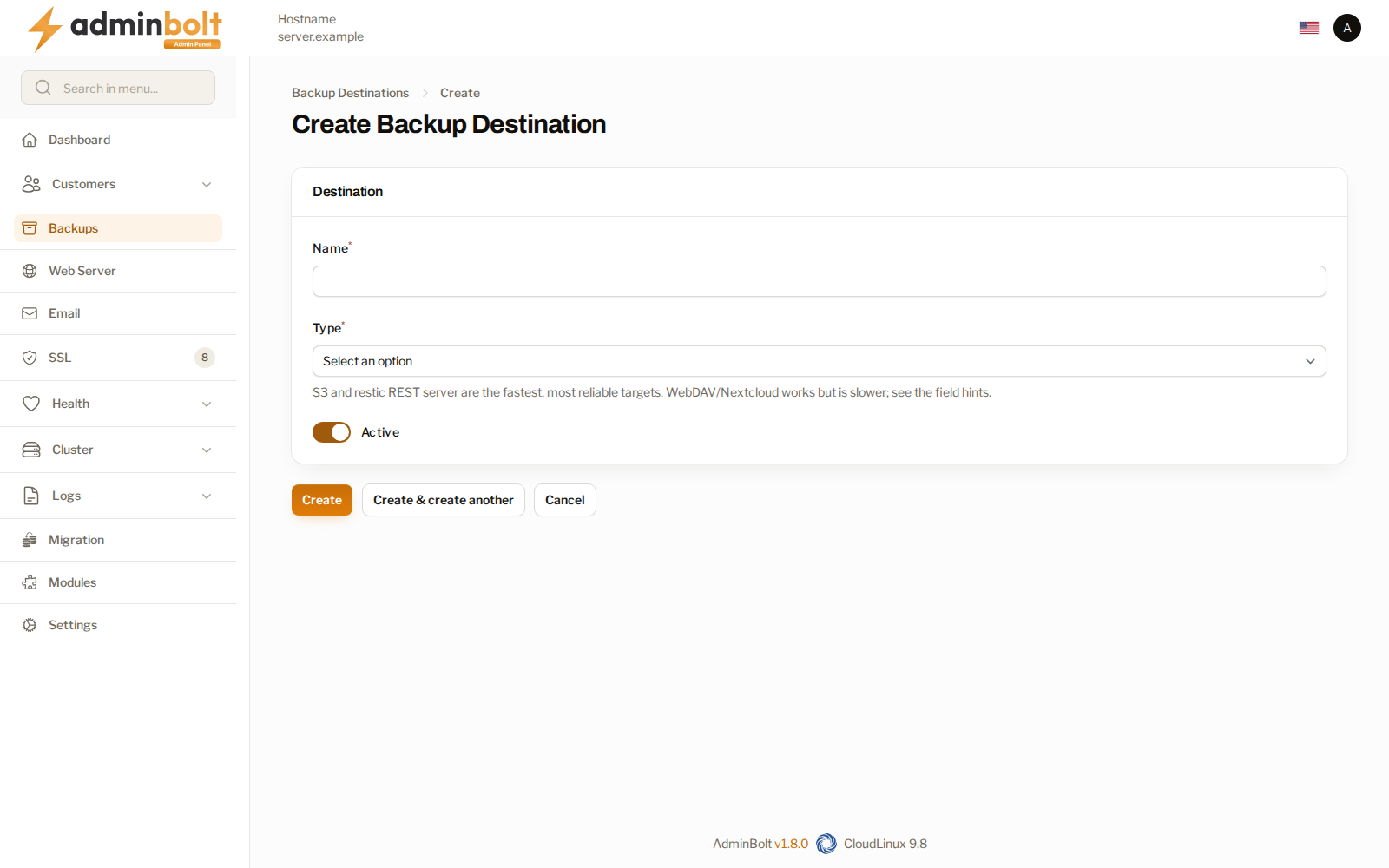
| Type | Use it for |
|---|---|
| S3 / S3-compatible | Amazon S3 and any provider that speaks the same protocol. |
| SFTP | A server you reach over SSH. |
| WebDAV / Nextcloud | WebDAV storage, including Nextcloud. |
| restic REST server | A dedicated backup server. |
| Local path | A directory on this server. |
| Custom rclone config | A provider none of the above covers, configured by hand. |
The form itself says which types perform best: S3 and the REST server are the fastest and most reliable, and WebDAV or Nextcloud works but is slower.
Warning: A Local path destination lives on the same machine as the data it protects. It is useful for a quick copy, but it is not a backup of the server: if the disk or the machine is lost, the backups go with it. Keep at least one off-site destination.
Active controls whether the destination may be used. Clearing it leaves the stored snapshots alone but keeps new runs off it.
Sharing a destination between servers
Since panel 1.9.3, each server keeps the account backup repositories it creates in a folder of its own on the destination, so two servers can write account backups to the same destination without running into each other's repositories. Repositories created before the update keep their path.
Server configuration backups, and repositories created before panel 1.9.3, can still collide when two servers share one location. The form says so under the field that sets the location (Bucket, Path, Base path, or Server URL): "Give each server its own location". Following that advice is the safest setup.
When a backup finds, in its folder, a repository this server cannot open, it stops with:
This folder already holds a backup repository created by another server or an earlier install. Create a new destination with its own path for this server and back up to it. Do not change this destination's path: the backups already on it would stop working.
The message appears in the Error column of the Backups overview, on the failed run on the Runs tab, and in the failure notifications. Do as it says: create a new destination with its own path for this server, and point the server's policies at it. Changing the path of the existing destination would cut off the backups already stored there.
A repository that never completed a backup and runs into another server's repository is moved into this server's own folder and set up there by the same backup, without anything for you to do.
Unreadable destination settings
The settings of a destination, including its passwords and keys, are stored encrypted. Since panel 1.9.2, when the panel cannot decrypt them, it says so wherever the destination is used, and no backup is sent to it until you enter the settings again:
- The list shows Settings unreadable under the destination's name.
- Edit opens the form with a Settings unreadable notice: "The stored settings of this destination cannot be decrypted, so no backup can use it. Enter all of its settings again, including passwords and keys, and save."
- Test connection answers with the same problem, naming the destination, without contacting the storage.
- A backup to the destination stops at once with "The stored settings of backup destination name cannot be decrypted. Edit the destination, enter all of its settings again and save it." For an account backup, the run is recorded as failed on the Runs tab with that message, and the Account backup failed notification is sent. A server configuration backup to the destination stops with the same message.
To fix it, open Edit on the destination, enter all of its settings again, including every password and key, and save. Backups to the destination work again from the next run, scheduled or started by hand. A repository whose first setup on the destination never finished is set up again on that run, for account and server configuration backups alike.
Related pages
- Backups - the overview and its other tabs.
- Backup Policies - what each destination is used for.
- Server Configuration Backup - the server's own backup, which uses the same destinations.