

PostgreSQL
PostgreSQL is an optional database engine that runs beside MariaDB. It is not part of the base stack: you install it from the Module Manager, and it does not depend on which web server or PHP family the server runs.
Overview
URL: /admin/settings/postgresql
The page appears under Settings > Databases once the module is installed.
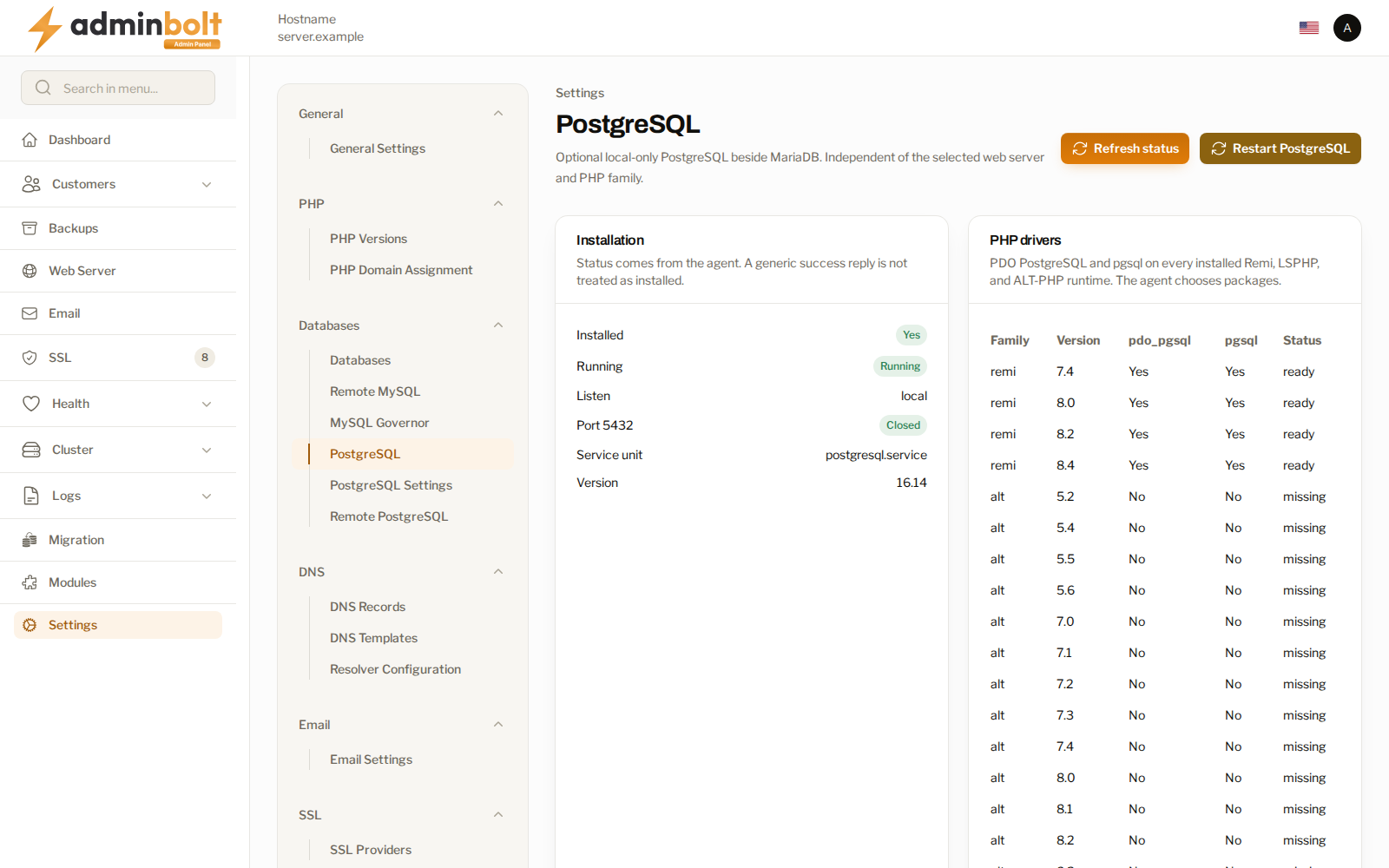
Installation state
| Field | What it means |
|---|---|
| Installed | Whether the engine is on this server. |
| Running | Whether the service is up. |
| Listen | Where it accepts connections. It is set to local, and the port stays closed. |
| Port 5432 | Whether the port is open to the network. |
| Service unit and Version | What is running, and which release. |
The status comes from the server itself, and the page states that a generic success reply is not treated as installed. When the panel cannot confirm, it says so rather than reporting an all-clear.
Refresh status re-asks the server. Restart PostgreSQL restarts the service.
Note: PostgreSQL listens locally and its port stays closed. Opening it to other hosts is a separate, deliberate decision made on the Remote PostgreSQL page.
PHP drivers
Installing the module also attaches the PostgreSQL PHP drivers to every PHP family on the server. The table lists each family and version with its driver state:
- ready - the drivers are in place and sites on that version can reach PostgreSQL.
- missing - they are not there yet.
A PHP version installed later picks the drivers up, so the list converges on its own rather than needing a second pass. Immediately after installing the module, expect some rows to read missing while the work is still going.
Install steps reports what the installation did, and why it stopped when it did not finish.
What accounts get
An account whose hosting plan carries the PostgreSQL Databases feature can create PostgreSQL databases and roles from its own Databases page, where each database names its engine. There is no separate client PostgreSQL page: the engine is a choice on the database itself.
Each database gets a technical owner role that cannot log in, and the account's own login roles are granted full access to it, including objects created later. Accounts reach their PostgreSQL databases over the client REST API as well, and can open Adminer on one as one of their roles. phpMyAdmin stays MariaDB-only.
PostgreSQL data counts towards the account's disk usage, rides along in account backups, and is replayed on a full restore.
Related pages
- PostgreSQL Settings - performance and connection settings.
- Remote PostgreSQL - the server-wide policy for access from other hosts.
- Module Manager - where the module is installed and removed.
- Hosting Plans - the plan feature that gives accounts the engine.
- MySQL Settings - the MariaDB side.