

Change Nameservers
Change Nameservers sets the default nameservers this server hands out. New hosting accounts and new domains inherit them, and they are what you tell customers to enter at their registrar.
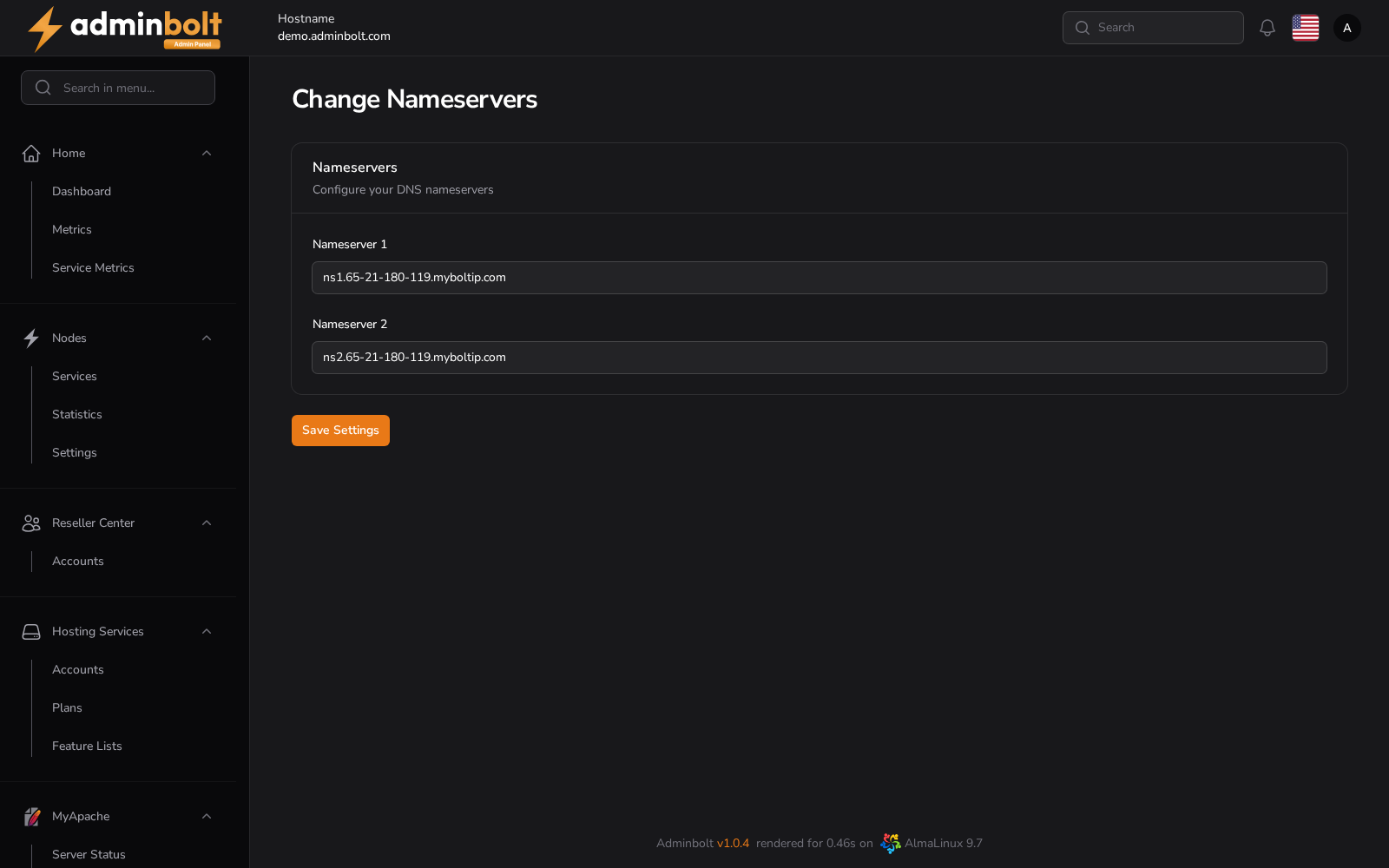
Overview
URL: /admin/settings/change-nameservers
The page is reached by its address; it is not listed in the sidebar. Since panel 1.9.3 the same list is in the sidebar under Settings > DNS > DNS Settings (/admin/settings/dns-settings), in its Nameservers section, next to the default DMARC record. Both places edit one list.
The Nameservers section holds an ordered list of nameservers, for example ns1.example.com and ns2.example.com. Since panel 1.9.0 the list can hold any number of nameservers:
- Add Nameserver adds another row.
- Drag a row to change the order. The first one is the primary.
- The list needs at least two nameservers.
Updating to 1.9.0 fills the list with the two nameservers the server already had.
Save Settings stores them. The server's own hostname zone gets one NS record for each nameserver in the list. If that zone cannot be written, for example because another owner serves a zone with the hostname's name, the nameservers are still saved and an Apply DNS template warning says why. The nameservers apply to accounts and domains created afterwards, so an existing zone keeps the records it already has.
DNS templates can use every nameserver in the list through {{GENERAL_NS}}, and the third and later ones through {{GENERAL_NS3}} and higher; see DNS Templates.
Point every name at an address that answers DNS before you save them. A nameserver name that does not resolve makes every domain that inherits it unreachable, and registrars refuse delegations to a name that does not answer.
A new server starts with two nameservers under its default myboltip.com name. They stay until you change them here, also after you change the hostname. See What keeps the myboltip.com name.
Two nameservers on separate machines are worth more than two names pointing at one server, since the second only helps when the first is unavailable.
Related pages
- Nameserver Selection - whether this server runs DNS at all.
- Secondary DNS Servers - feed your own secondary nameservers from this server.
- DNS Records - the zones this server serves.
- DNS Templates - the records a new zone starts with.