

SSL Certificates
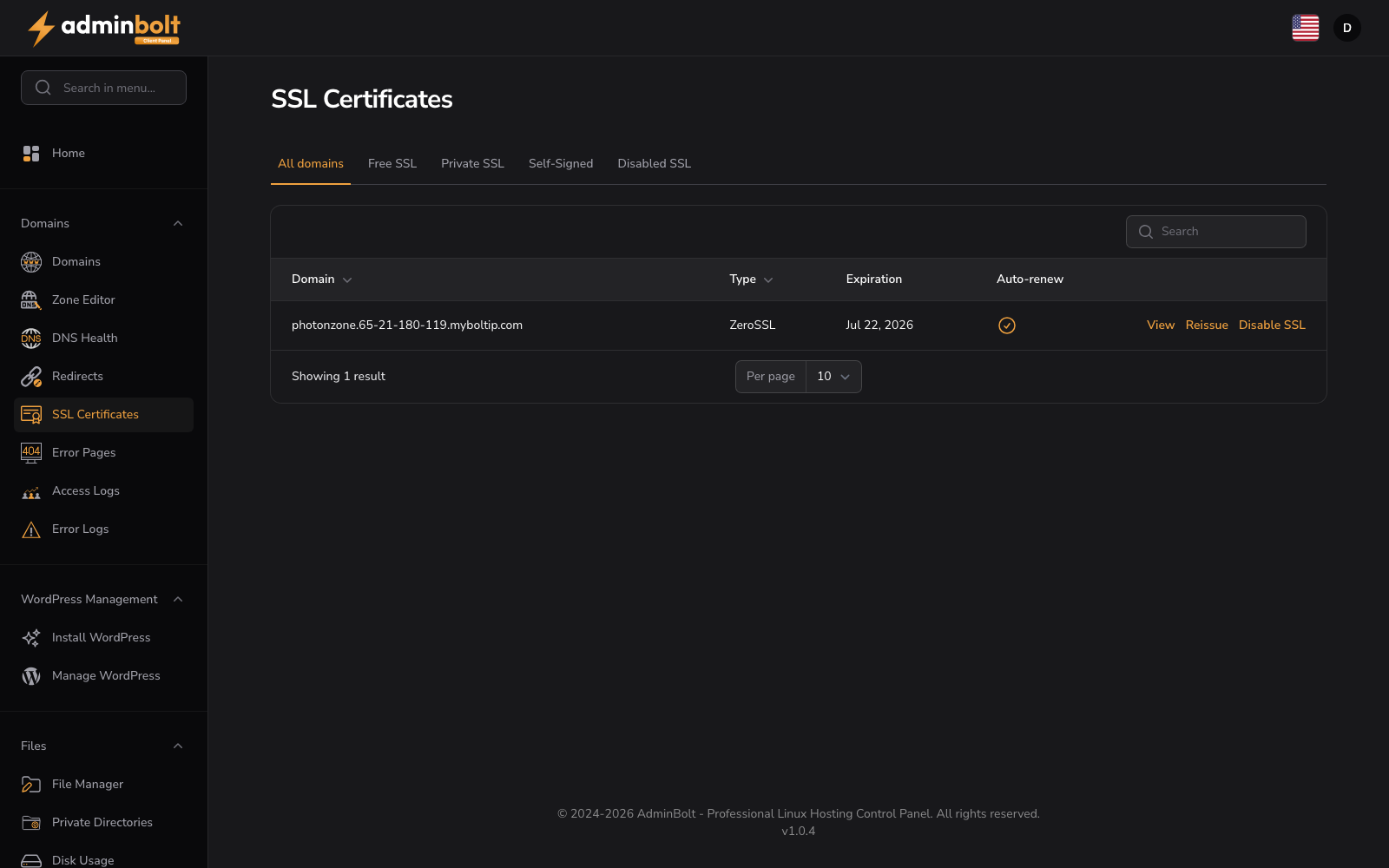
URL: /client/ssl-certificates
Overview
The SSL Certificates section displays all SSL certificates for your domains and enables certificate management, reissuance, and status control across your entire hosting account.
Internationalised domains
Domains with non-ASCII names are listed in their readable Unicode form, and the search box accepts either that form or the Punycode one. Certificates themselves are issued for the Punycode name, because that is what a browser sends and what a certificate authority signs. See Internationalised domain names.
Interface Elements
Tabs
Filter certificates by type:
- All domains - View all SSL certificates
- Free SSL - Let's Encrypt or ZeroSSL free certificates
- Private SSL - Paid/commercial SSL certificates
- Self-Signed - Internally generated certificates
- Disabled SSL - Domains with SSL disabled
Table Columns
| Column | Description |
|---|---|
| Domain | Domain name (sortable) |
| Type | Certificate type (sortable) |
| Expiration | Certificate expiration date |
| Auto-renew | Automatic renewal status |
| Actions | View, Reissue, or Disable SSL |
Controls
- Search bar - Locate specific domains
- Per page selector - Display 5, 10, 25, 50, or all entries
- Pagination - Navigate through certificate listings
Actions
For domains that are already secured:
- View - Display certificate details and properties
- Reissue - Generate a new certificate for the domain
- Disable SSL - Turn off SSL for the selected domain
For domains that are not yet secured:
- Enable Free SSL - Issue a free certificate for the domain
- Upload certificate - Provide your own certificate for the domain
View Certificate
The View action opens a modal with the following certificate details:
- Issuer - The certificate authority that issued the certificate
- Valid To - The expiration date of the certificate
- Certificate (textarea) - The full PEM-encoded certificate content
- Private Key (textarea) - The PEM-encoded private key associated with the certificate
- Certificate Chain (textarea) - The intermediate and root certificates in PEM format
Enabling Free SSL
A domain that is not yet secured appears under the Disabled SSL tab with an Enable Free SSL action. This requests a free certificate (Let's Encrypt or ZeroSSL, depending on the provider your host has configured).
For issuance to succeed:
- The domain must already resolve to this server (its DNS
Arecord must point here), so the certificate authority can validate ownership over HTTP. - Validation runs automatically; issuance usually completes within a few minutes.
- The domain's web server configuration is refreshed before validation starts, so a site whose configuration predates a panel upgrade is validated against the current one. A refresh that fails is recorded in the execution logs and issuance still goes ahead, so check those logs first when validation fails for no visible reason.
Once issued, the certificate moves to the Free SSL tab with Auto-renew enabled, so it renews before expiry without any further action. Use Reissue to request a fresh certificate at any time, or Disable SSL to remove it.
If you have your own commercial certificate, use Upload certificate instead to provide the certificate, private key, and chain.