

Languages
AdminBolt ships in multiple languages, and each user chooses their own. The language switcher is a dropdown with country flags next to the user menu in the top right corner. It is available in the admin, client, and reseller panels, and your choice is saved per user, so the panel keeps your language across sessions.
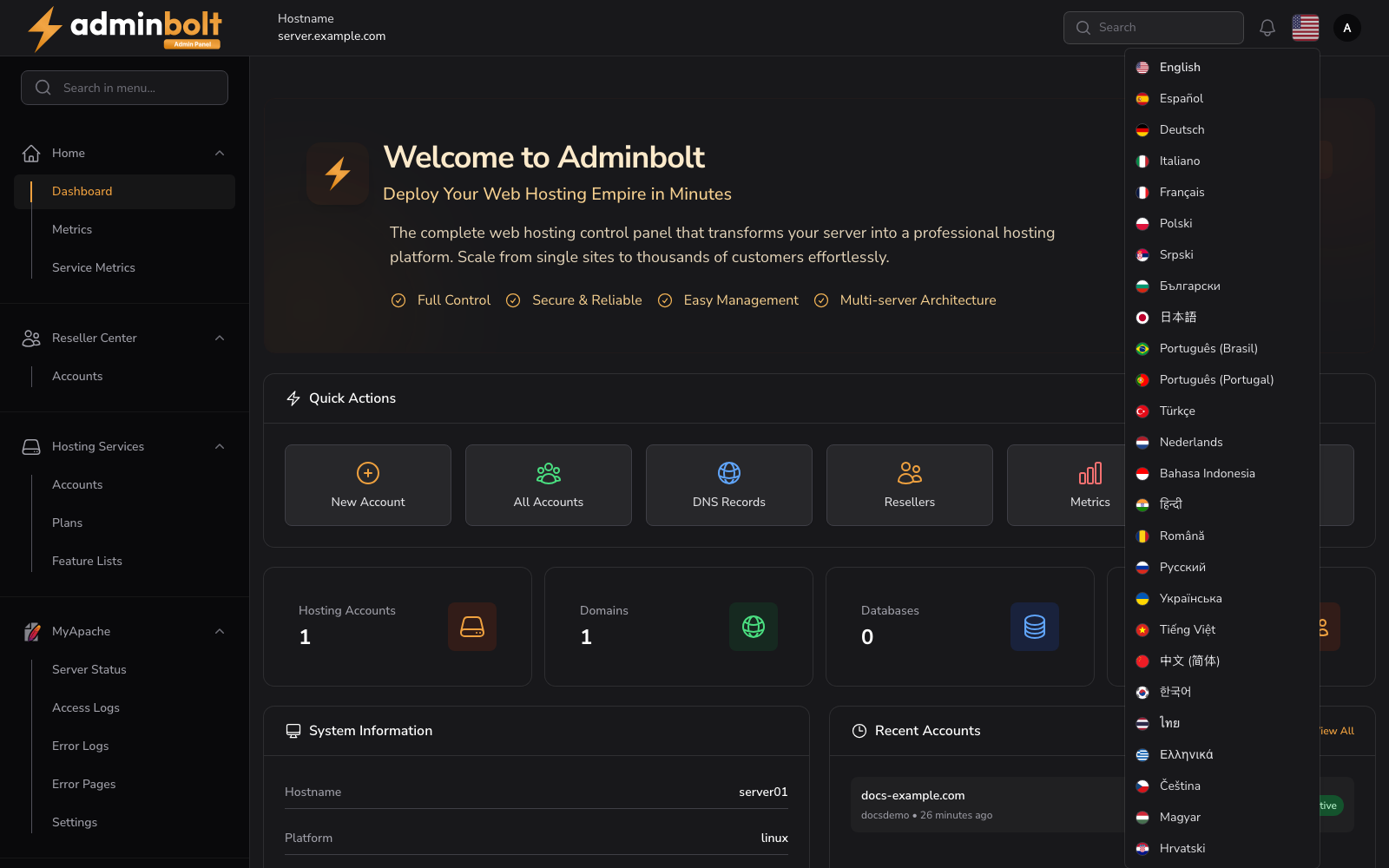
Changing your language
- Open the language dropdown next to the user menu in the top right corner.
- Select the language you want.
- The interface reloads in the selected language.
The selection applies only to your own account. Other users keep their own language preference.
Since panel 1.9.3, the language list fits the browser window and scrolls when the window is too short to show every language, so each one can be selected.
Default language
Since panel 1.9.3, a user who has never chosen a language sees the panel in the default language an administrator sets in Default language on the General tab of General Settings. A language a user picks in the switcher wins over the default.
Available languages
Version 1.3.0 adds 18 new languages, bringing the total to 26:
- English
- Español
- Deutsch
- Italiano
- Français
- Polski
- Srpski
- Bulgarian
- Japanese
- Portuguese (Brazil)
- Portuguese (Portugal)
- Turkish
- Dutch
- Indonesian
- Hindi
- Romanian
- Russian
- Ukrainian
- Vietnamese
- Chinese (Simplified)
- Korean
- Thai
- Greek
- Czech
- Hungarian
- Croatian
Interface strings across the panel are translatable and follow your language selection.
Note: Some of the newly added languages (Portuguese (Portugal), Thai, Greek, Czech, Hungarian, and Croatian) are partially translated and may still show English text in places until their translations are completed.