

Firewall Rules
The Firewall Rules page allows administrators to manage system-level firewall policies, including port access, IP restrictions, and service protection.
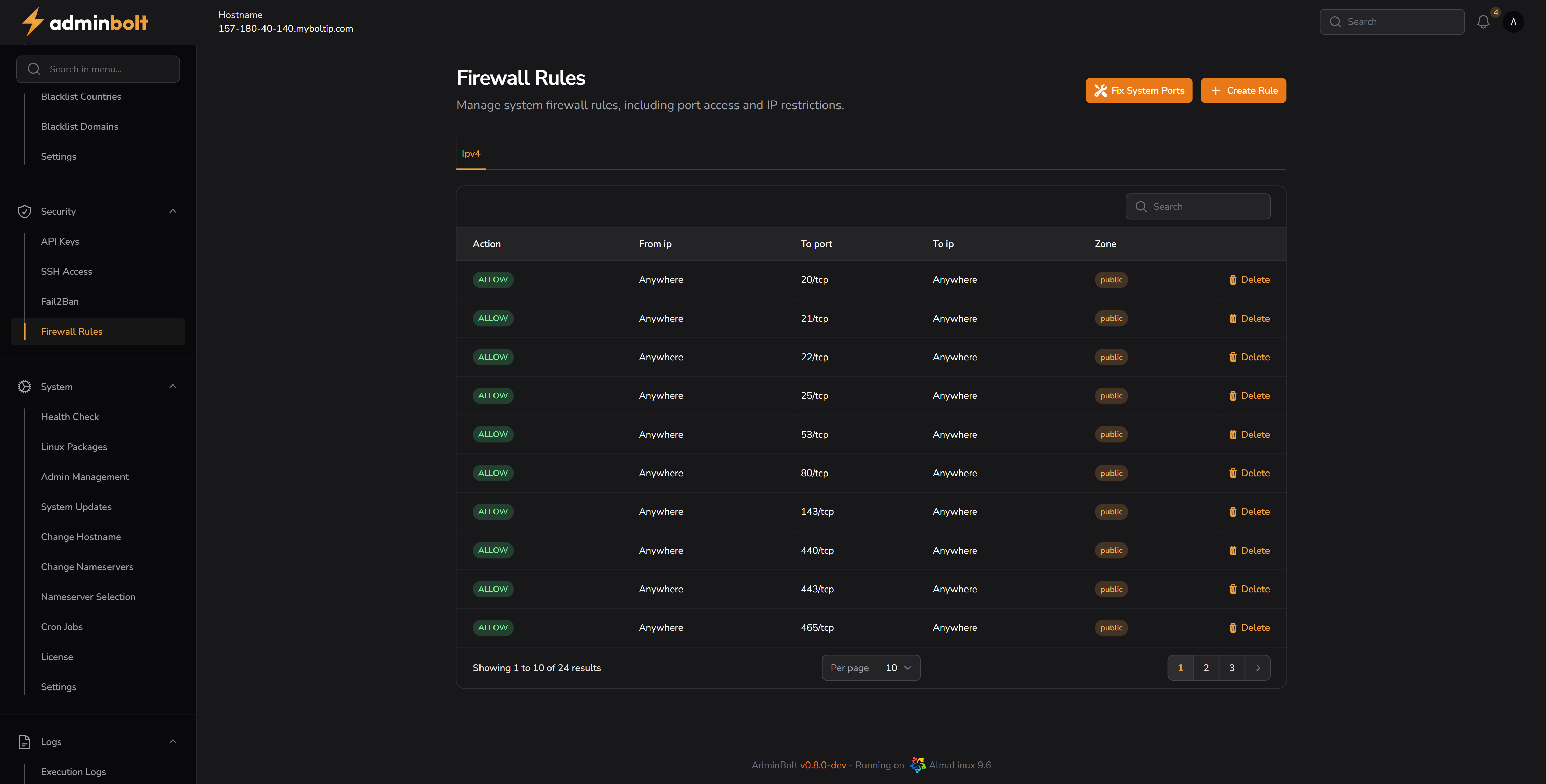
Overview
URL: /admin/firewall-rules
This section presents a table of current firewall rules, segmented by action, IP source/destination, port access, and network zone.
Admins can view existing rules, create new ones, or remove rules using the interface tools.
Features
- Button to automatically fix critical system ports:
Fix System Ports - Button to create custom rules:
+ Create Rule
Table Columns
| Column | Description |
|---|---|
| Action | The rule type, either ALLOW or DENY. |
| From IP | Source IP address (e.g. Anywhere). |
| To Port | Destination port with protocol (e.g. 22/tcp). |
| To IP | Destination IP address. |
| Zone | The network zone (usually public). |
| Delete | Deletes the rule entry. |
Search
You can filter/search rules using the search bar above the table.
Search works across the following fields:
- Action
- From IP
- To Port
- To IP
- Zone
Pagination
Users can adjust the number of rules displayed per page:
5,10,25,50, orAll
Create Rule
Clicking the + Create Rule button opens a modal to add a new firewall rule.
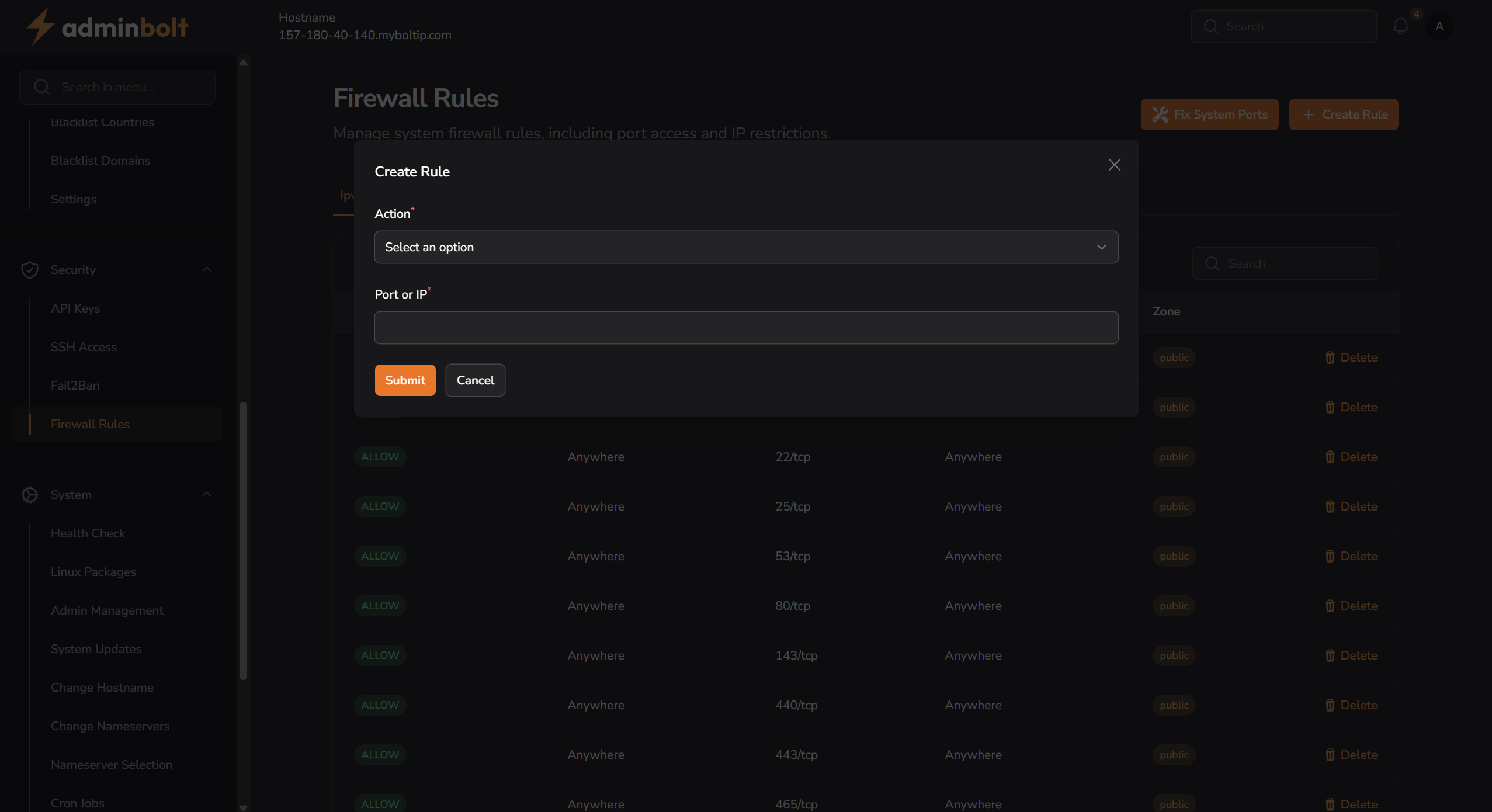
Fields
Action
Dropdown field to selectALLOWorDENY.Port or IP
Input field to define the port (e.g.443/tcp) or IP address to which the rule applies.
Buttons
- Submit — saves and applies the new rule.
- Cancel — closes the modal without saving.