

Zone Editor – AdminBolt Hosting Panel
Overview
The Zone Editor in AdminBolt is a tool used to manage DNS records for each domain. DNS (Domain Name System) converts domain names into computer-readable IP addresses. This section allows the user to view and edit DNS zones for domains hosted under their account.
Description
Purpose
- Allows the user to control DNS configurations such as:
- A (Address) records
- AAAA (IPv6) records
- MX (Mail Exchange) records
- CNAME (Canonical Name) records
- TXT, SRV, and other DNS entries
Contextual Use
- Essential for setting up mail servers, verifying domains with external providers, pointing domains/subdomains to other servers, or setting up CDN.
Key Interface Elements
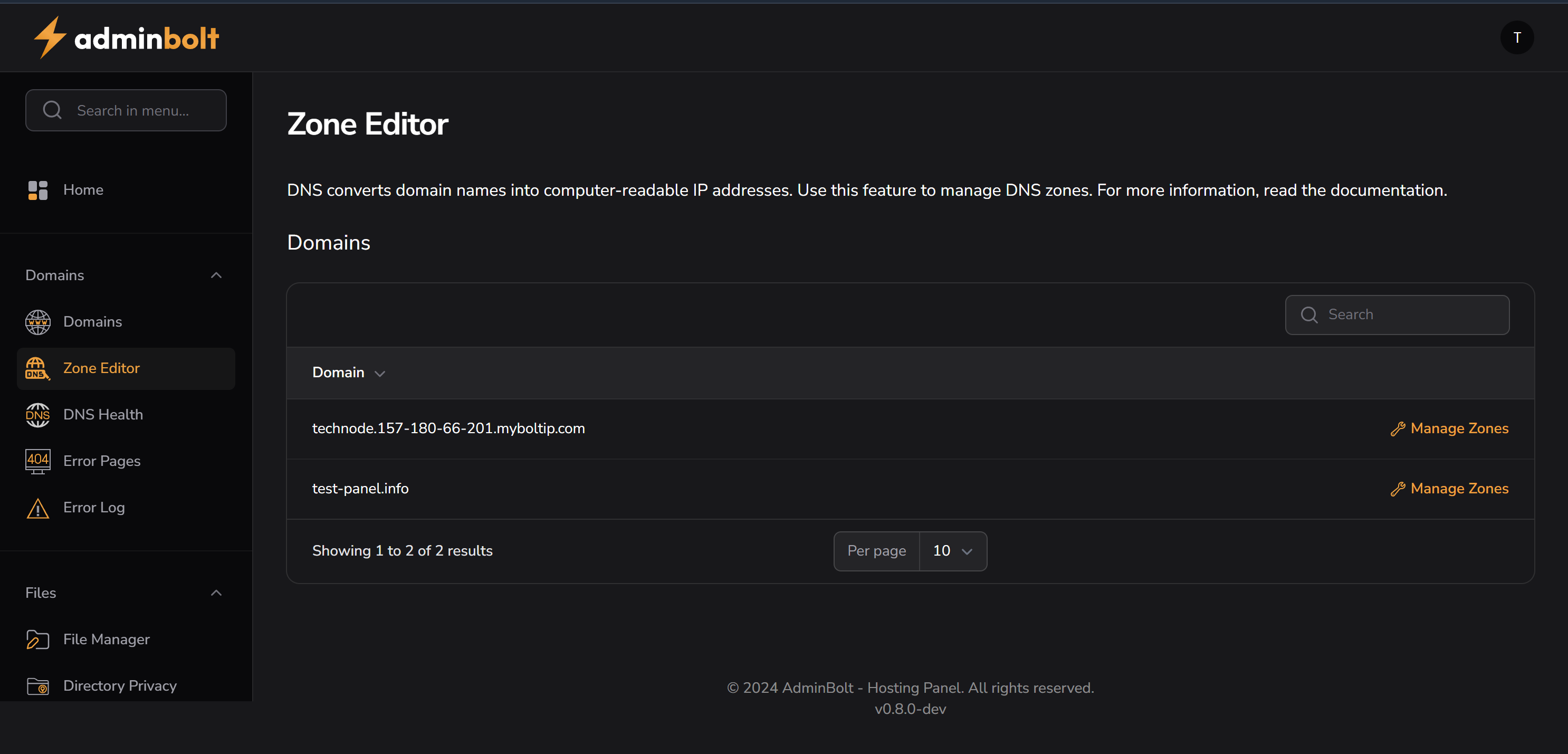
Domain List
- Lists all hosted domains under the current user account.
- Each row includes:
- Domain Name
- Action Button: “Manage Zones”
Search Bar
- Allows filtering/searching for specific domains within the list.
Pagination
- Option to set number of entries per page (e.g. 10 per page).
Example Domains Shown
| Domain | Action |
|---|---|
| mydomain.com | Manage Zones |
| mydomain.info | Manage Zones |
Actions
- Click Manage Zones to access detailed DNS records for the selected domain.
- Edit or delete existing records.
- Add new custom DNS entries.
Related Sections
Notes
- Located in the left sidebar under:
Domains → Zone Editor - Useful when integrating third-party services like email providers, Google Workspace, or external apps that require DNS verification.