

Health Check
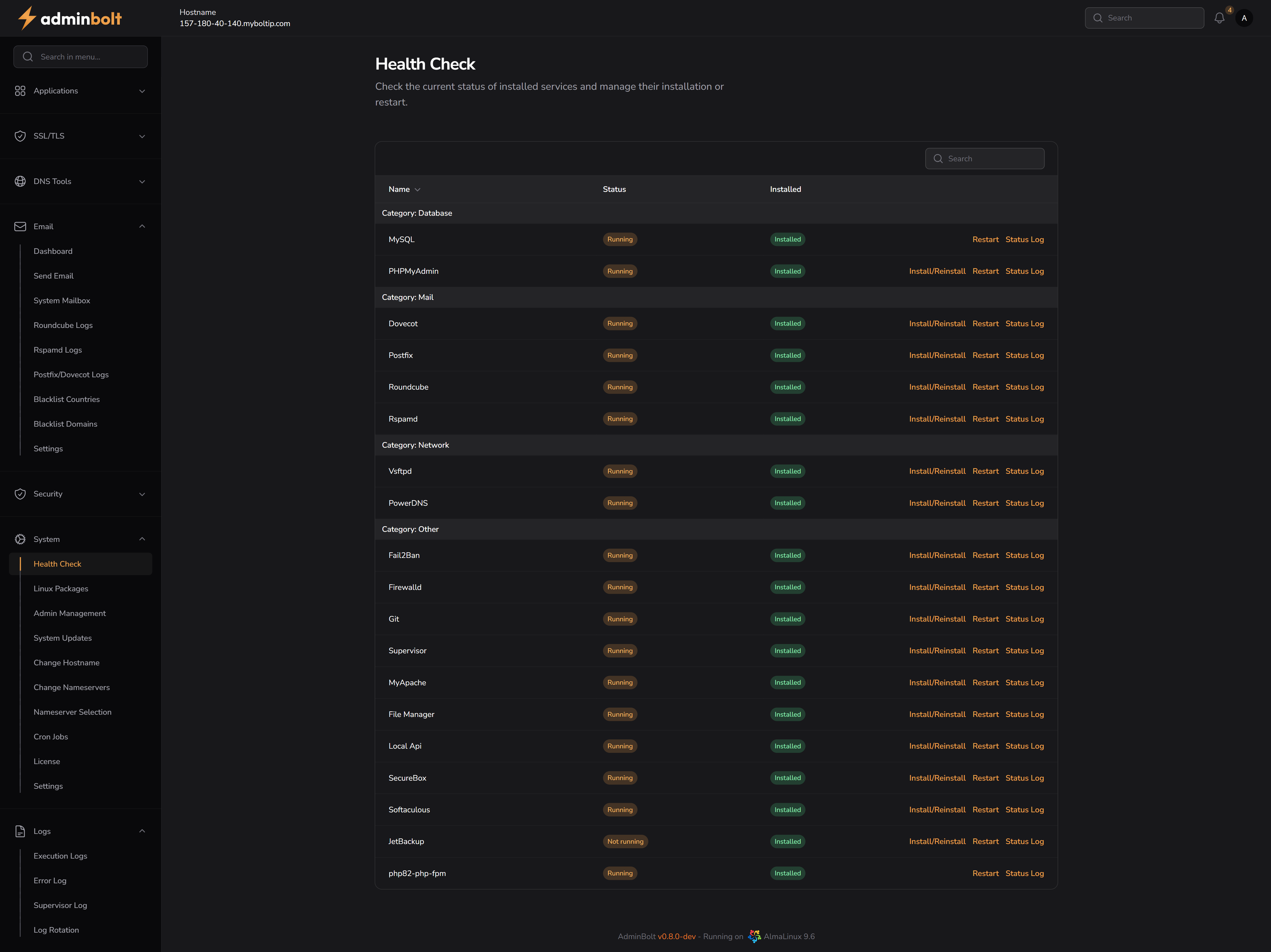
The Health Check page provides a real-time overview of installed system services, their status, and quick access to service actions such as installation, restarting, or checking logs.
Overview
URL: /admin/health-check
This page allows administrators to:
- Monitor the status of key services (e.g., MySQL, Dovecot, Fail2Ban, etc.).
- Check if a service is currently Installed and/or Running.
- Perform quick actions:
- Install/Reinstall – (Re)install the selected service.
- Restart – Restart the service if it is currently running.
- Status Log – View the current service log output.
Each service is grouped into categories:
- Database – MySQL, PHPMyAdmin
- Mail – Dovecot, Postfix, Roundcube, Rspamd
- Network – Vsftpd, PowerDNS
- Other – Fail2Ban, Firewall, Git, Supervisor, MyApache, File Manager, etc.
Actions
Install/Reinstall
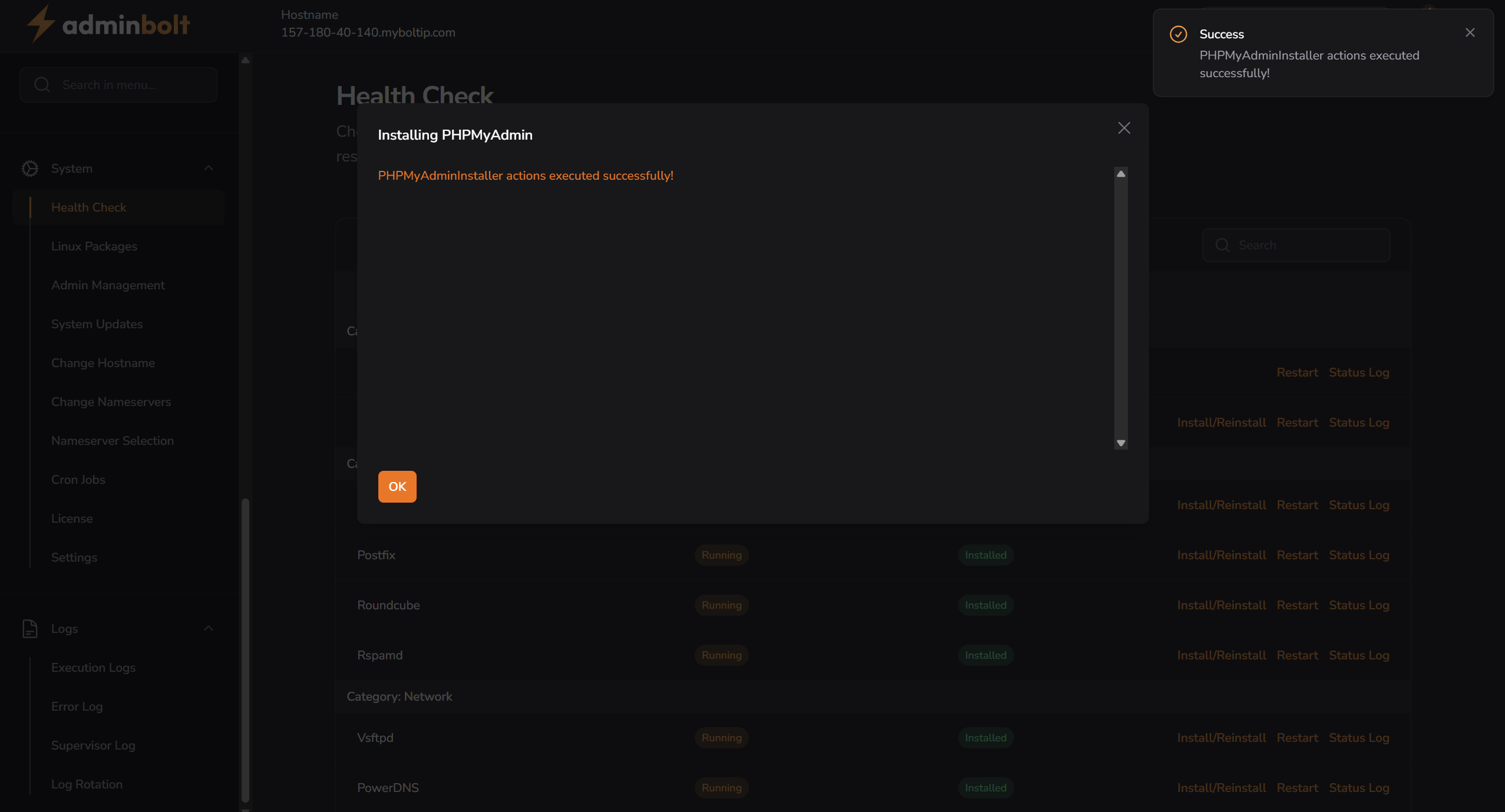
Clicking Install/Reinstall will initiate the installation process for the selected service. Once successful, a notification appears:
Success: [ServiceName]Installer actions executed successfully!
Restart
Clicking Restart will send a restart signal to the service. If successful, the following message is shown:
Success: Service restarted successfully!
No modal is shown — only a toast notification.
Status Log
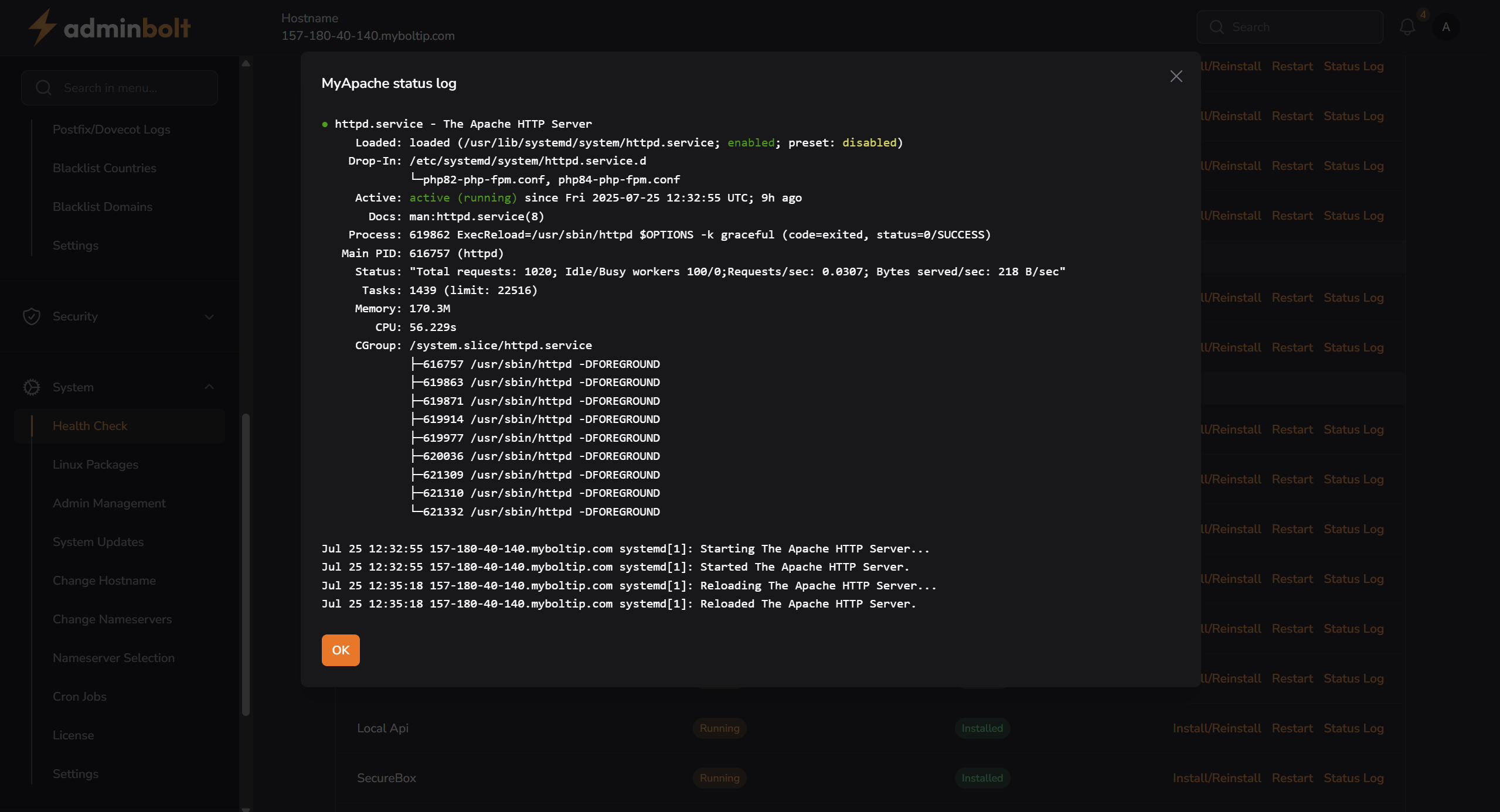
Clicking Status Log opens a modal displaying logs for the service.
Example:
Search Functionality
The search bar filters services based on the Name column only.