

CloudLinux
The CloudLinux page provides detailed information about the CloudLinux module – a Linux-based operating system designed for hosting environments. It improves stability, density, and security by isolating users and managing resource allocation on a per-account basis.
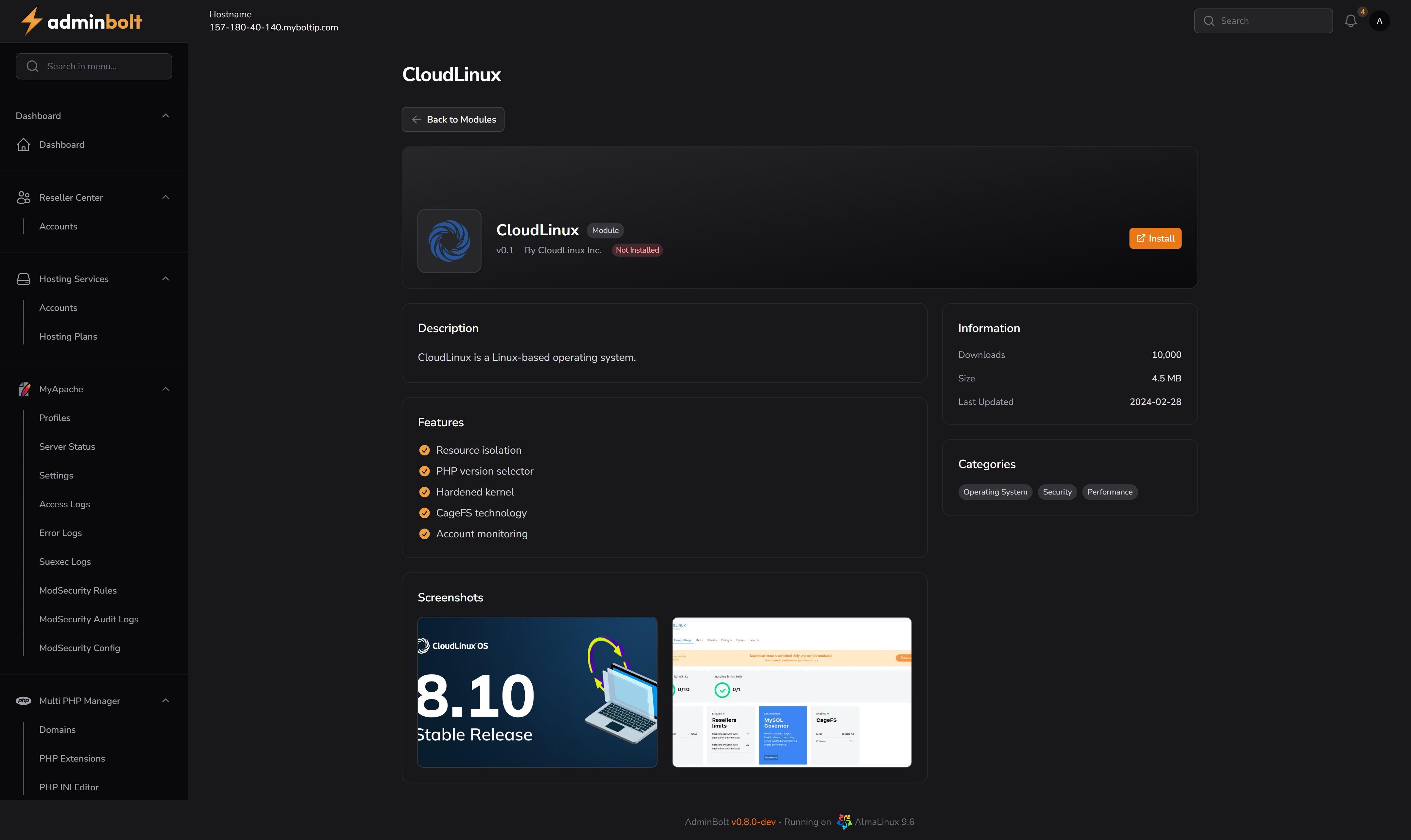
Overview
CloudLinux is integrated into adminbolt as an optional module that enhances server performance and security. It provides per-user resource control, hardened kernels, and advanced technologies such as CageFS for account isolation.
URL
/admin/modules/cloudlinux
Description
CloudLinux is a Linux-based operating system designed to improve security, performance, and stability in multi-tenant hosting environments.
By isolating each hosting account into its own lightweight virtualized environment, CloudLinux ensures that one user’s actions do not negatively affect others on the same server.
Features
- Resource isolation
- PHP version selector
- Hardened kernel
- CageFS technology
- Account monitoring
Installation Process
When clicking the Install button, a two-step installation wizard will appear:
Step 1 – License and Component Selection
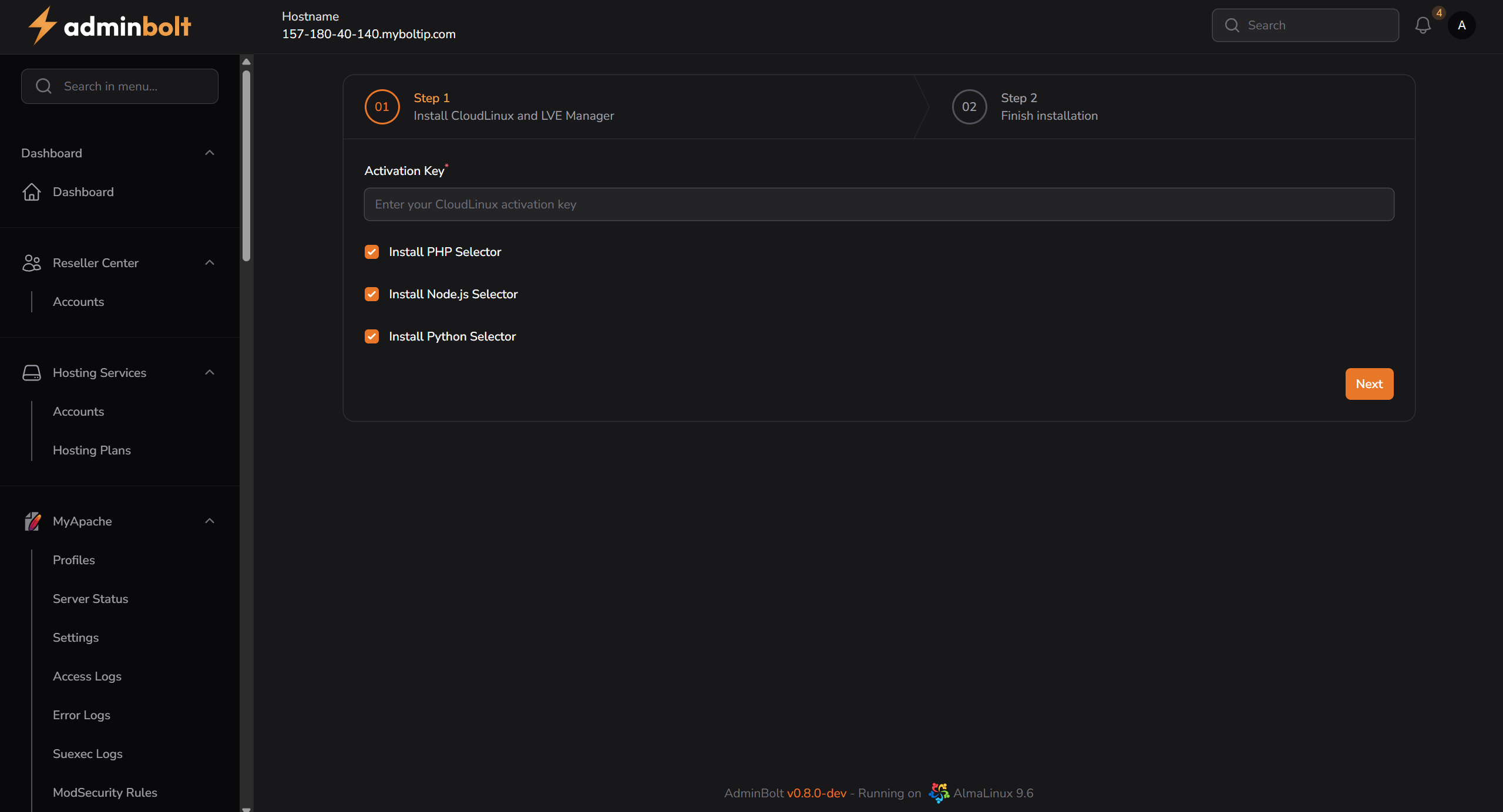
- You are prompted to enter a CloudLinux Activation Key.
- You can optionally select:
- PHP Selector
- Node.js Selector
- Python Selector
- Click Next to proceed to the installation.
Step 2 – Installation Logs and Output
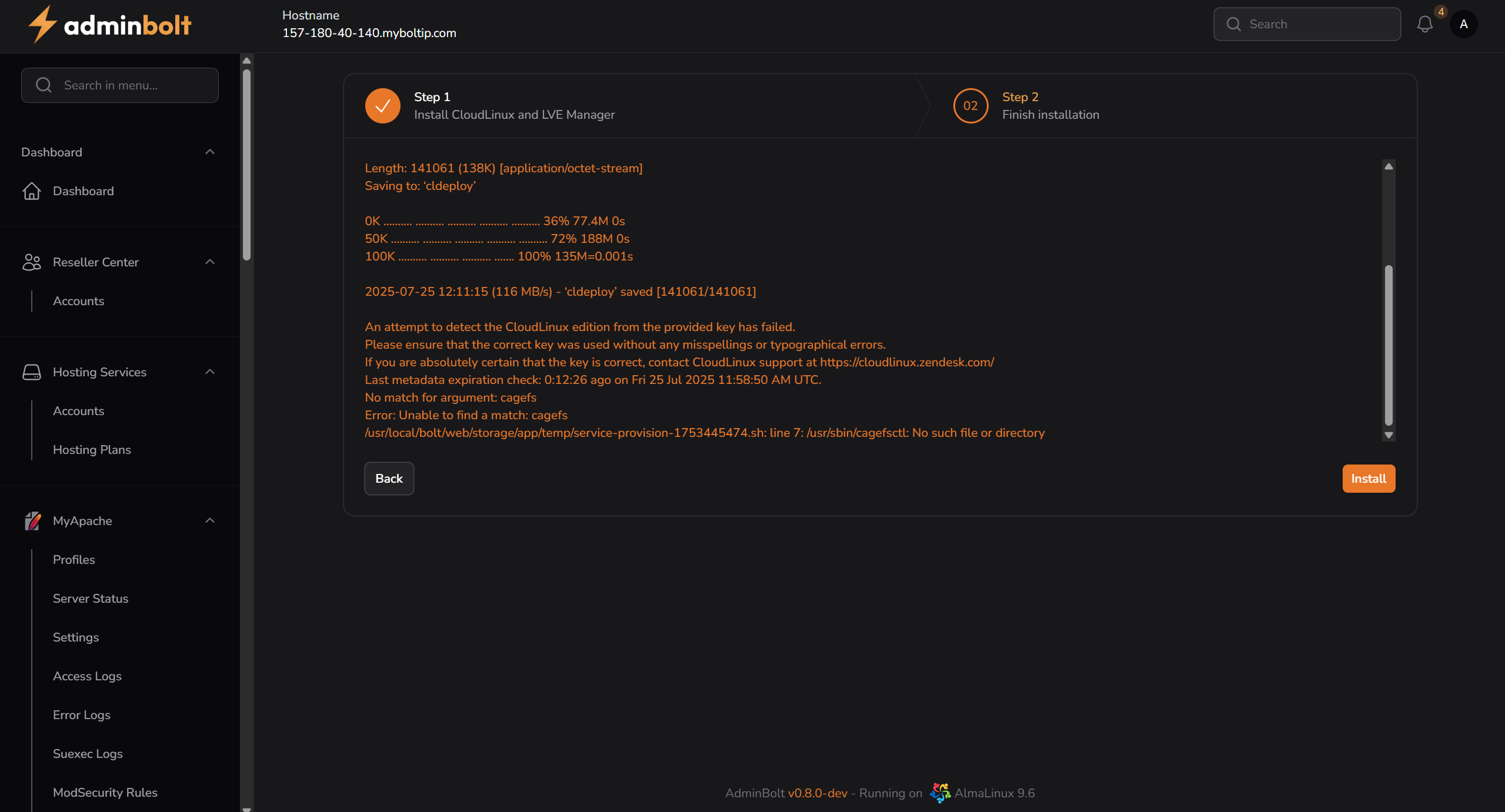
- This step shows the full command-line output of the installation process.
- The system attempts to download and install the required CloudLinux packages.
- In case of issues (invalid license, missing packages, etc.), detailed error logs are shown.