

Plans
The Reseller Hosting Plans section allows resellers to create and manage custom hosting plans for their clients.
URL: /reseller/hosting-plans
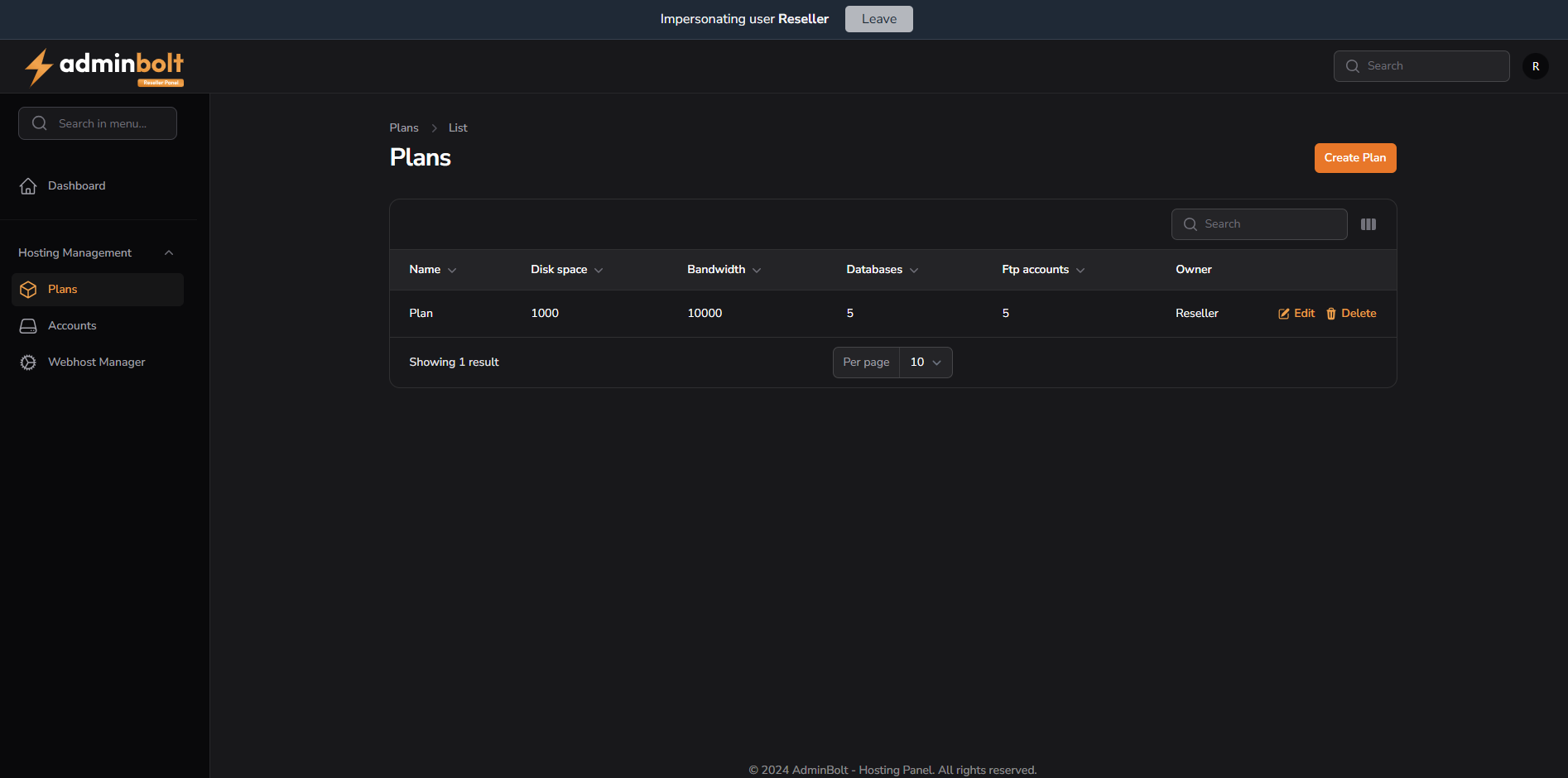
Plans List View
This table provides an overview of all hosting plans created by the reseller. It includes the following columns:
- Name – The name of the plan
- Disk space – Storage limit (in MB)
- Bandwidth – Monthly bandwidth (in MB)
- Databases – Max number of databases
- FTP accounts – Max number of FTP users
- Owner – Owner of the plan
Each row offers quick actions:
- Edit – Opens the same form used for creating a new plan, but prefilled with the existing plan's data.
- Delete – Remove the plan
Search & Column Management
Above the table is a search bar that enables filtering results by:
- Name
- Owner
Additionally, clicking the column layout icon opens a dropdown that lets users toggle the visibility of optional columns:
- Created at
- Updated at
Pagination
Users can control how many results are shown per page using the pagination dropdown:
5102550All
Creating a New Hosting Plan
Clicking the Create Plan button opens a multi-tab form to configure a hosting package.
General
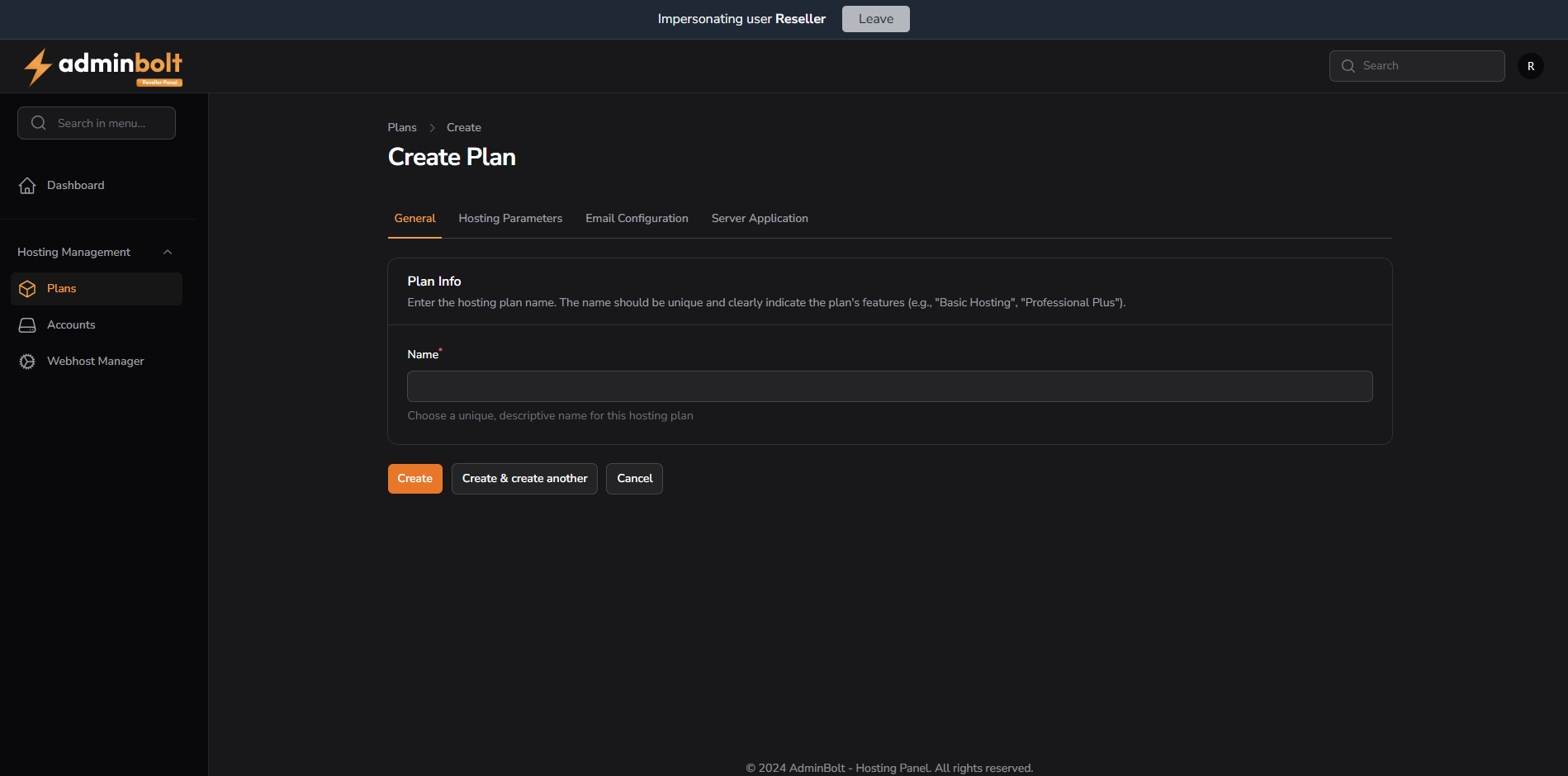
- Name – A required, unique name for the plan
- This name should reflect the plan type (e.g., "Basic", "Advanced", etc.)
Hosting Parameters
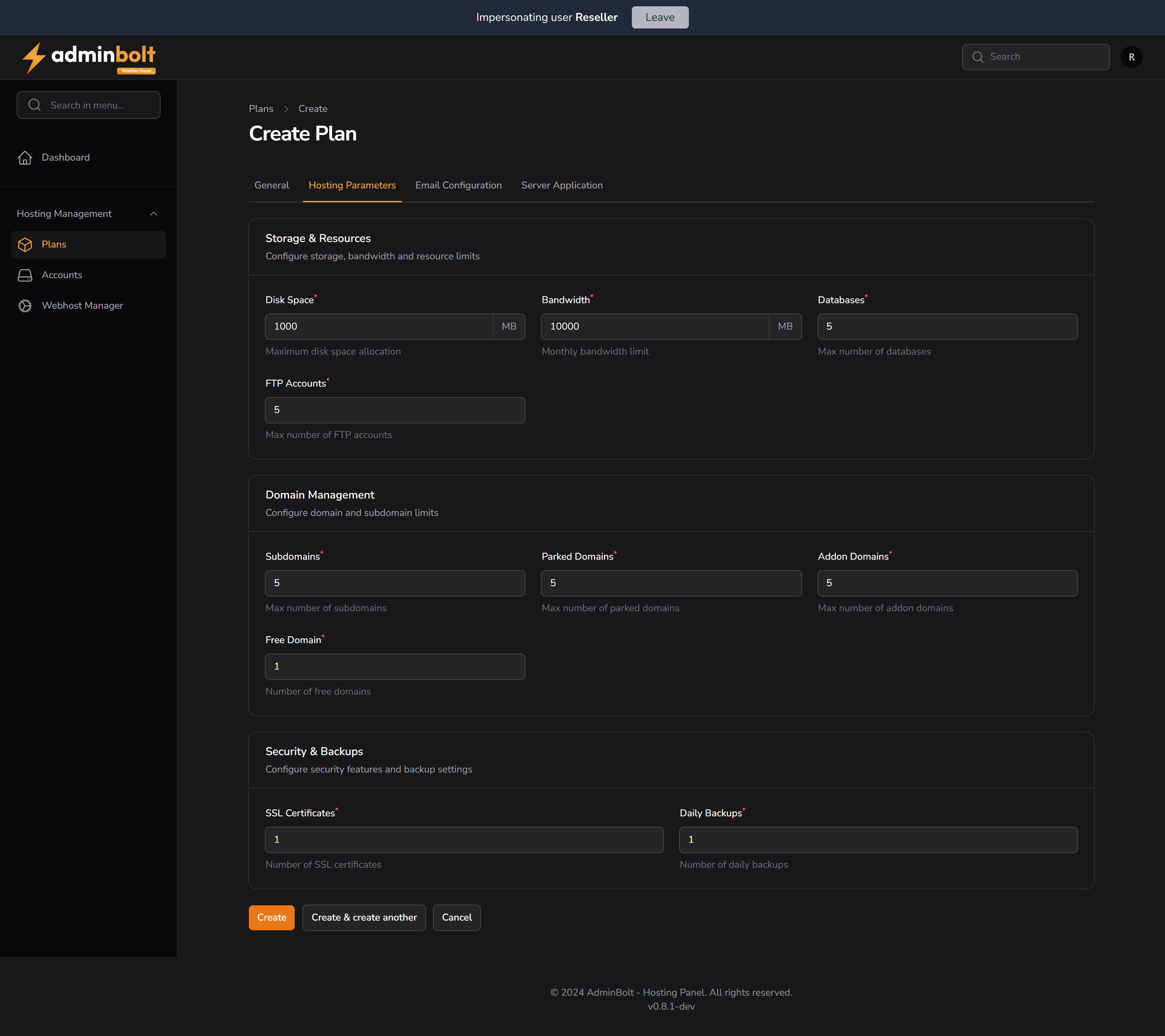
Storage & Resources
- Disk Space – Storage in MB
- Bandwidth – Monthly bandwidth limit in MB
- Databases – Max number of MySQL/PostgreSQL databases
- FTP Accounts – Max allowed FTP accounts
Domain Management
- Subdomains
- Parked Domains
- Addon Domains
- Free Domain – Number of included domains
Security & Backups
- SSL Certificates – Limit of free/auto certificates
- Daily Backups – Max number of backup slots per day
Email Configuration
This section allows the reseller to configure limits related to email usage per hosting plan.
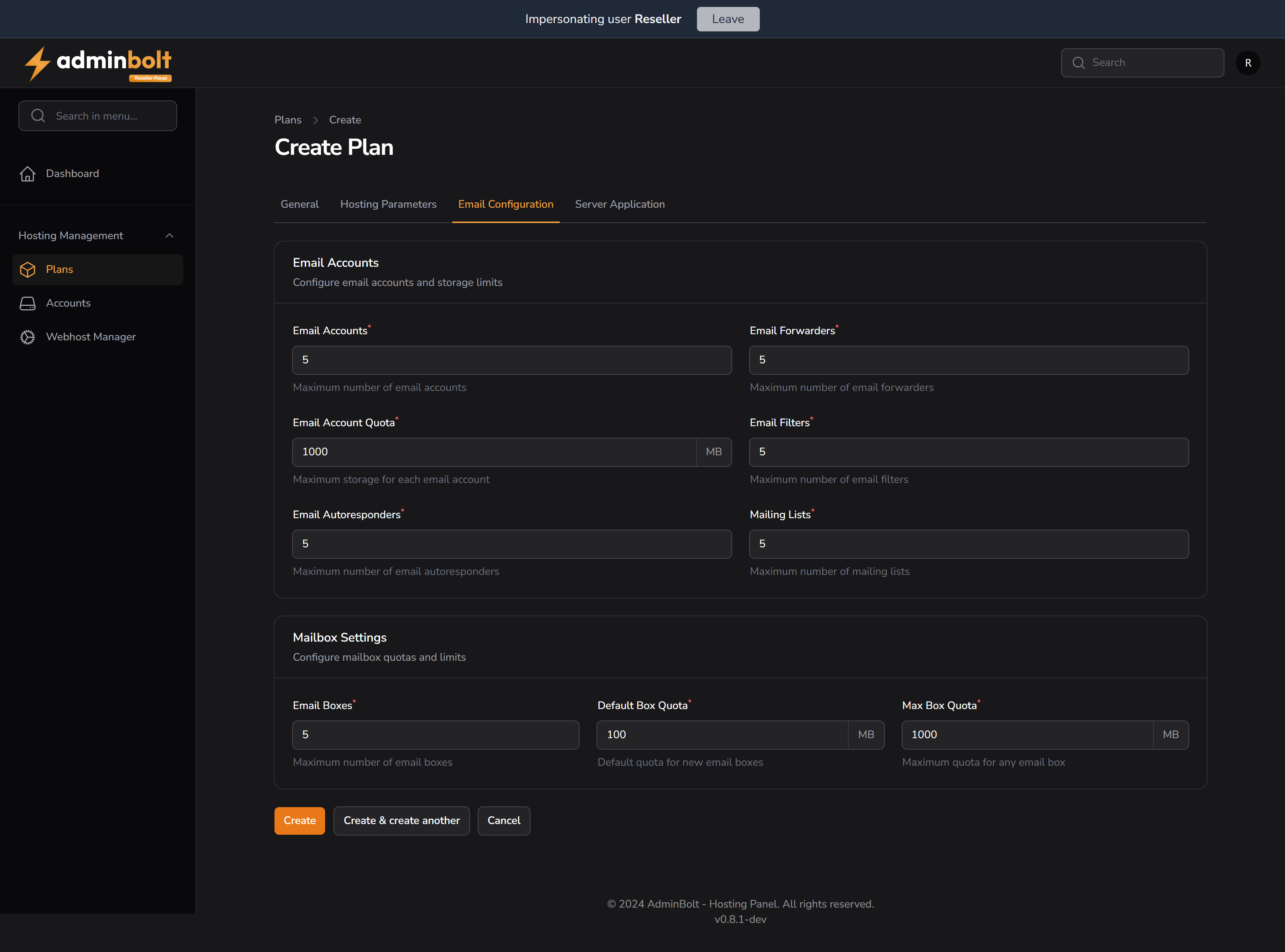
Email Accounts
Email Accounts
Maximum number of email accounts a customer can create.
Example:5Email Forwarders
Maximum number of email forwarders (aliases) allowed.
Example:5Email Filters
Maximum number of custom email filtering rules a customer can apply.
Example:5Email Account Quota
Maximum storage quota (in MB) allocated per email account.
Example:1000 MBEmail Autoresponders
Maximum number of autoresponders allowed per customer.
Example:5Mailing Lists
Maximum number of mailing lists a user can create.
Example:5
Mailbox Settings
Configure mailbox quotas and limits on a per-account basis.
Email Boxes
Maximum number of individual mailboxes per account.
Example:5Default Box Quota
Default disk quota (in MB) assigned to each newly created mailbox.
Example:100 MBMax Box Quota
Maximum quota (in MB) allowed for any single mailbox.
Example:1000 MB
Server Application
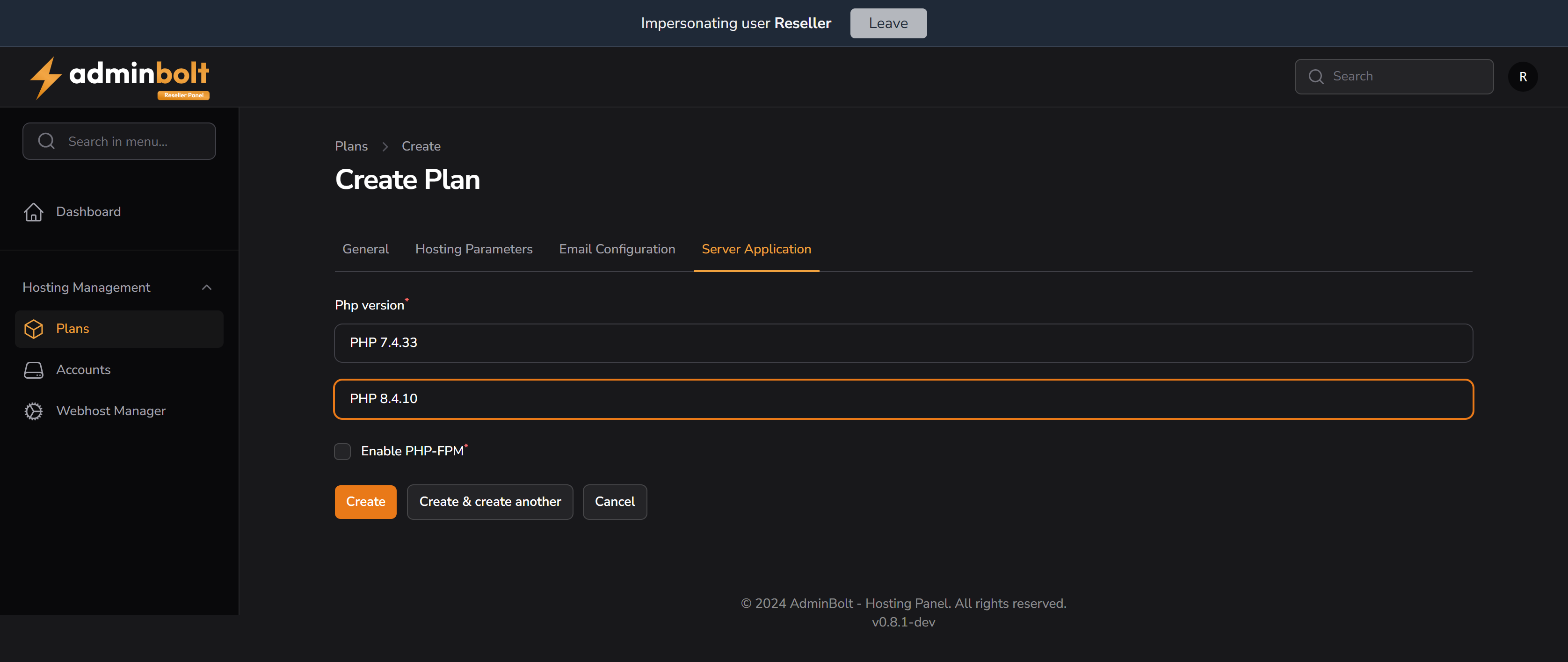
- PHP Version – Choose between available PHP versions (e.g., 7.4.33, 8.4.10)
- Enable PHP-FPM – Optional checkbox for enabling performance mode
Available Actions
At the bottom of the form:
- Create – Save and exit
- Create & create another – Save and reset form for a new plan
- Cancel – Return to list view without saving