

Hotlink Protection – AdminBolt Hosting Panel
Overview
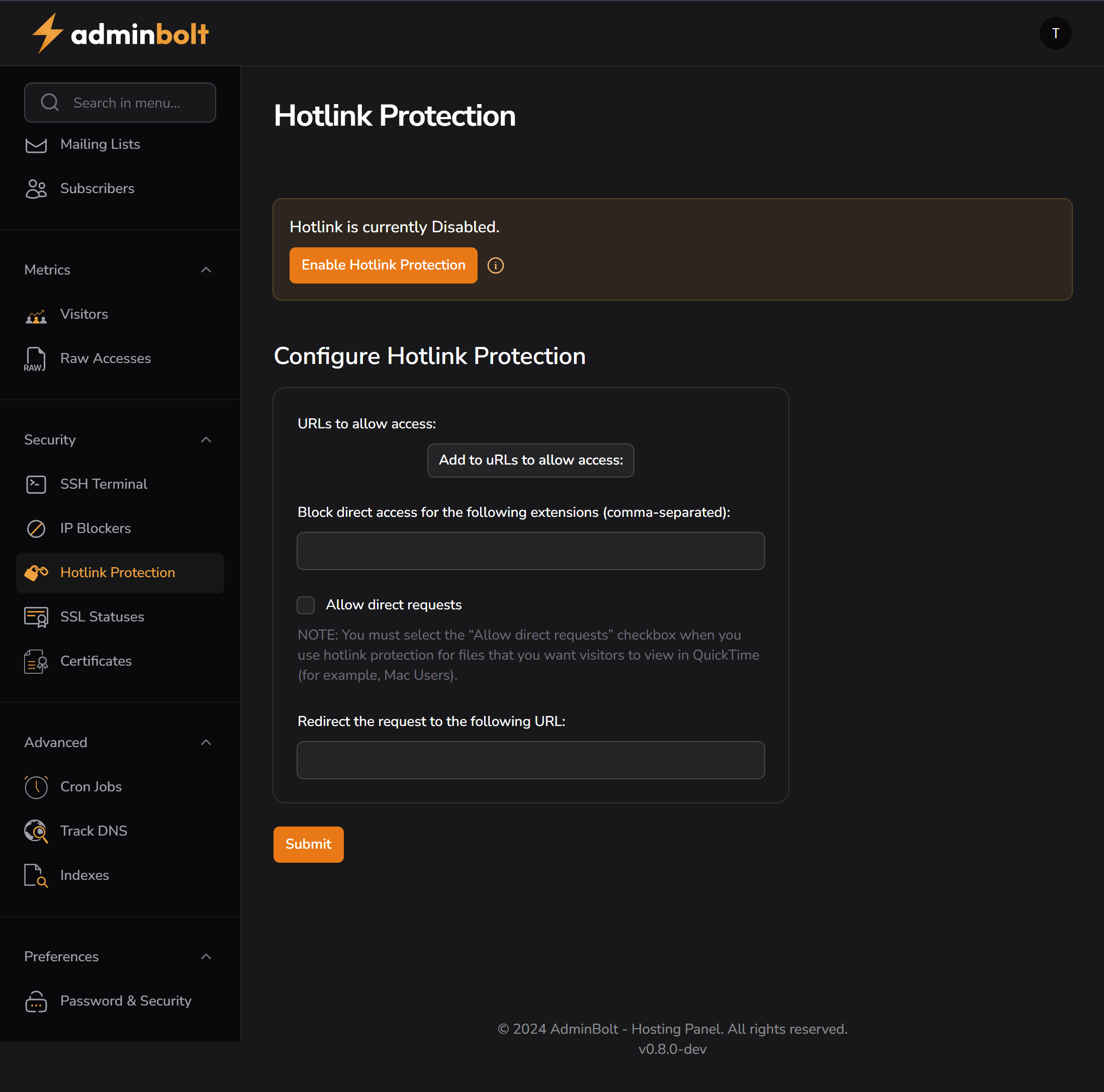
Hotlink Protection prevents other websites from directly linking to your hosted content (such as images, videos, and downloadable files). When enabled, it ensures that only specified domains can serve your content, which protects bandwidth usage and enhances security.
Features
- Toggle Hotlink Protection (Enable/Disable)
- Whitelist trusted URLs
- Block specific file extensions (e.g., jpg, png, pdf)
- Redirect unauthorized requests to a custom URL
- Option to allow direct access (e.g., for media players)
UI Elements
| Element | Description |
|---|---|
| Enable Hotlink Protection | Activates the feature (disabled by default) |
| Add to URLs to allow access | Opens a field to specify trusted domains (e.g., example.com) |
| Block direct access for extensions | Comma-separated list (e.g., jpg,png,gif,mp4) |
| Allow direct requests | Checkbox to allow file access without a referer (e.g., via QuickTime) |
| Redirect the request to the following URL | Optional redirect destination for blocked hotlink attempts |
| Submit Button | Saves and applies the configuration |
How to Use
- Navigate to: Security → Hotlink Protection
- Click the Enable Hotlink Protection button.
- Add trusted domains (e.g., your own sites) using the Add to URLs button.
- In the extensions field, enter file types you want to protect (e.g.,
jpg, png, mp4). - (Optional) Check Allow direct requests if your media player requires it.
- (Optional) Enter a redirect URL for blocked requests (e.g.,
/no-hotlinking.html). - Click Submit to save your settings.
Use Cases
- Prevent Image Theft – Block external sites from embedding your images
- Save Bandwidth – Avoid paying for resources used by other sites
- Improve SEO – Prevent duplicate content served via unauthorized URLs
- Redirect Offenders – Show custom warning pages for unauthorized hotlinking
Best Practices
- Always whitelist your own domains
- Use redirection to inform users or log attempts
- Regularly review allowed URLs and blocked file types
- Keep extensions list minimal to reduce false positives
Troubleshooting
- If content isn’t loading on your site:
- Ensure your own domain is whitelisted
- Check if “Allow direct requests” is required by your player/browser
- If blocked content isn’t redirecting:
- Verify the redirect URL is valid and publicly accessible