

Application Modules
The Application Modules page allows administrators to manage modular extensions within the adminbolt system. These modules provide additional functionality such as backup systems, security enhancements, automation, and third-party integrations.
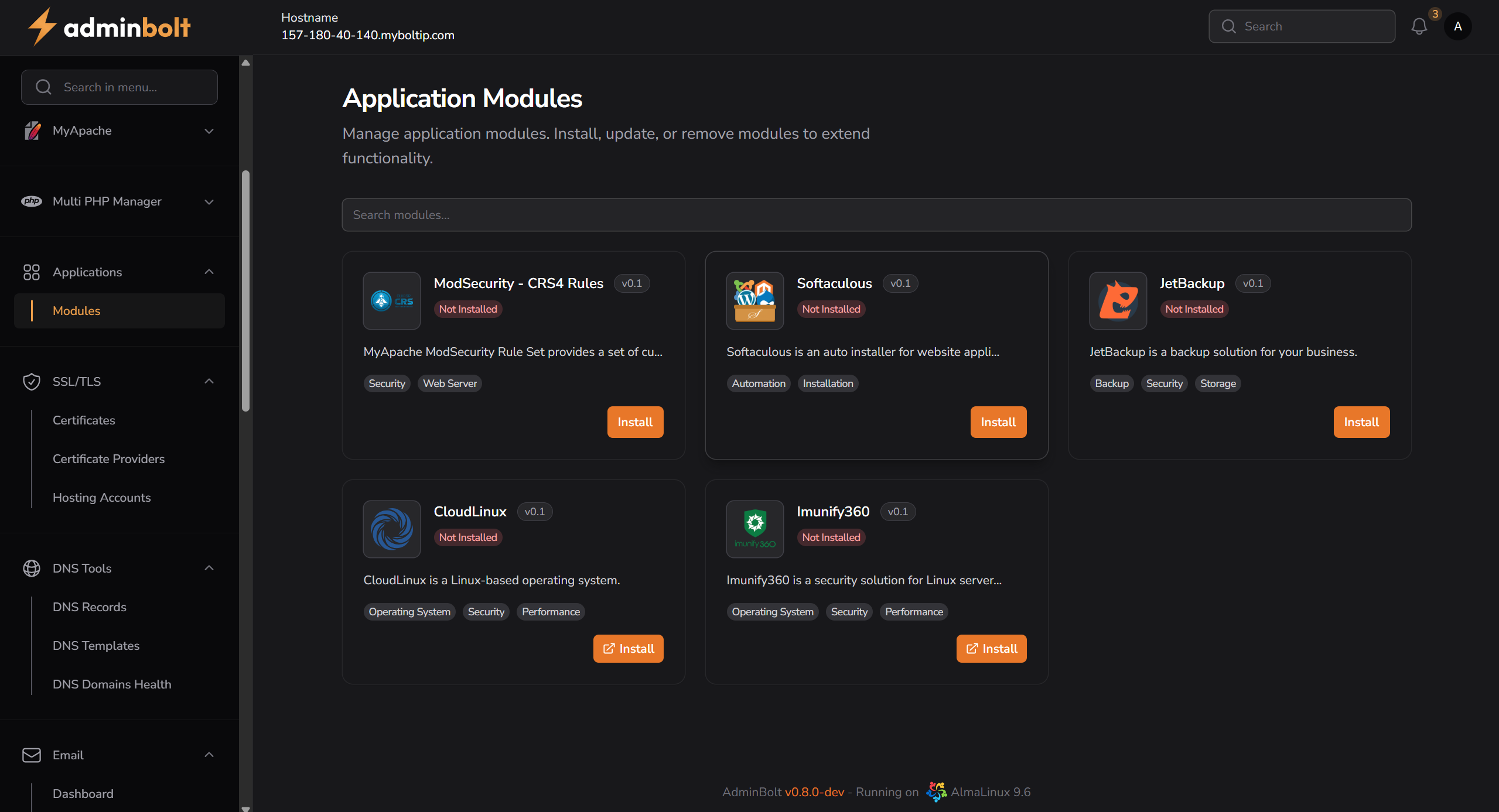
Overview
This interface displays a list of available application modules that can be installed or removed. Each module includes a description, version information, category tags, and an install button if not already installed.
URL
/admin/module-manager
Interface Elements
Search Modules
- Search Bar – Allows filtering the module list by name or keyword.
Available Modules
Each module card contains:
- Module Name – The name of the application module.
- Status –
Not InstalledorInstalled(shown with a badge). - Version – Displays the module version (e.g.,
v0.1). - Description – Short summary of the module’s purpose.
- Tags – Categories for quick identification (e.g.,
Security,Web Server,Backup, etc.). - Install Button – Triggers installation of the module.
List of Modules
| Module Name | Description | Tags |
|---|---|---|
| ModSecurity - CRS4 Rules | Provides a set of curated security rules for ModSecurity. | Security, Web Server |
| Softaculous | Auto installer for web applications. | Automation, Installation |
| JetBackup | Backup solution for business continuity. | Backup, Security, Storage |
| CloudLinux | Linux-based OS for performance and isolation. | Operating System, Security, Performance |
| Imunify360 | Security solution for Linux hosting environments. | Operating System, Security, Performance |