

Feature Lists
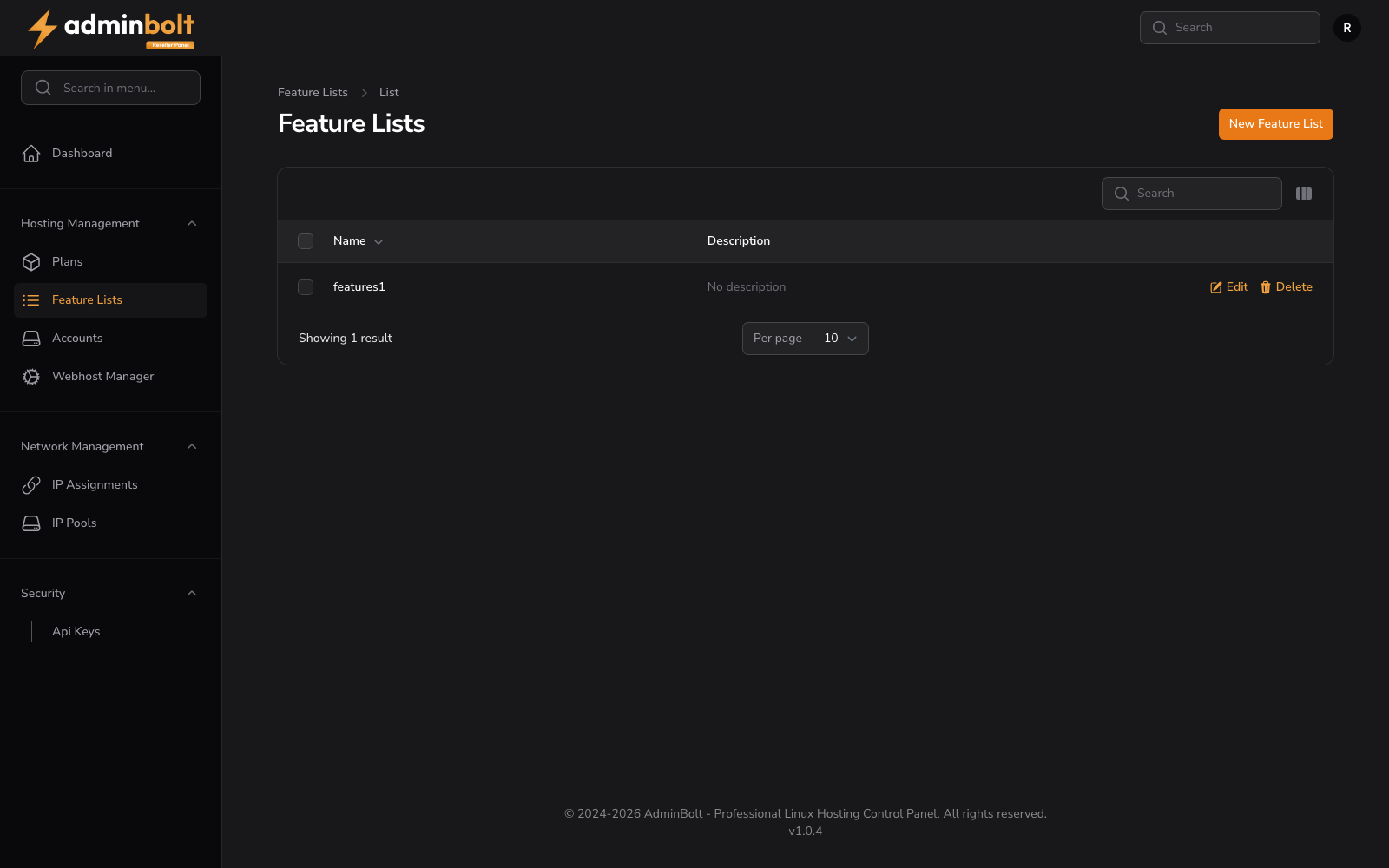
The Feature Lists page allows resellers to define and manage feature lists that can be attached to hosting plans.
Overview
URL: /reseller/hosting-plan-feature-lists
The page header reads: "Feature Lists" with a breadcrumb "Feature Lists > List".
A New Feature List button links to the feature list creation form.
Feature Lists Table
The table displays all feature lists created by the reseller.
Bulk Actions
A Bulk actions button provides the Delete selected option for removing multiple feature lists at once.
Search
A search bar filters feature lists by name or other criteria.
Toggle Columns
Click the Toggle columns button to show or hide optional columns: Description, Created, Updated.
Select All / Deselect All
Buttons to select or deselect all feature list entries for bulk operations.
Table Columns
- Name - The feature list name
- Actions - Edit or Delete options
Optional columns (via Toggle columns): Description, Created, Updated.
Row Actions
- Edit - Modify the feature list name, description, and enabled features
- Delete - Remove the feature list
Empty State
When no feature lists exist, the page shows "No Feature Lists".
Creating a Feature List
URL: /reseller/hosting-plan-feature-lists/create
Clicking New Feature List opens the creation form with the following sections:
Feature List Information
- Name (required) - A unique name for this feature list (e.g., "Basic Features", "Premium Features")
- Description - Optional description of this feature list
Enabled Features
A searchable checklist of all available panel features. Use the Select all and Deselect all buttons for quick selection. Available features include: Access Logs, Autoresponders, Cron Jobs, DNS Health, Database Wizard, Databases, Disk Usage, Domains, Email Accounts, Email Catch All, Error Logs, Error Pages, FTP Accounts, FTP Connections, Forwarders, Git Version Control, Hotlink Protection, IP Blockers, Indexes, Mailing Lists, Private Directories, Raw Accesses, Redirects, SSH Terminal, SSL Certificate (domains), Subscribers, Track DNS, Visitors, Zone Editor.
Form Actions
- Create - Save the feature list
- Create & create another - Save and reset the form for a new feature list
- Cancel - Return to the list without saving