

Error Pages – AdminBolt Hosting Panel
Overview
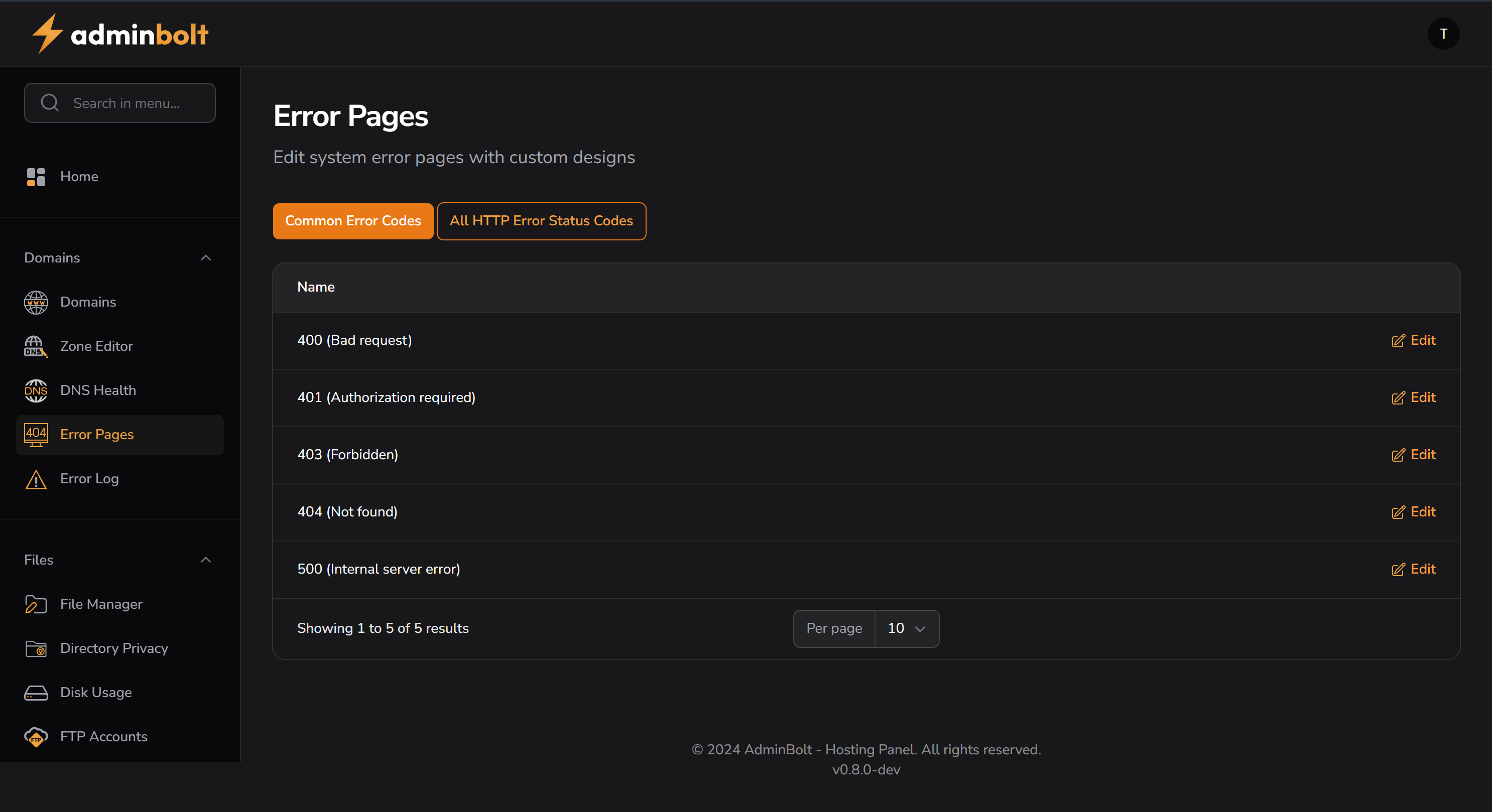
The Error Pages section in AdminBolt allows users to customize system error messages displayed to visitors when a website encounters common HTTP errors. This feature is useful for branding and improving the user experience when issues arise.
Purpose
- Replace generic server error pages with custom HTML designs.
- Provide helpful guidance to users encountering issues.
- Maintain brand consistency even during technical disruptions.
Interface Description
Top Control Buttons
- Common Error Codes – Displays a predefined list of the most frequently encountered HTTP error codes.
- All HTTP Error Status Codes – Expands the list to include all valid HTTP status codes, allowing deeper customization.
Error Codes Displayed
| Error Code | Description | Action |
|---|---|---|
| 400 | Bad Request | ✏️ Edit |
| 401 | Authorization Required | ✏️ Edit |
| 403 | Forbidden | ✏️ Edit |
| 404 | Not Found | ✏️ Edit |
| 500 | Internal Server Error | ✏️ Edit |
- Each row contains an Edit button to modify the corresponding HTML content.
Functional Highlights
- Clicking Edit opens a rich text/HTML editor.
- Users can upload custom HTML, CSS, or include redirects to other pages.
- A preview or save function is likely available (not shown in screenshot).
Pagination
- Entries are shown 10 per page by default.
- The panel supports browsing through extended status codes when available.
Use Cases
- Design a user-friendly 404 "Page Not Found" message.
- Display a branded maintenance or outage message on 500 errors.
- Guide unauthorized visitors to support channels via the 401 error page.
Related Sections
Sidebar Location
Domains → Error Pages
Notes
- This tool is crucial for improving the professionalism and trustworthiness of your website during failure scenarios.
- Especially useful for customer-facing websites, e-commerce, or applications under development.