

Mailing Lists – AdminBolt Hosting Panel
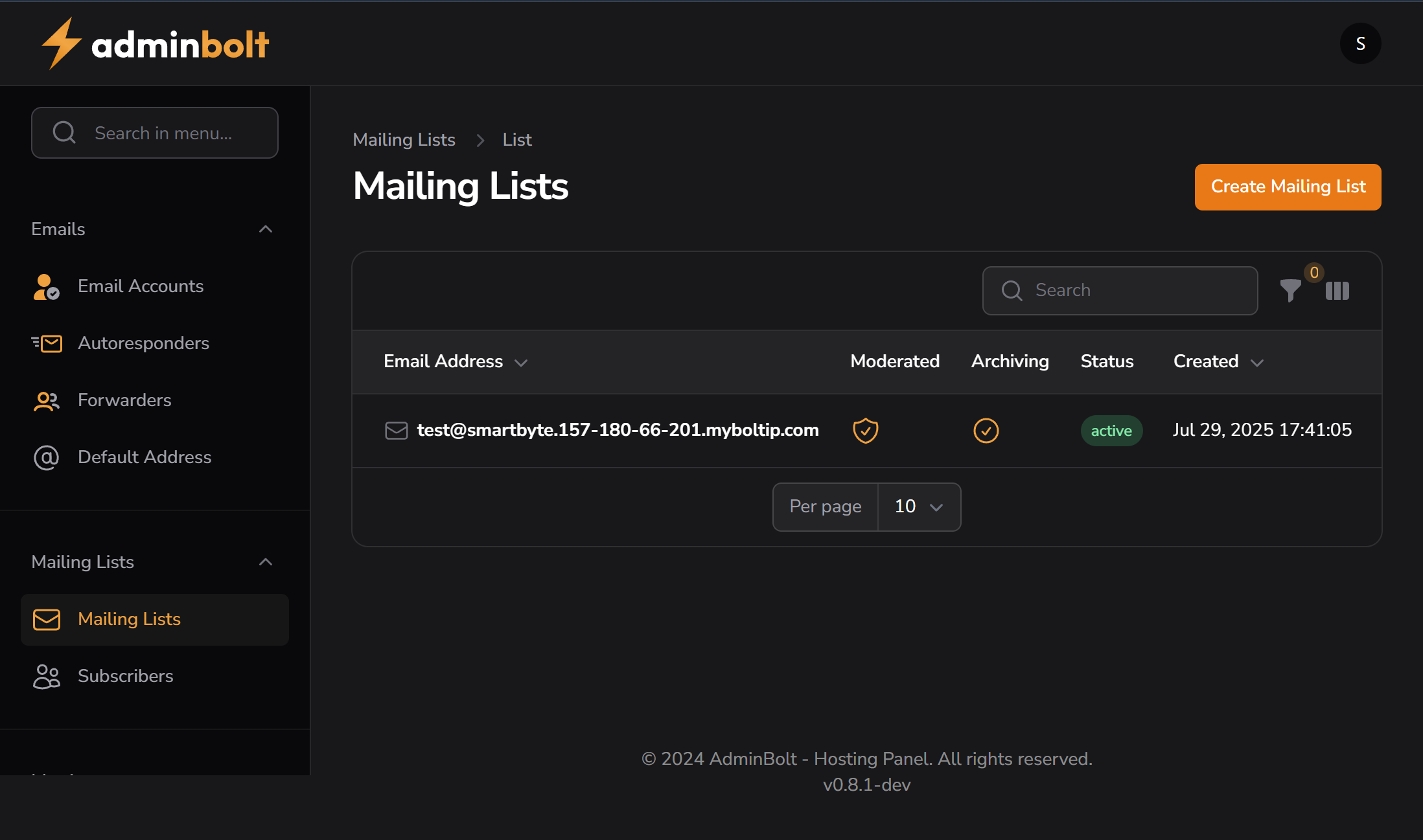
Overview
The Mailing Lists section in AdminBolt allows users to manage group-based email communication by creating and administering mailing lists. A mailing list enables one address to distribute messages to multiple subscribers at once.
Purpose
- Distribute newsletters, announcements, or notifications to a group.
- Centralize team communication.
- Manage email discussion groups for communities or organizations.
Interface Description
Mailing List Dashboard
Create Mailing List button (top right):
Launches the setup form to define:- List name
- Associated domain
- Admin/moderator email
- Password and access settings
Search Bar:
Quickly locate lists by name or domain.Filter & View Controls:
Used to filter visible lists (e.g., by domain, status, or ownership).
Current Mailing Lists
- The list panel will show:
- List name
- Domain
- Number of subscribers
- Actions (Edit, Delete, Manage)
Currently shows: “No Mailing Lists”
Use Cases
- Create a list like
[email protected]to email all internal staff. - Use
[email protected]for promotional emails. - Offer opt-in lists for communities, users, or clubs.
Sidebar Location
Mailing Lists → Mailing Lists
Related Sections
Notes
- Mailing list creation may require MX and SPF/DKIM validation to ensure delivery.
- List moderators typically receive bounces or approval notices, depending on settings.