

Error Log – AdminBolt Hosting Panel
Overview
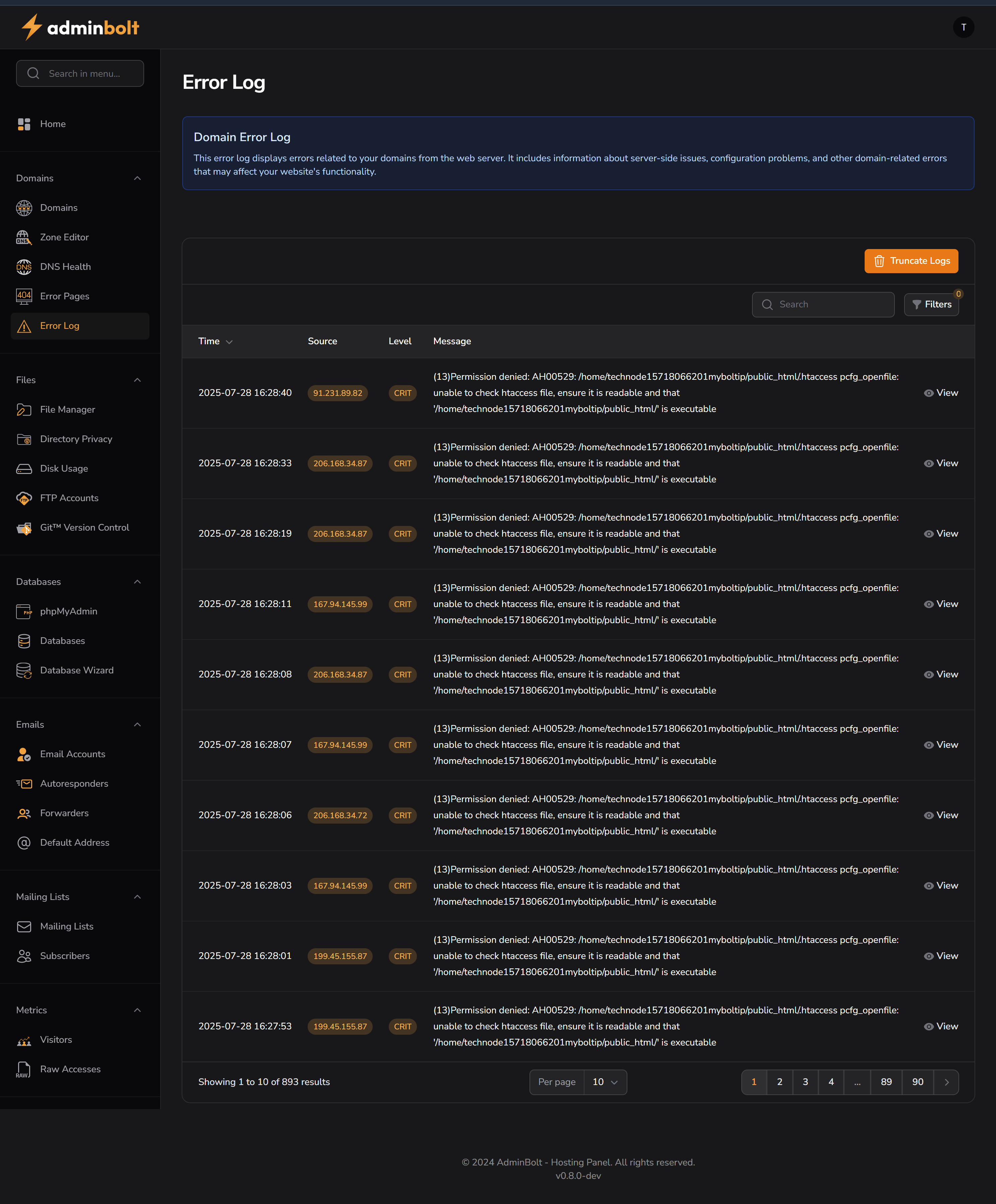
The Error Log section in AdminBolt provides real-time visibility into domain-level errors reported by the web server. This includes HTTP-level errors, permission issues, misconfigurations, and other events that may impact the website’s functionality or availability.
Purpose
- Debug site loading issues.
- Identify permission and .htaccess-related problems.
- Review server-side faults or unauthorized access attempts.
- Monitor the impact of DNS, PHP, or misconfigured services.
Interface Sections
Domain Error Log Info Box
“This error log displays errors related to your domains from the web server. It includes information about server-side issues, configuration problems, and other domain-related errors that may affect your website’s functionality.”
This message clarifies the scope of the logs.
Log Table Columns
| Column | Description |
|---|---|
| Time | Timestamp of when the error occurred |
| Source | IP address initiating the request or causing the error |
| Level | Severity level (e.g., CRT for Critical) |
| Message | Descriptive server error message (e.g., permission denied, file not found) |
Example message shown:AH00529: /home/technode15718066201/myboltip/public_html/.htaccess pcfg_openfile: unable to check htaccess file...
Search & Filter Tools
- Search bar: Allows users to find logs matching specific keywords.
- Filters button: Presumably offers filtering by time range, severity level, or IP address.
Log Management
- Truncate Logs button: Clears the current log history. Useful to reset after debugging or before starting a new deployment.
Pagination
- Supports browsing through hundreds of log entries (834 total shown).
- Default display: 10 entries per page.
Use Cases
- Investigating 403/500 server errors.
- Resolving permission issues in
.htaccessorpublic_html. - Debugging failed redirects or mod_security rules.
- Monitoring attacks or brute-force attempts from specific IPs.
Sidebar Location
Domains → Error Log
Related Sections
Notes
- Provides essential information for developers, sysadmins, and hosting clients.
- Especially valuable in shared hosting environments to isolate domain-specific issues.