

SSH Access
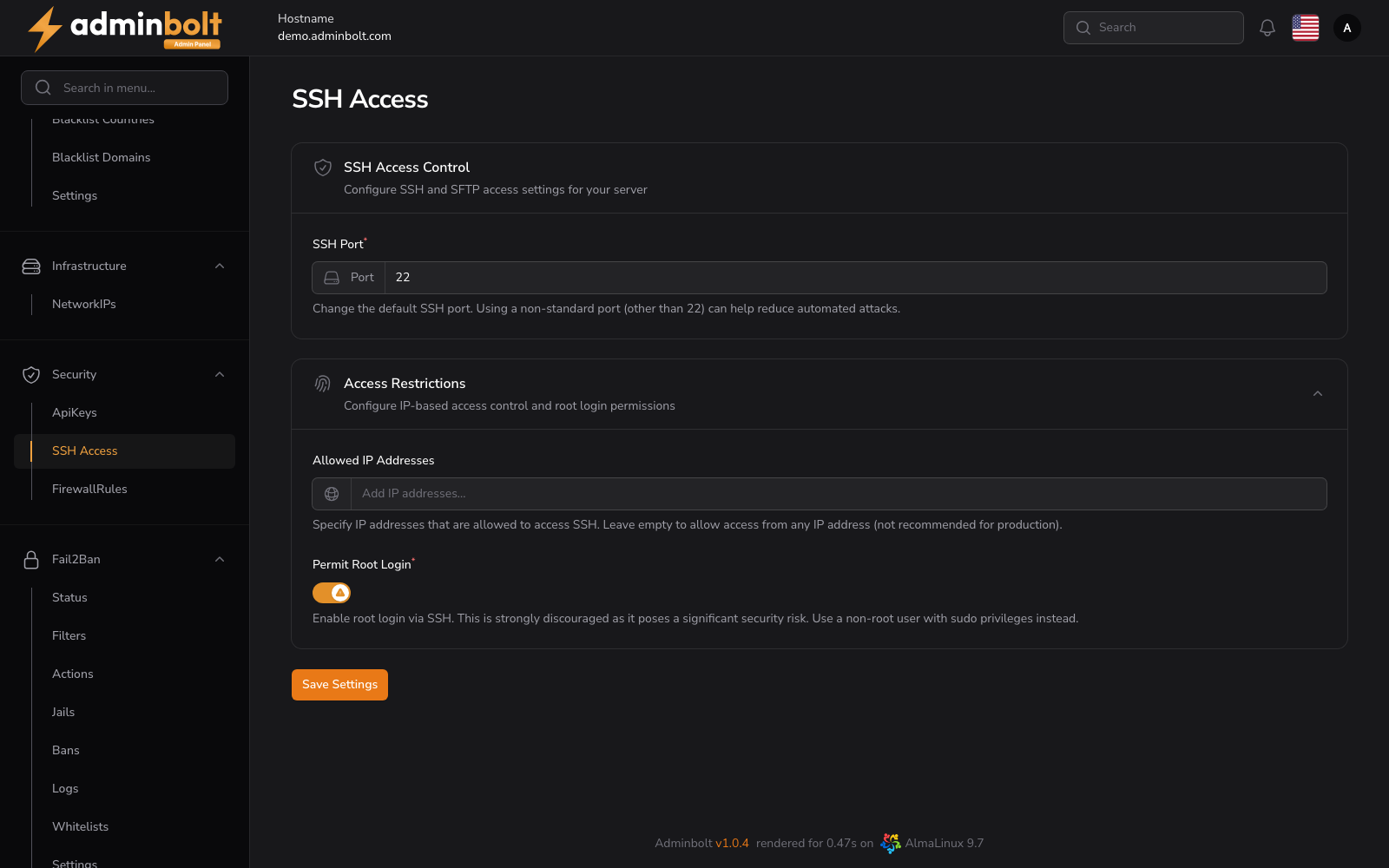
SSH Access governs the server's own SSH daemon: which port it listens on, which addresses may reach it, and whether root may sign in over it.
Overview
URL: /admin/settings/ssh-access
Open it from Settings > Security > SSH Access in the sidebar.
Note: These settings control the server's SSH daemon. Isolated per-account shell access, which powers the client-side SSH Terminal, is provided by a separate mechanism. On CloudLinux servers it is handled by the BoltTerminal module (listed as Terminal on the Modules page), which requires CloudLinux and will not install alongside a running SecureBox. On servers without CloudLinux, the SecureBox service provides the isolated SSH environment.
What the page shows
Since panel 1.9.2 the page reads the SSH settings in effect on the server every time it opens, including values set outside the panel, and fills the form from them. A save sends only the fields you changed; every other SSH setting on the server stays as it is.
If the server's SSH settings cannot be read, the page shows no form and says:
The SSH settings could not be read from the server, so they are not shown and cannot be changed here.
Reload the page in a minute. If it keeps happening, contact support and quote the reference shown under the message.
SSH Access Control
- SSH Port (required) - the TCP port the daemon listens on. Moving it off 22 cuts down untargeted scanning, but it is not a substitute for the restrictions below, and everyone who connects has to know the new port. When the server listens on more than one port, all of them are named next to the field and the field cannot be changed here.
Access Restrictions
- Allowed IP Addresses - the addresses that may open an SSH session. Several can be added and removed individually. Leaving the field empty allows every address, which is not recommended in production. When the server also restricts SSH by user name, the full restriction is named next to the field and the list cannot be changed here, since changing the addresses would change who those entries let in.
- Permit Root Login - whether
rootmay sign in over SSH. Keep it off and sign in as a non-root user withsudoinstead. The value set on the server is named next to the toggle, for example Server setting: prohibit-password (root can log in with SSH keys only). A value that lets root in only with a key shows the toggle on, and stays exactly as it is unless you change the toggle.
Saving
Save Settings applies the fields you changed and confirms with The changed SSH settings were applied on the server. With nothing changed, it says that nothing was sent to the server.
Turning root login off
Turning Permit Root Login off asks for confirmation before anything is saved, in a dialog titled Turn off root SSH login?: root SSH sessions are refused from then on, with a password or with a key. Make sure you can sign in as another user with sudo first, then confirm with Turn off root login and save.
Changing the port
A new port is opened in the firewall before SSH moves to it:
- The panel adds a protected SSH rule for the new port to Firewall Rules and applies it. If the firewall cannot be opened, the port is not changed.
- SSH moves to the new port.
- Once SSH is seen listening on the new port, the rule for the old port is removed.
A port change is refused, with nothing changed, when a block rule in Firewall Rules covers TCP on the new port for every source. The message names that rule; remove or change it, or choose another port. A change is also refused while Fix System Ports or another port change is running; wait for it to finish, then save again.
If the panel cannot yet see SSH listening on the new port, or cannot remove the old rule, the port change stands, the old port stays open, and the warning says so. Check that you can connect on the new port, then remove the old rule or run Fix System Ports.
Warning: If Allowed IP Addresses does not include the address you connect from, your next SSH session is refused. Add your own address first.
When a save fails
If another SSH configuration file on the server decides a setting you changed, nothing is changed and the message names that setting. Change or remove it in the other file, then save again.
Any other failure says whether the settings were left unchanged or may not have been saved completely, with a reference to quote to support. In the second case, reload the page to see the settings on the server, then save again if needed.
Related pages
- Firewall Rules - the ports the server accepts traffic on.
- Fail2Ban Jails - the
sshdjail, which bans addresses after repeated failed sign-ins.