

Whitelist IPs
The Whitelist IPs page allows you to specify trusted IP addresses that should bypass Fail2Ban bans. This feature ensures uninterrupted access for key users or administrators.
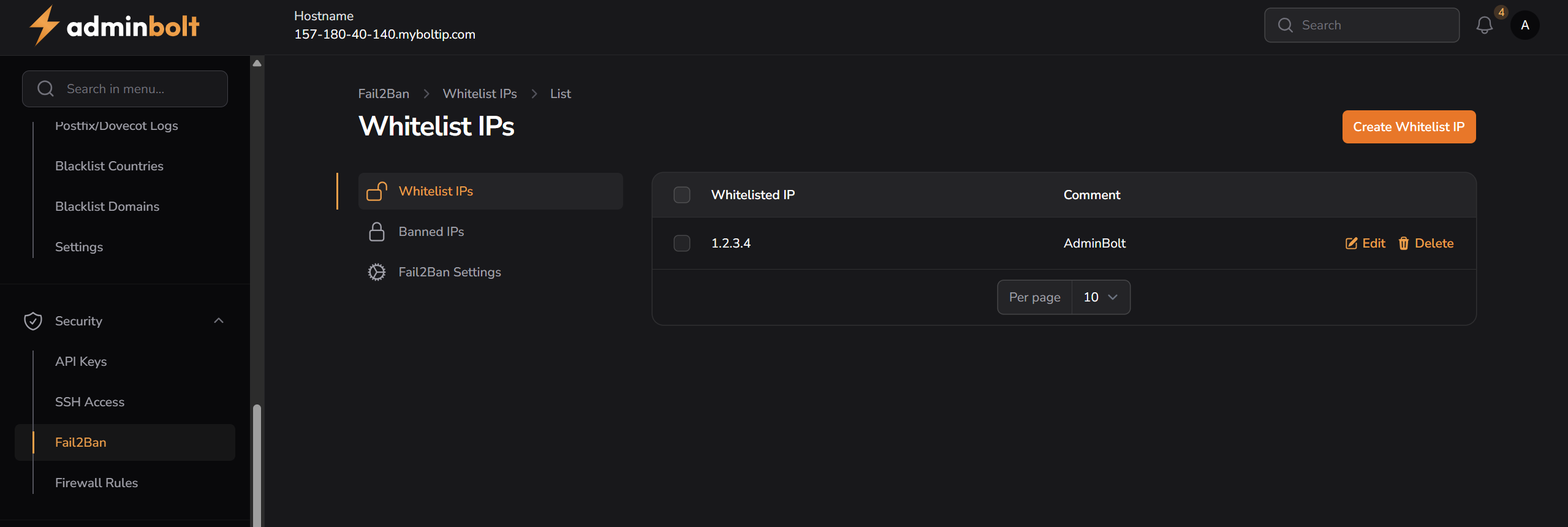
Overview
URL: /admin/fail2ban-whitelist (menu: Fail2Ban → Whitelists)
This section shows a list of all currently whitelisted IP addresses with optional comments. You can add, edit, or remove any whitelisted IP from the interface.
- Whitelisted IP – The IP address you wish to trust and exempt from Fail2Ban actions.
- Comment – A description or note explaining the purpose or owner of the IP (e.g. "adminbolt").
Table Options
- Edit – Allows modifying the IP address or comment.
- Delete – Removes the entry from the whitelist.
- Pagination – Allows selecting how many entries to display per page: 5, 10, 25, 50, All.
Create Whitelist IP
To add a new trusted IP, click the Create Whitelist IP button.
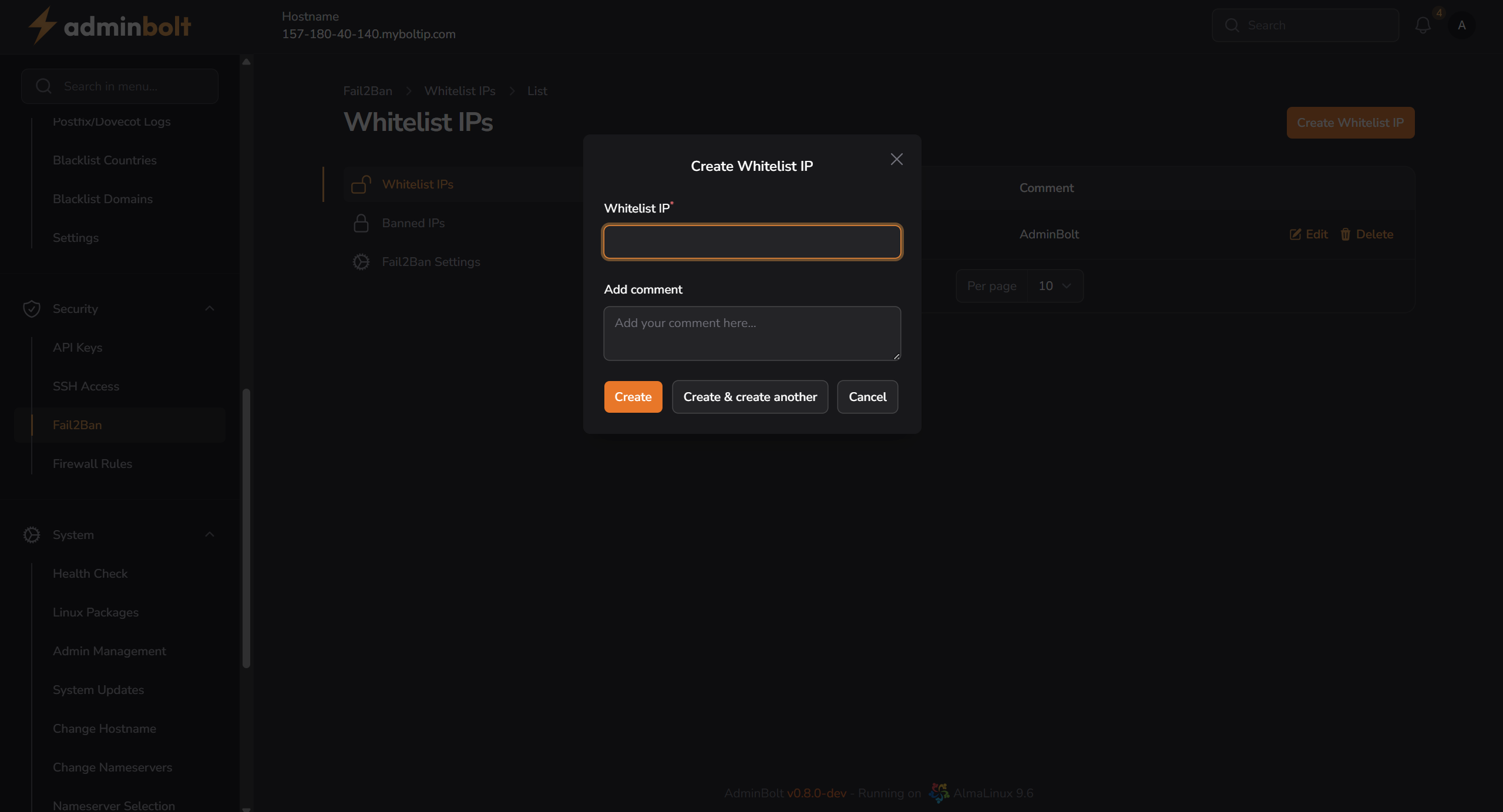
Fields
- Whitelist IP (required) – The IPv4 or IPv6 address to be whitelisted.
- Add comment (optional) – Enter an explanatory note.
Available actions:
- Create – Saves the new whitelist entry.
- Create & create another – Saves the entry and keeps the form open for the next one.
- Cancel – Closes the form without saving.
Edit Whitelist IP
Click the Edit icon next to an IP address to update it.
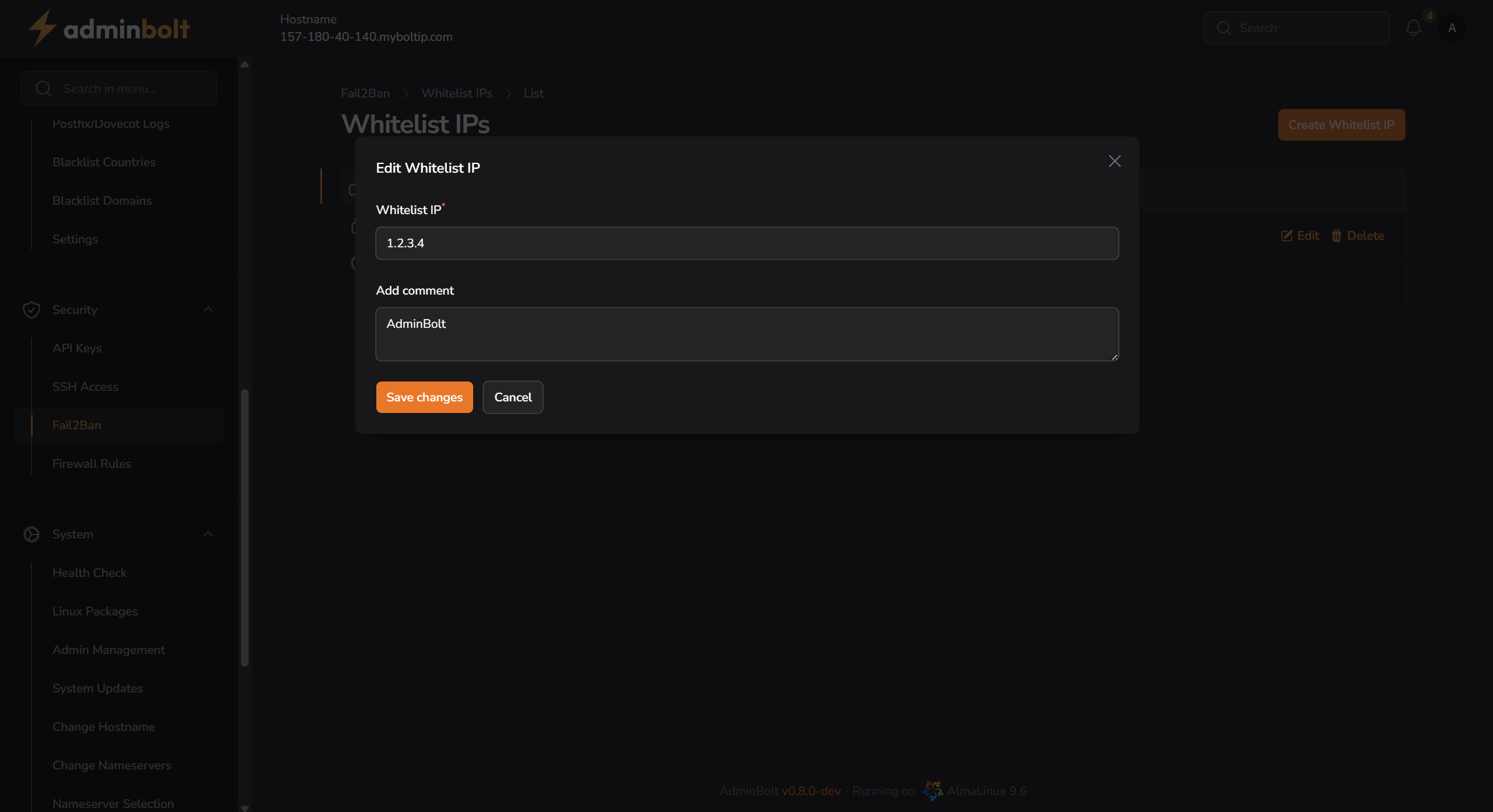
Fields
- Whitelist IP – You can update the IP address here.
- Add comment – Update the description or tag related to this IP.
After editing, click Save changes or Cancel to discard.