

Autoresponders
URL: /client/autoresponders-page
Email Autoresponders
Configure an email account to send automated emails. This can be useful if you are on vacation or unavailable.
Overview
Autoresponders allow you to set up automatic email replies for any of your email accounts. When someone sends you an email, they receive an immediate automated response letting them know you are unavailable or will reply later.
For detailed documentation, visit docs.adminbolt.com.
Create Autoresponder
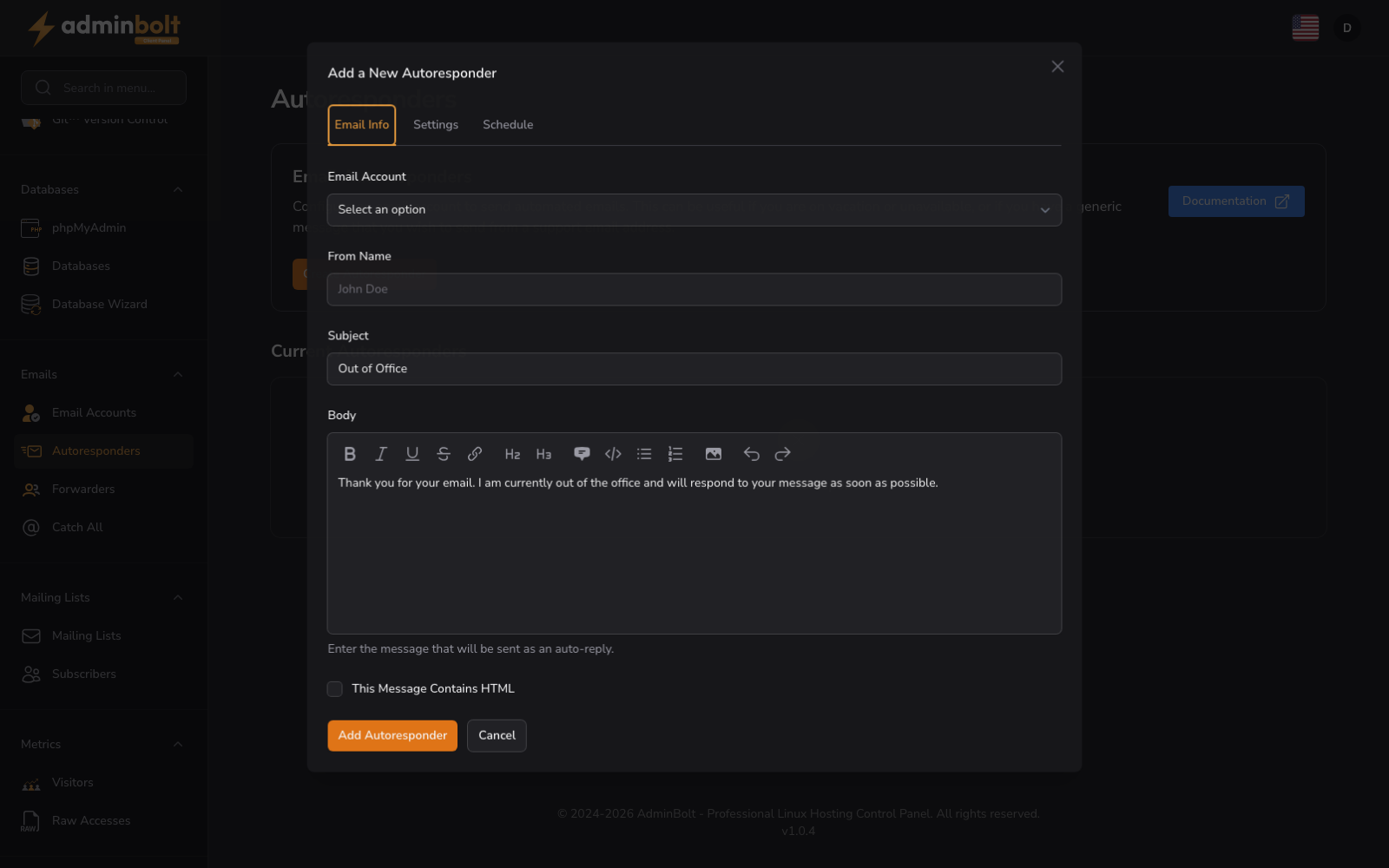
Click the "Create Autoresponder" button to set up a new automatic reply. The form uses three tabs to organize the configuration:
Add a New Autoresponder
Tab 1 - Email Info
- Email Account (dropdown, required) - Select which email account this autoresponder applies to
- From Name (text) - The display name that will appear in the From field of automated replies
- Subject (text, required) - The subject line for the automatic response
- Body (rich text editor) - The message content that recipients will receive
- This Message Contains HTML (checkbox) - Enable this option to send the response as HTML-formatted email instead of plain text
Tab 2 - Settings
- Charset Set (dropdown) - Select the character encoding for your message (e.g., UTF-8, ISO-8859-1)
- Interval (number, in days) - The number of days to wait between responses to the same email address, or zero to always respond. Defaults to 1
Tab 3 - Schedule
- Start (radio) - Choose when the autoresponder activates:
- "Immediately" - Start responding right away
- "Custom" - Pick the moment in Start Date and Time
- Stop (radio) - Choose when the autoresponder deactivates:
- "Never" - Continue responding indefinitely
- "Custom" - Pick the moment in End Date and Time, which cannot be earlier than the start
Form buttons: Create, Cancel
Schedule time zone
Since panel 1.9.2 Start Date and Time and End Date and Time are entered in the server's time zone, and each field names it underneath, for example Timezone: Europe/Warsaw. The autoresponder starts and stops at that moment in that zone. When the server's time zone cannot be read, the fields use UTC and say Timezone: UTC. Before 1.9.2 the fields took the values as UTC without saying so, so a schedule entered by someone outside UTC started and stopped shifted by their offset.
A new schedule cannot start in the past. When you edit an autoresponder whose custom schedule has already started, the stored start is still accepted, so you can save it unchanged or change only other fields.
Current Autoresponders
The Current Autoresponders section lists the autoresponders on your account. Each autoresponder can be edited or deleted.
Autoresponder Details
When autoresponders exist, the table shows:
- Email - the email account the autoresponder replies for
- From and Subject - the sender name and subject of the reply
- Start - Immediately, or for a custom schedule the start date and time in the server's time zone, with the zone named, for example
2026-10-20 08:00 Europe/Warsaw - End - Never, or for a custom schedule the end date and time, shown the same way
- Actions: Edit opens Modify Autoresponder with the same tabs as the create form; Delete removes the autoresponder
Empty State
If you have no autoresponders, the interface displays "No Email Autoresponders" with a prompt to create your first autoresponder.
Configuration
When creating an autoresponder, specify:
- Email account to attach the autoresponder to
- Custom message body for the automatic reply
- Optional: Start and end dates for vacation mode
- Optional: Frequency settings for replies
Autoresponders are useful for vacation notices, out-of-office messages, and temporary unavailability notifications.