

Panel Log
Panel Log provides comprehensive system activity tracking and diagnostic information for adminbolt's administrative interface.
Panel Log Overview
URL: /admin/panel-log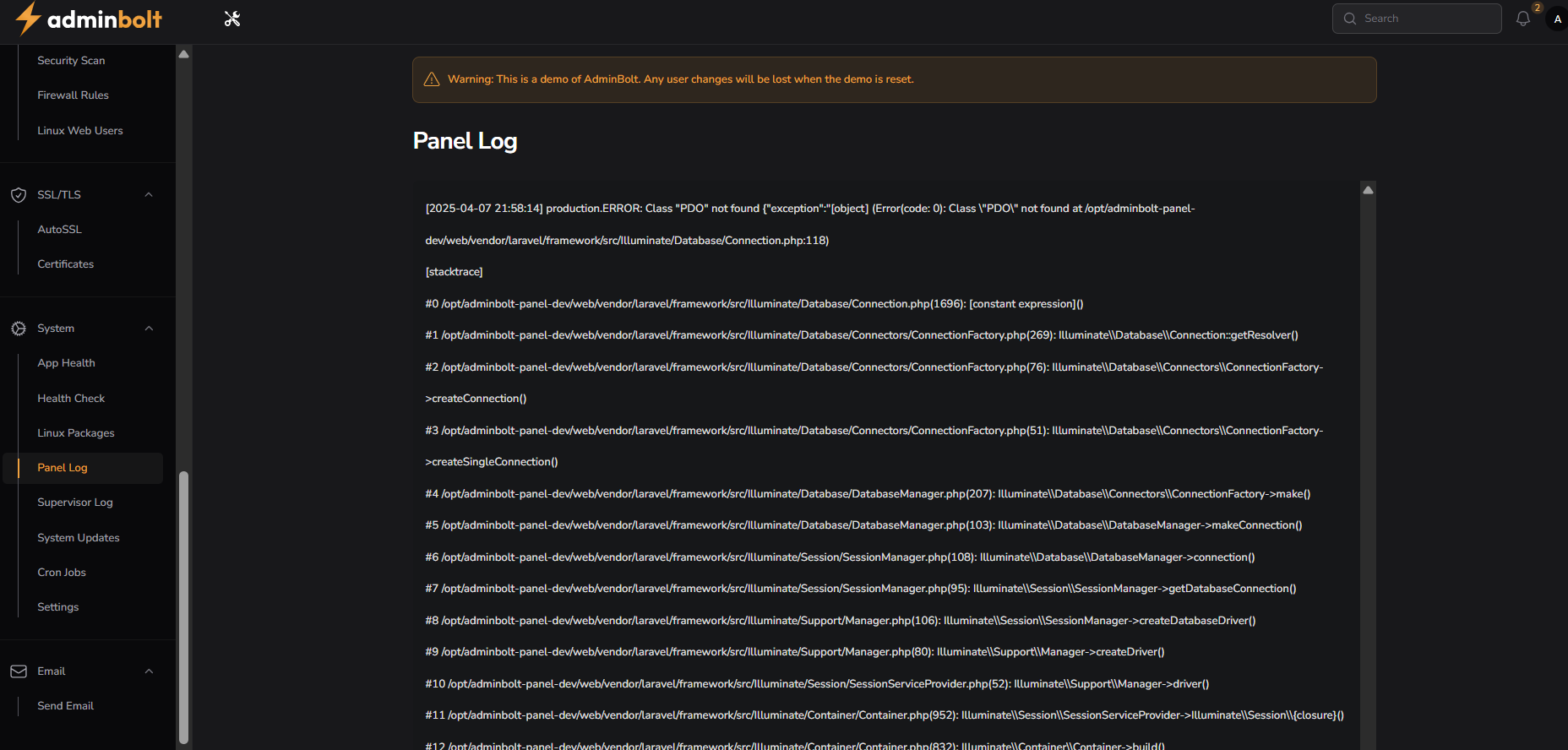
Interface Elements
Log Display
- Timestamp Column: Precise log entry time
- Error/Event Details: Comprehensive system event information
- Stacktrace Column: Detailed error tracking and debugging information
Log Characteristics
- Timestamp Format: [YYYY-MM-DD HH:MM:SS]
- Error Levels: Production errors, system exceptions
- Detailed Tracing: Full system call and error context
Current Log Entry Example
- Timestamp: [2025-04-07 21:58:14]
- Error Type: Production ERROR
- Description: Class "PDO" not found
Feature Functionality
System Monitoring
- Track system-wide events
- Capture critical error information
- Provide detailed diagnostic insights
- Monitor application performance
Error Tracking
- Log system exceptions
- Display comprehensive error details
- Show full stacktrace for debugging
- Identify potential system issues
Diagnostic Information
- Capture system call sequences
- Track method invocations
- Provide context for system events
- Enable thorough troubleshooting
Navigation Integration
System Menu Structure
- System → Panel Log
- Integrated with system management tools
Related Features
- App Health
- Health Check
- Linux Packages
- System Updates
- Supervisor Log
- Cron Jobs
Best Practices
Log Management
- Regularly review panel logs
- Monitor for recurring errors
- Analyze system event patterns
- Identify potential security issues
Troubleshooting
- Use logs for comprehensive diagnosis
- Track system behavior
- Understand error propagation
- Detect performance bottlenecks
Troubleshooting Strategies
Common Log Analysis
- Identify error sources
- Understand system exceptions
- Trace method call sequences
- Resolve configuration issues
Resolution Steps
- Analyze complete error context
- Review stacktrace details
- Identify root cause
- Implement targeted fixes
- Verify system stability
System Requirements
Prerequisites
- Active adminbolt subscription
- Proper system permissions
- Robust logging configuration
- Sufficient storage for log retention
Technical Specifications
- Real-time event logging
- Comprehensive error tracking
- Detailed system diagnostics
- Low-overhead logging mechanism
Maintenance Guidelines
Regular Tasks
- Weekly log review
- Monthly log analysis
- Implement log rotation
- Configure log retention policies
Best Practices
- Maintain detailed logs
- Secure log information
- Monitor system health
- Use logs for continuous improvement
Management Benefits
- Comprehensive system visibility
- Detailed diagnostic capabilities
- Proactive issue detection
- Enhanced system reliability
- Streamlined troubleshooting
- Performance optimization insights
- Security event tracking
- Systematic error management