

Certificate Providers
The Certificate Providers page allows you to choose which SSL/TLS certificate authority adminbolt should use when issuing automatic certificates for services and hosted domains.
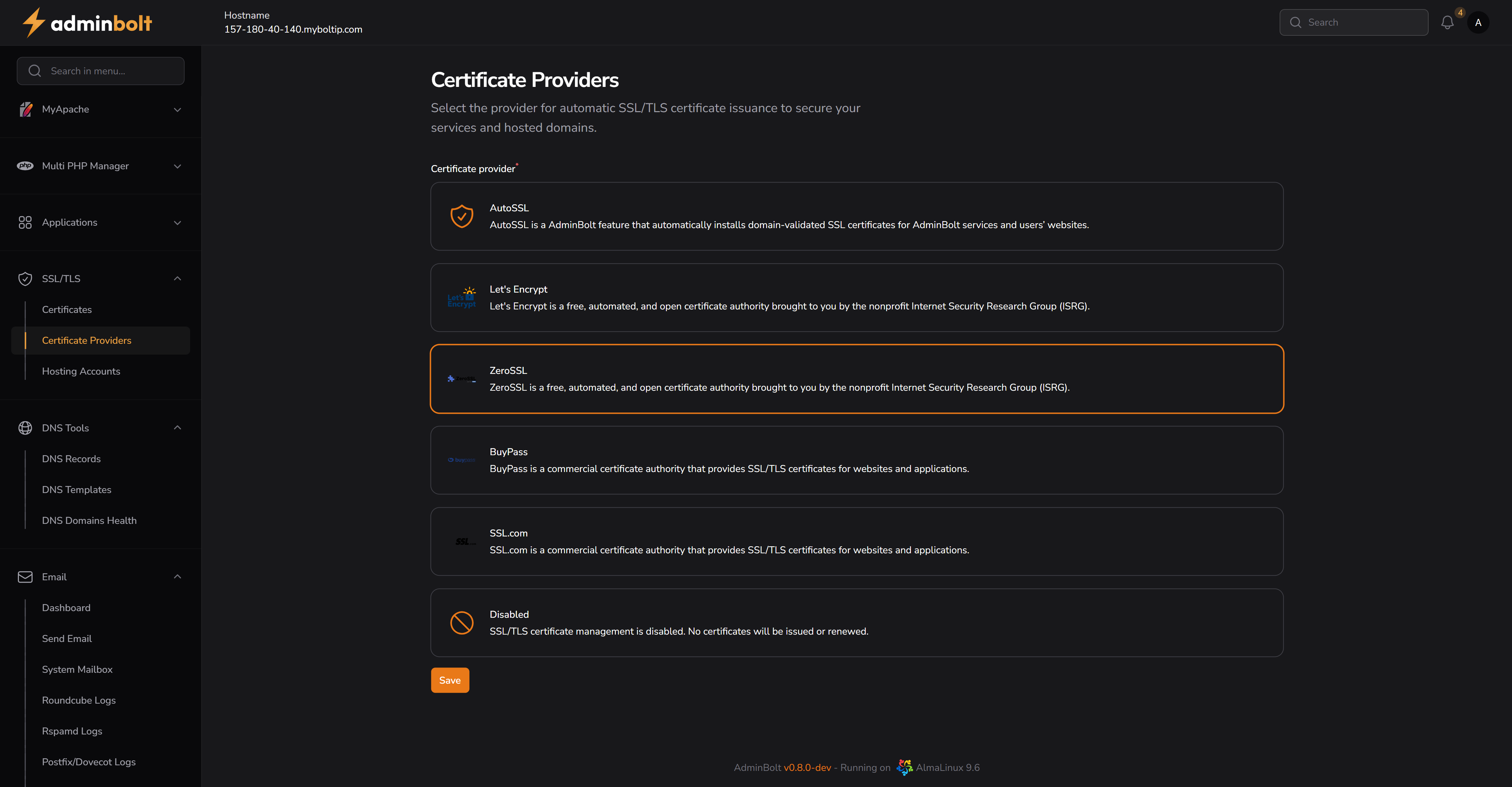
Overview
adminbolt supports multiple SSL/TLS providers, both free and commercial. This interface lets administrators configure the preferred provider for AutoSSL issuance across the system.
URL: /admin/auto-ssl-providers (menu: SSL/TLS → Certificate Providers)
Description
Select one of the supported SSL/TLS providers to automatically secure hosted domains. Once selected, the system will use this provider to request, renew, and install certificates via AutoSSL.
Available Providers
Each provider entry includes a name, brief description, and selection option:
AutoSSL
adminbolt feature that automatically installs domain-validated SSL certificates for adminbolt services and users' websites.
Let's Encrypt
A free, automated, and open certificate authority brought to you by the nonprofit Internet Security Research Group (ISRG).
ZeroSSL
Another free and automated certificate authority, often used as an alternative to Let’s Encrypt.
BuyPass
A commercial certificate authority that provides SSL/TLS certificates for websites and applications.
SSL.com
A commercial provider offering trusted SSL/TLS certificates with enterprise-grade support.
Disabled
Disables automatic SSL/TLS certificate management. No certificates will be issued or renewed.
Actions
- Save Button – Saves the selected provider.
Notes
- Free providers like Let’s Encrypt and ZeroSSL may be rate-limited or require DNS validation depending on configuration.
- Disabling SSL will prevent new certificates from being issued until a provider is re-enabled.