

System Mailbox
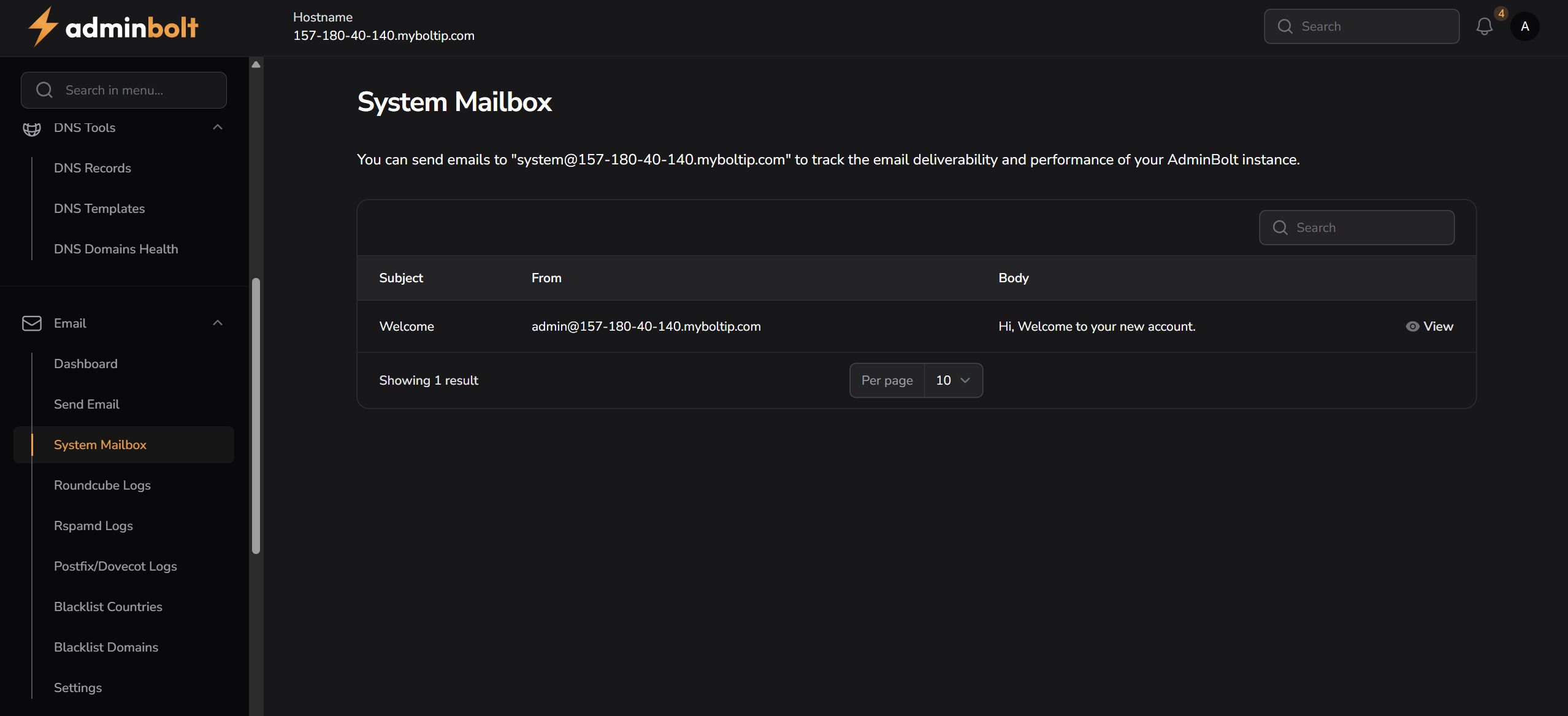
The System Mailbox page provides an overview of all emails sent to your adminbolt system mailbox, typically used for testing deliverability and internal system messages.
Overview
URL: /admin/email-system-account-mail-box
You can send emails to your system mailbox address: [email protected]
This helps monitor the deliverability and performance of outbound emails from your adminbolt instance.
Table Columns
- Subject – The subject line of the received email.
- From – The sender's email address.
- Body – A preview of the email body content.
- View – Click the eye icon on the right to view full email details in a modal window.
Search Functionality
The search input allows filtering emails by From address.
Pagination
You can control how many results are shown per page using the pagination dropdown. Available options typically include 5, 10, 25, 50, and All.
Email Details Modal
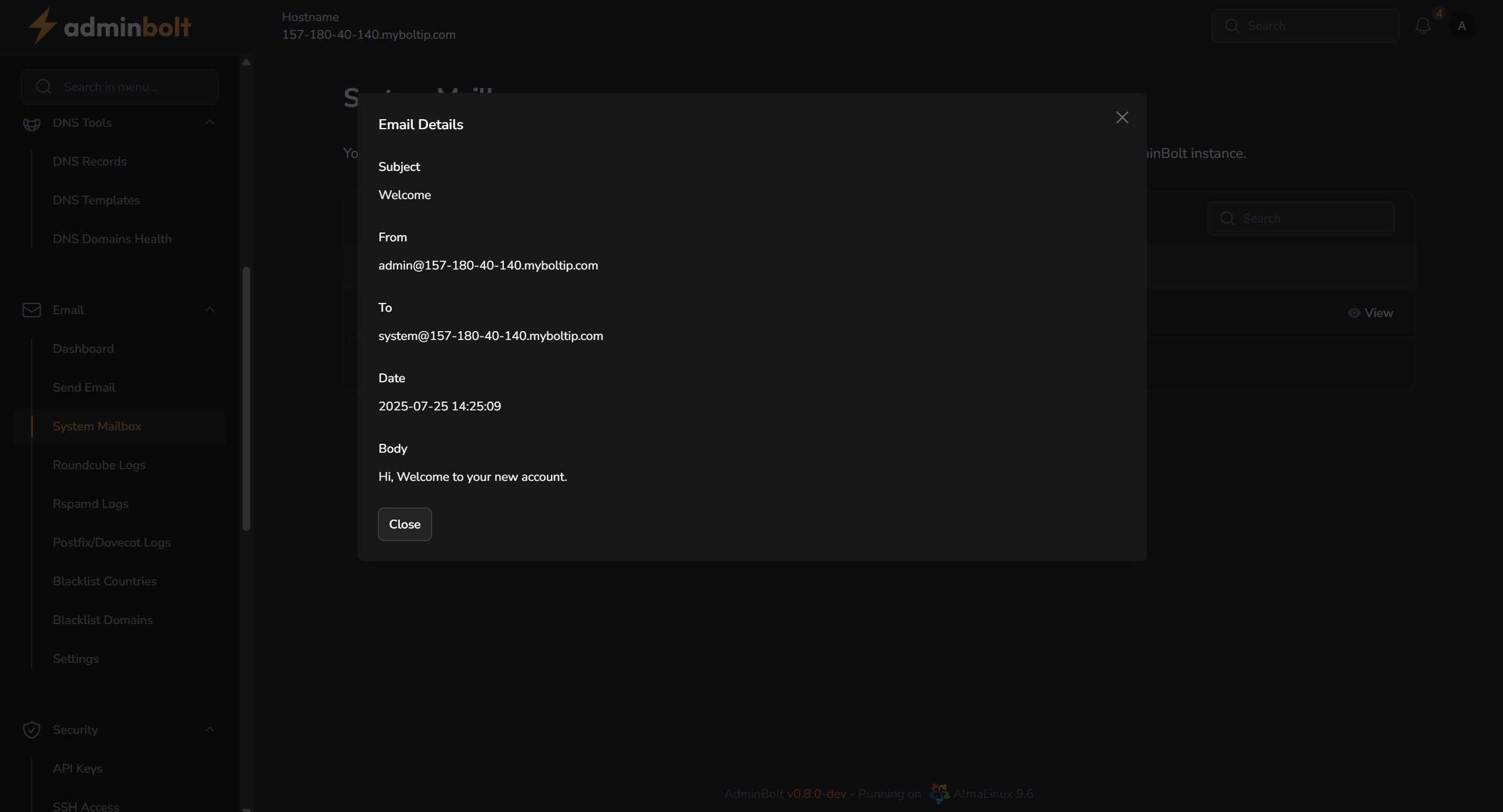
Clicking the View icon opens a modal that displays the full details of the selected email:
Fields Displayed in Modal:
- Subject – Full subject of the email.
- From – Sender’s email address.
- To – Recipient’s email address (system mailbox).
- Date – Timestamp of when the email was received.
- Body – Full content of the email message.