

Multi PHP Extensions
Overview
URL:/admin/multi-p-h-p-extensions
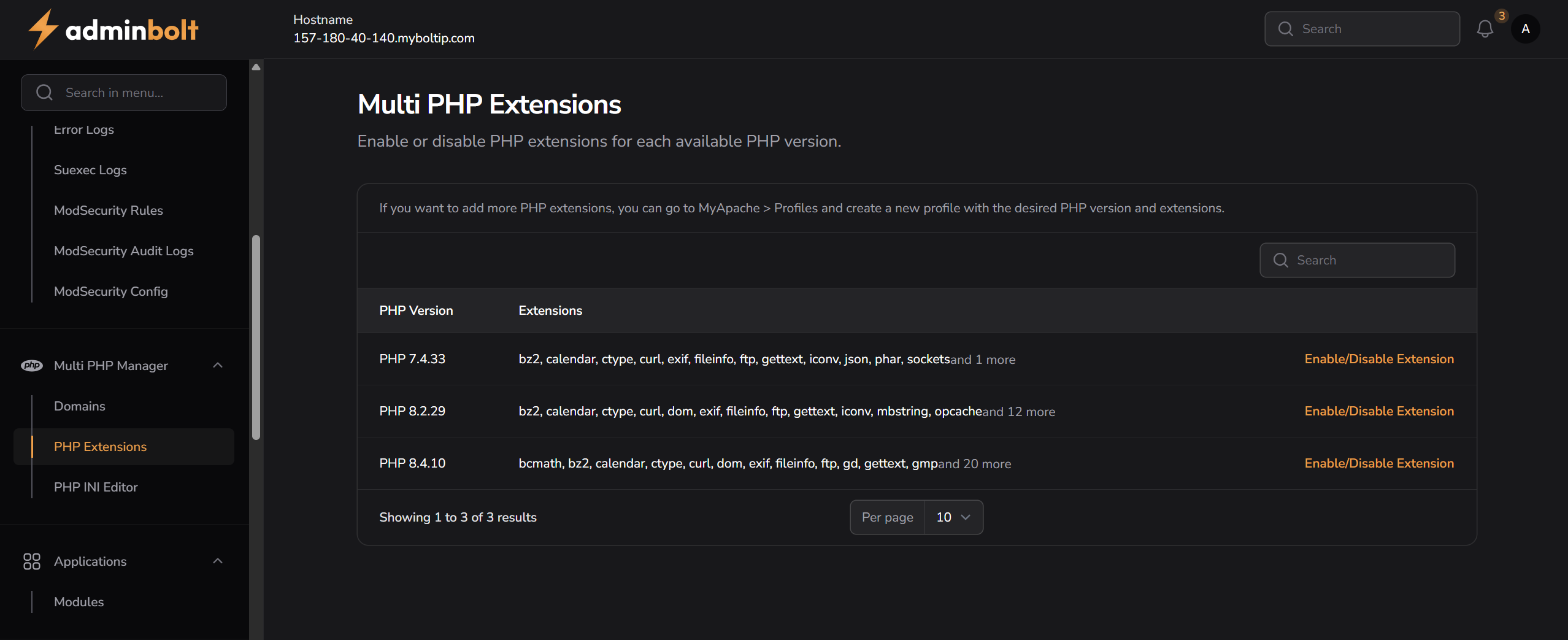
The Multi PHP Extensions page allows you to control which PHP extensions are enabled for specific PHP versions installed on the server. This is especially useful when different domains or applications require different PHP capabilities.
You can:
- View all installed PHP versions
- See which extensions are enabled for each version
- Enable or disable extensions individually per PHP version
Extension List by PHP Version
Each row in the table represents a PHP version and a list of its currently enabled extensions. If the number of extensions is large, only a preview is shown with a link like “and X more”.
Example:
| PHP Version | Extensions | Action |
|---|---|---|
| 7.4.33 | bz2, calendar, ctype, curl, exif, fileinfo, ftp, gettext, iconv, json... | Enable/Disable Extension |
| 8.2.29 | bz2, calendar, ctype, curl, dom, exif, fileinfo, ftp, gettext... | Enable/Disable Extension |
| 8.4.10 | bcmath, bz2, calendar, ctype, curl, dom, exif, fileinfo, ftp, gd... | Enable/Disable Extension |
Enabling / Disabling Extensions
Clicking Enable/Disable Extension opens a modal that displays a list of checkboxes for all available PHP extensions for that version.
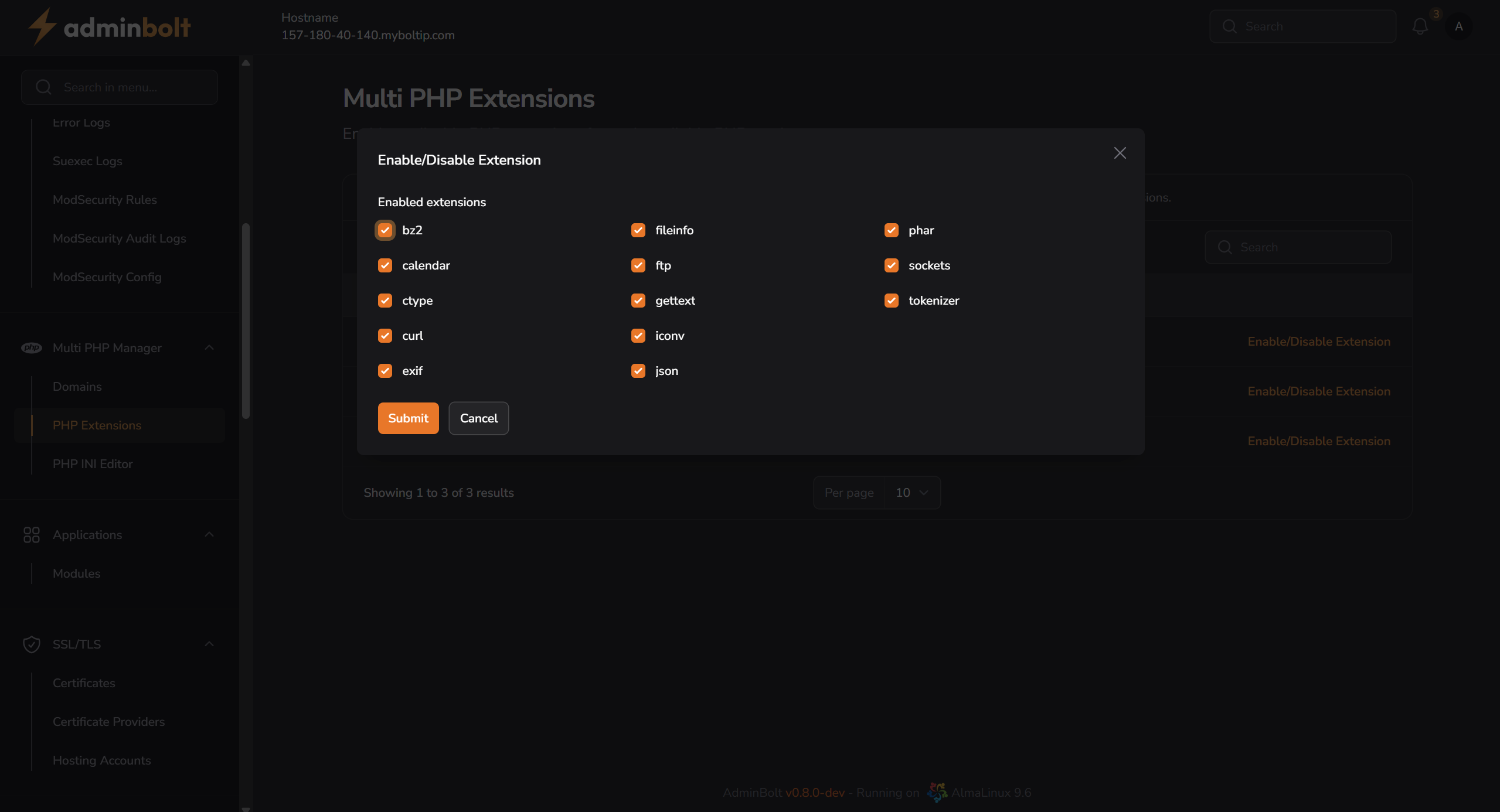
You can:
- Check or uncheck any extension
- Click Submit to save the changes
- Click Cancel to discard changes
Changes take effect immediately after saving.
If you want to add more PHP extensions, go to MyApache > Profiles and create a new profile with the desired PHP version and extensions.