

Directory Privacy – AdminBolt Hosting Panel
Overview
The Directory Privacy section in AdminBolt enables users to apply password protection to specific folders within their hosting account. This tool enhances the security of sensitive directories by requiring a username and password for access through a web browser.
Features
Directory Listing Table
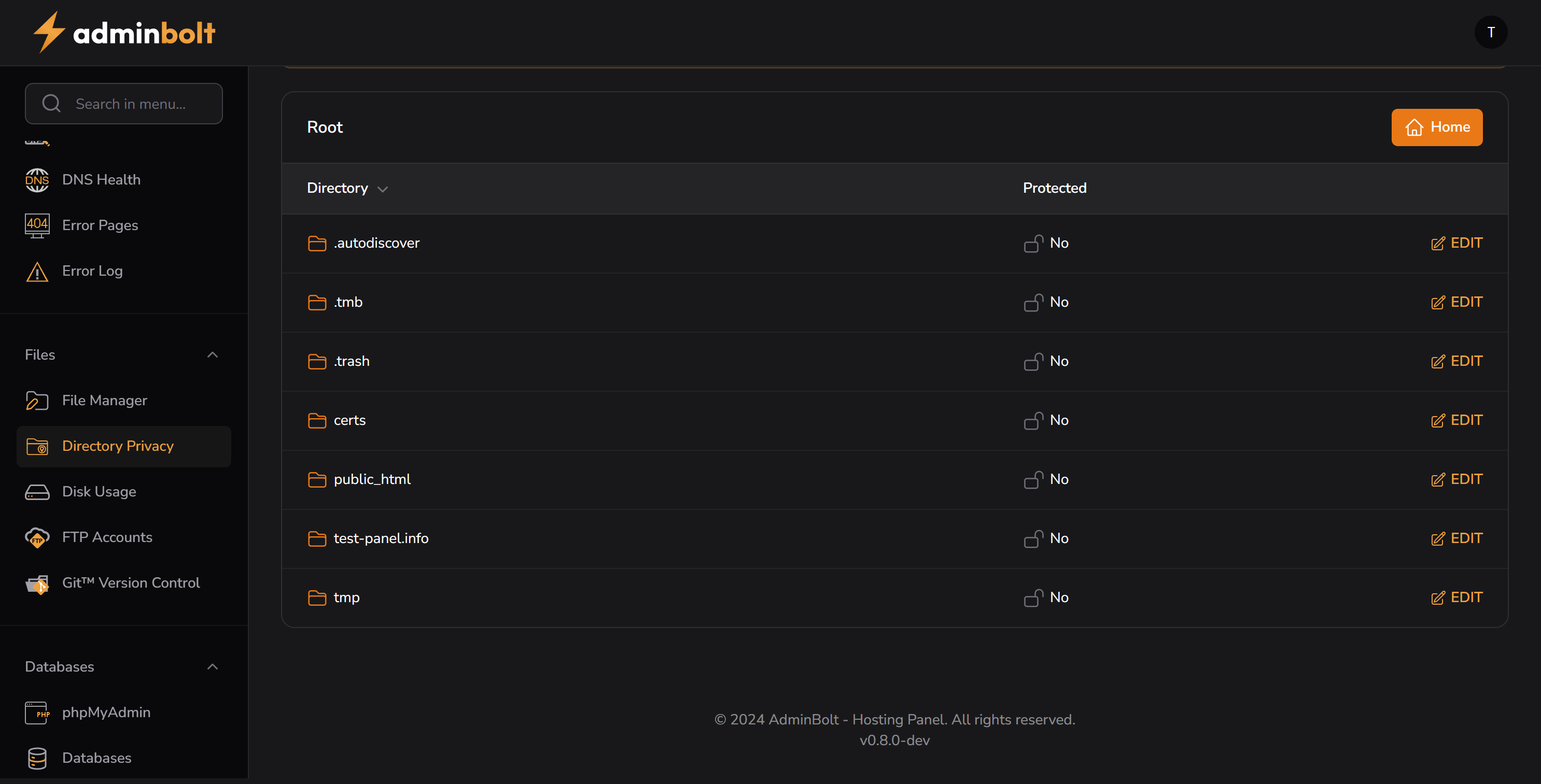
The interface displays all root-level directories, along with their protection status:
| Directory | Protected | Action |
|---|---|---|
.autodiscover | No | ✏️ Edit |
.tmb | No | ✏️ Edit |
.trash | No | ✏️ Edit |
certs | No | ✏️ Edit |
public_html | No | ✏️ Edit |
mydomain.info | No | ✏️ Edit |
tmp | No | ✏️ Edit |
Each directory row includes:
- Protection status ("No" if not protected)
- Edit action that allows configuring access credentials
️ Security Features
- Adds
.htaccessand.htpasswdto the target folder automatically - Users are prompted with a login dialog when accessing a protected directory
- Multiple users can be added for each folder
Navigation Controls
- Home button – Quickly return to the dashboard
- Folder icons – Help visually distinguish protected vs. unprotected items
Use Cases
- Protect sensitive admin tools or developer folders (
/admin,/dev) - Hide staging websites before launch
- Restrict access to download areas or internal documentation
Sidebar Location
Files → Directory Privacy
Related Sections
Notes
- Recommended for shared hosting environments where sensitive directories must remain inaccessible.
- Be sure not to protect critical folders that are required for public site functionality (e.g.,
/public_htmlunless intended).