

Disk Usage – AdminBolt Hosting Panel
Overview
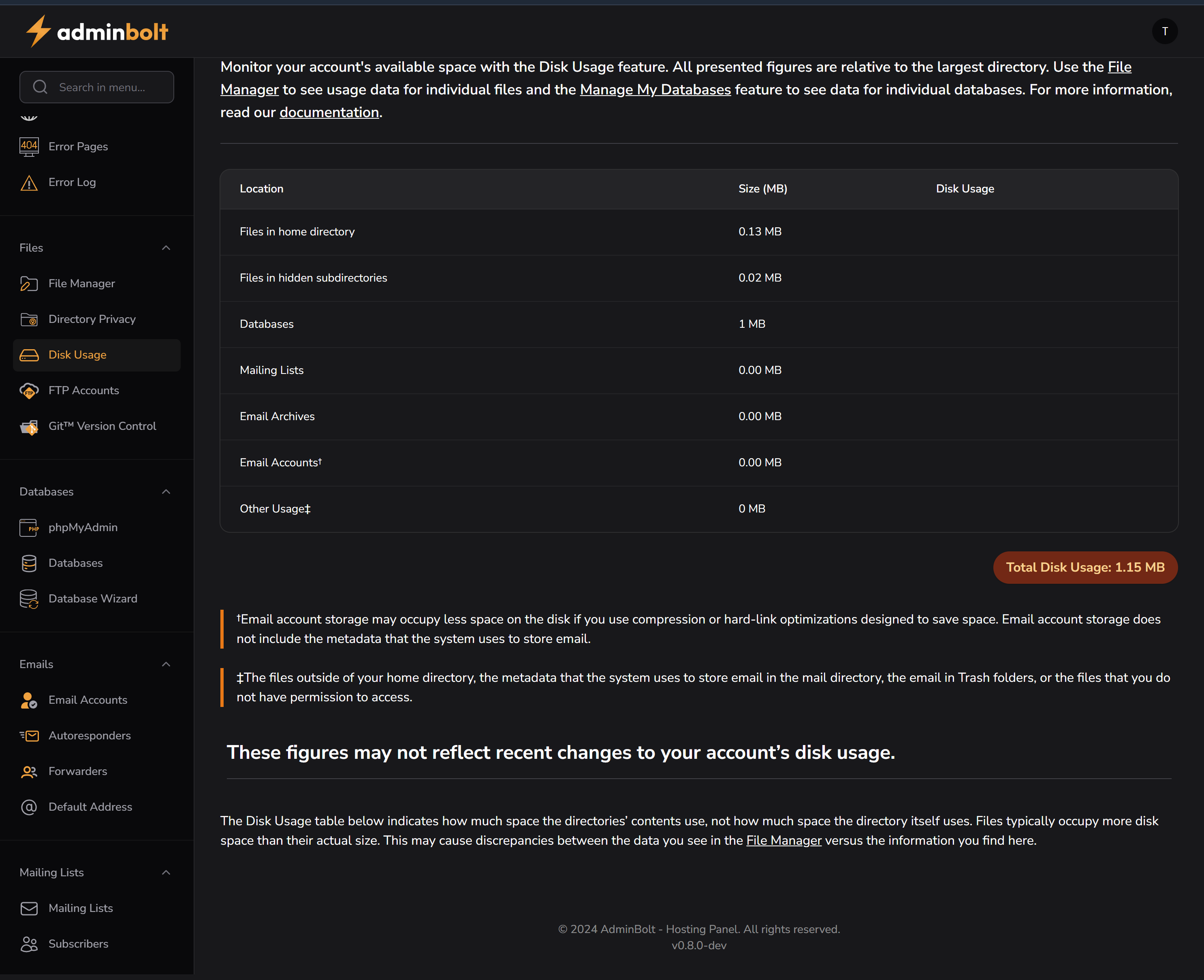
The Disk Usage section in AdminBolt provides a breakdown of storage consumption across various components of a hosting account. It helps users monitor, analyze, and manage disk space more efficiently.
Purpose
- Understand how much disk space is being used across different categories (e.g., databases, email, mailing lists).
- Optimize storage by identifying large or unused components.
- Prevent issues related to quota limits or server space exhaustion.
Interface Description
Usage Table
| Location | Size (MB) | Disk Usage |
|---|---|---|
| Files in home directory | 0.13 MB | ✔️ |
| Files in hidden subdirectories | 0.02 MB | ✔️ |
| Databases | 1.00 MB | ✔️ |
| Mailing Lists | 0.00 MB | ✔️ |
| Email Archives | 0.00 MB | ✔️ |
| Email Accounts* | 0.00 MB | ✔️ |
| Other Usage‡ | 0.00 MB | ✔️ |
- Total Disk Usage:
1.15 MB(displayed in orange badge)
Key Insights
- Files in home directory and databases are the largest contributors in this example.
- Other sections like email and mailing lists show no current usage, which may indicate unused features or optimized storage.
Footnotes & Clarifications
*Email account storage may appear smaller if compression or hard-linking is used. It excludes system metadata.‡"Other Usage" includes:
- Metadata
- Files outside the home directory
- Mail and Trash folders that are restricted by permissions
Notes
- The displayed values may not reflect real-time changes.
- This data is based on directory content sizes, not on actual file system consumption (i.e., may differ from File Manager view).
Navigation
Files → Disk Usage
Related Sections
Recommendations
- Regularly check this section to ensure your account stays within quota limits.
- Consider removing unnecessary backups, old logs, or email data if space is limited.