

Hosting Plans
The Hosting Plans section allows administrators to create and manage custom hosting packages with specific resource limits, domain settings, email quotas, and server application configurations.
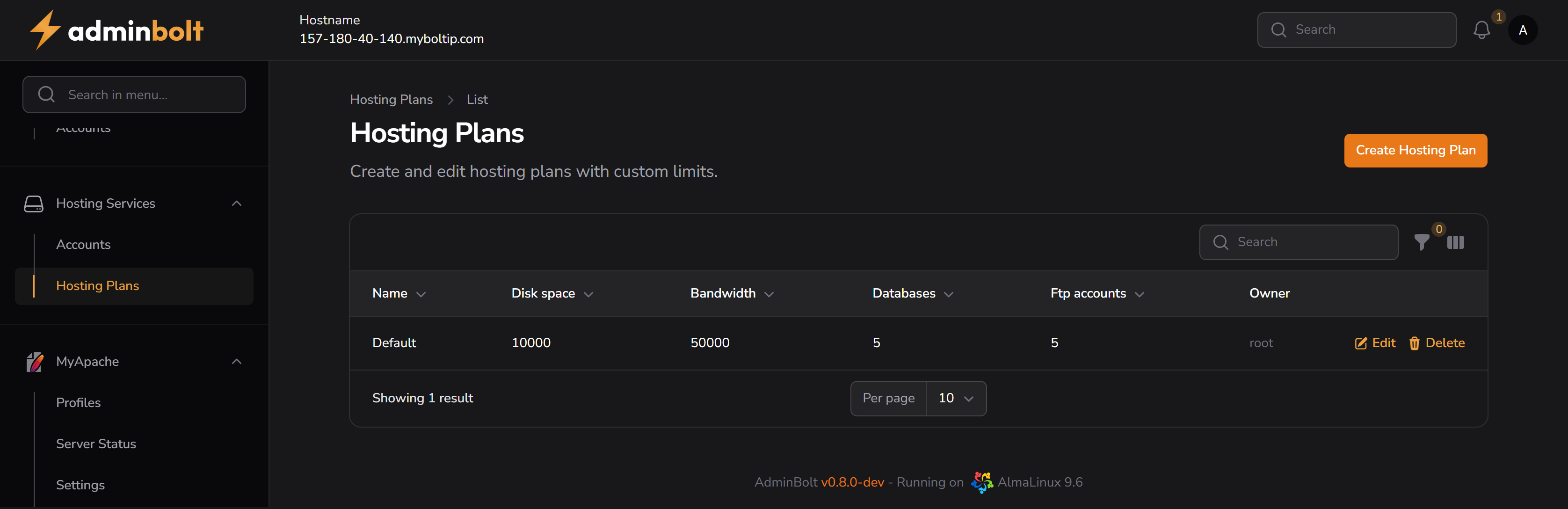
Overview
URL: /admin/hosting-plans
This page displays a table of all existing hosting plans, showing key information such as:
- Name – Hosting plan name
- Disk space – Maximum allowed disk space in MB
- Bandwidth – Maximum monthly data transfer in MB
- Databases – Number of databases included in the plan
- FTP accounts – Number of allowed FTP accounts
- Owner – User who created the plan
Additional columns Created At and Updated At are available through the column visibility toggle.
- Created At – Timestamp when the plan was created
- Updated At – Timestamp of the last update
Action buttons available:
- Edit – Modify the plan details
- Delete – Permanently delete the plan
Search and Filters
- Search – Works by filtering the table based on the Name column.
- Filter by Reseller – A dropdown filter is available next to the search bar to display plans for a specific reseller.
- Reset Filter – A reset button clears all filters and restores the default table view.
Creating a Hosting Plan
Clicking the Create Hosting Plan button opens a multi-tab modal dialog.
1. General
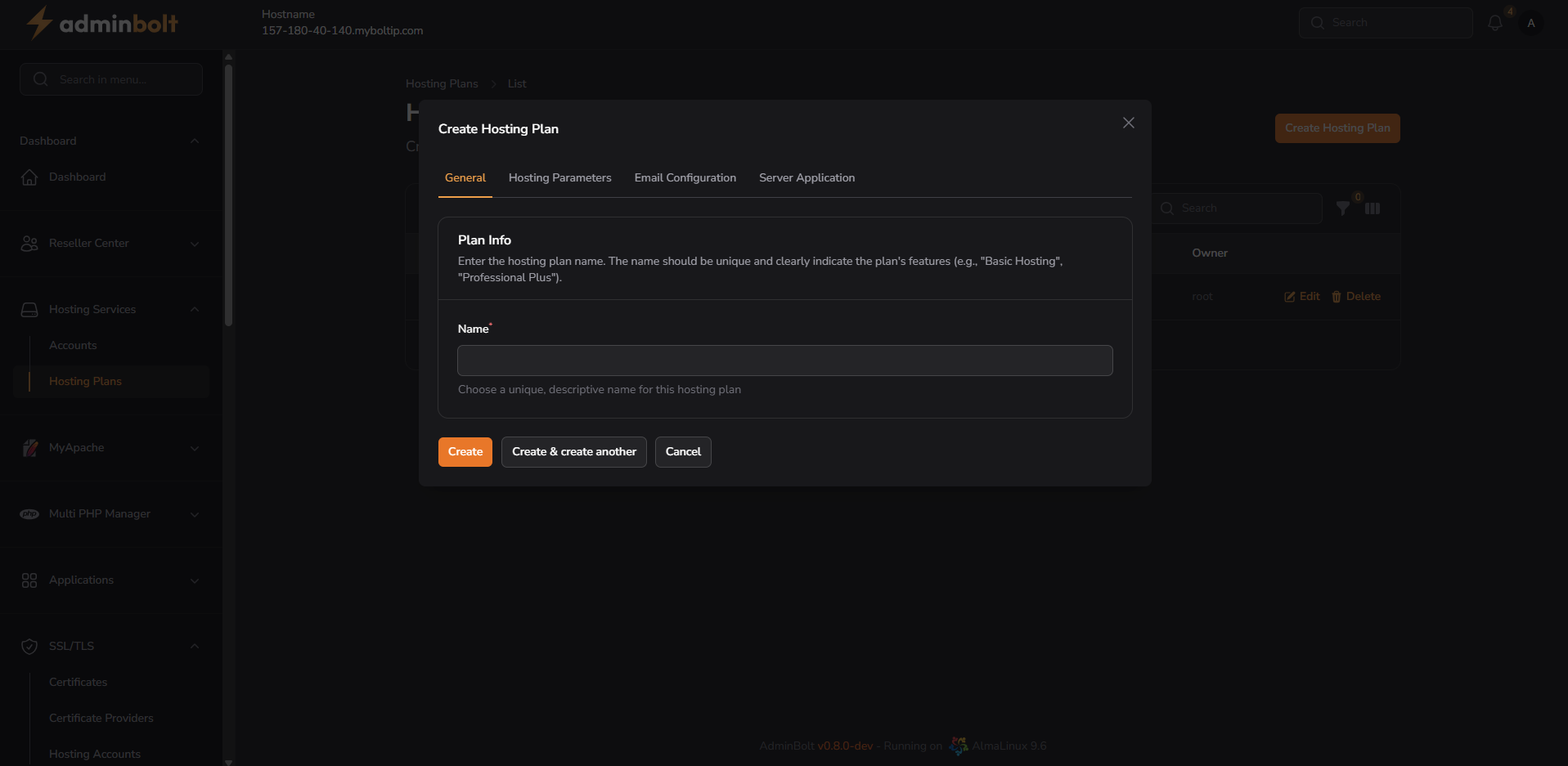
- Name (required) – A unique, descriptive name for the plan (e.g. “Basic Hosting”, “Business Pro”)
2. Hosting Parameters
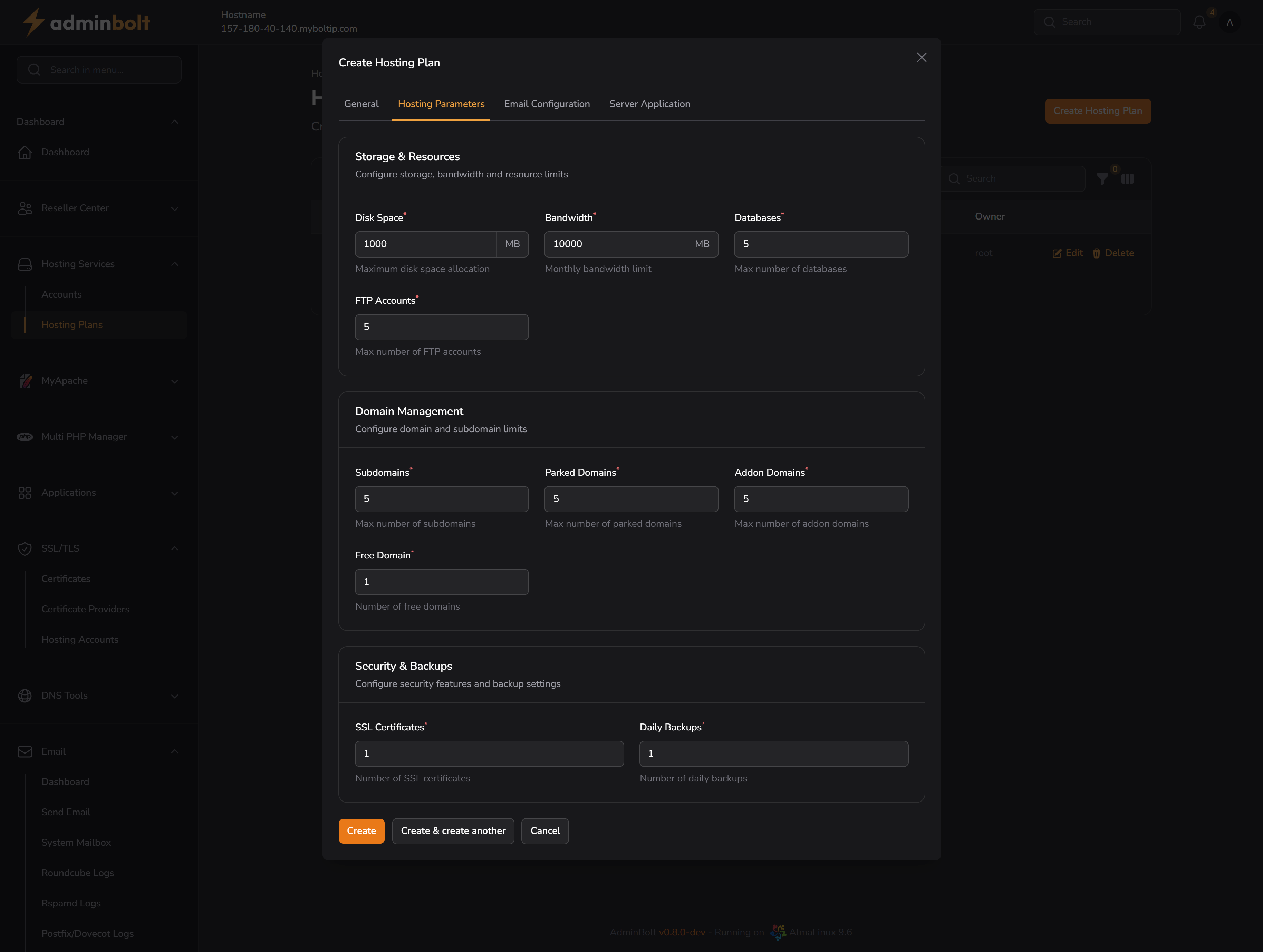
Storage & Resources
- Disk Space – Maximum disk usage in MB
- Bandwidth – Monthly bandwidth in MB
- Databases – Number of databases
- FTP Accounts – Number of FTP users
Domain Management
- Subdomains – Maximum subdomains
- Parked Domains – Max parked domains
- Addon Domains – Max addon domains
- Free Domain – Number of free domains included
Security & Backups
- SSL Certificates – Number of SSL certs
- Daily Backups – Number of daily backups included
3. Email Configuration
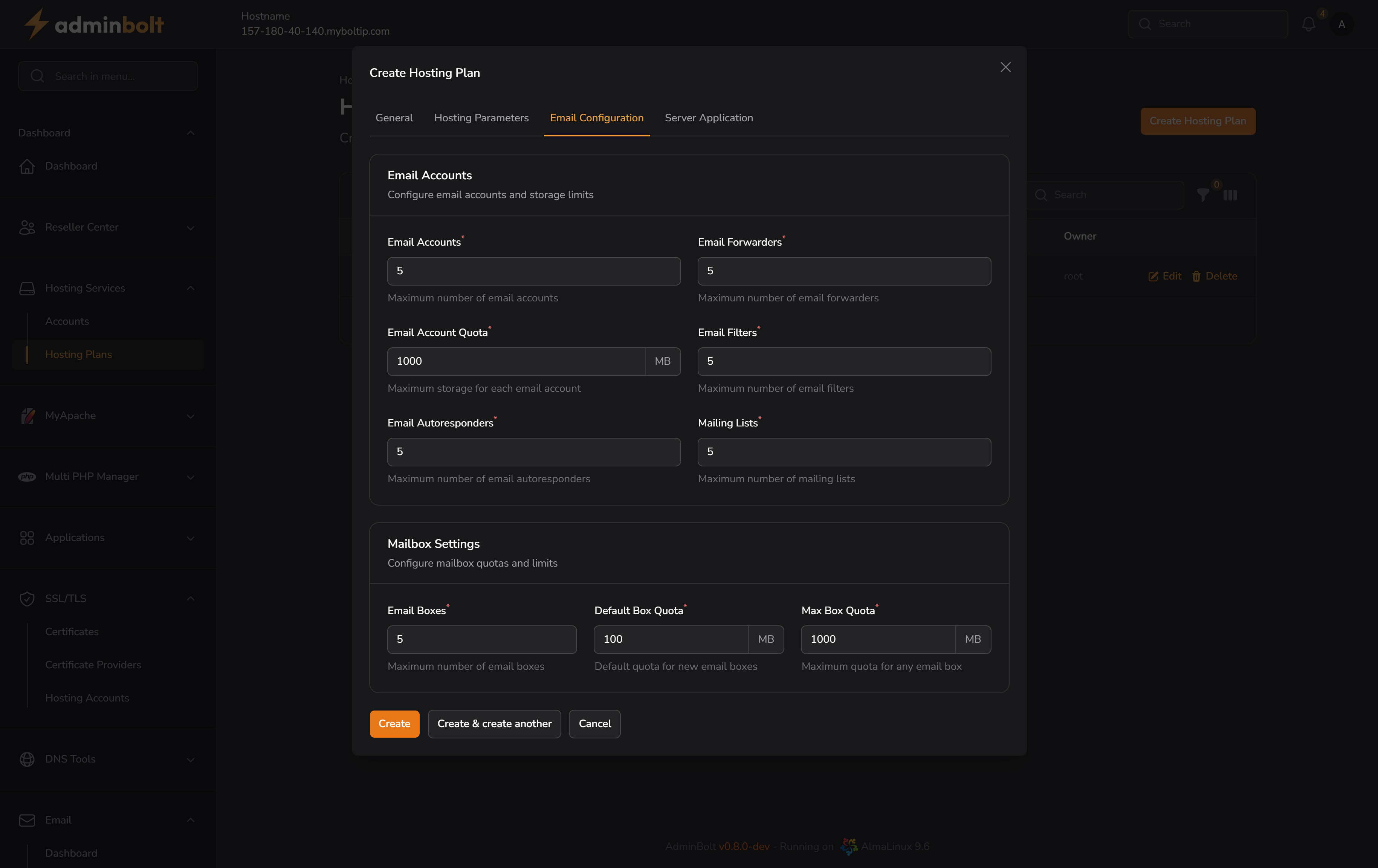
Email Accounts
- Email Accounts – Max number of email accounts
- Email Forwarders – Max forwarders
- Email Account Quota – Storage per account (MB)
- Email Filters – Max filters
- Email Autoresponders – Max autoresponders
- Mailing Lists – Max mailing lists
Mailbox Settings
- Email Boxes – Max number of boxes
- Default Box Quota – Default storage (MB)
- Max Box Quota – Max allowed storage per box (MB)
4. Server Application
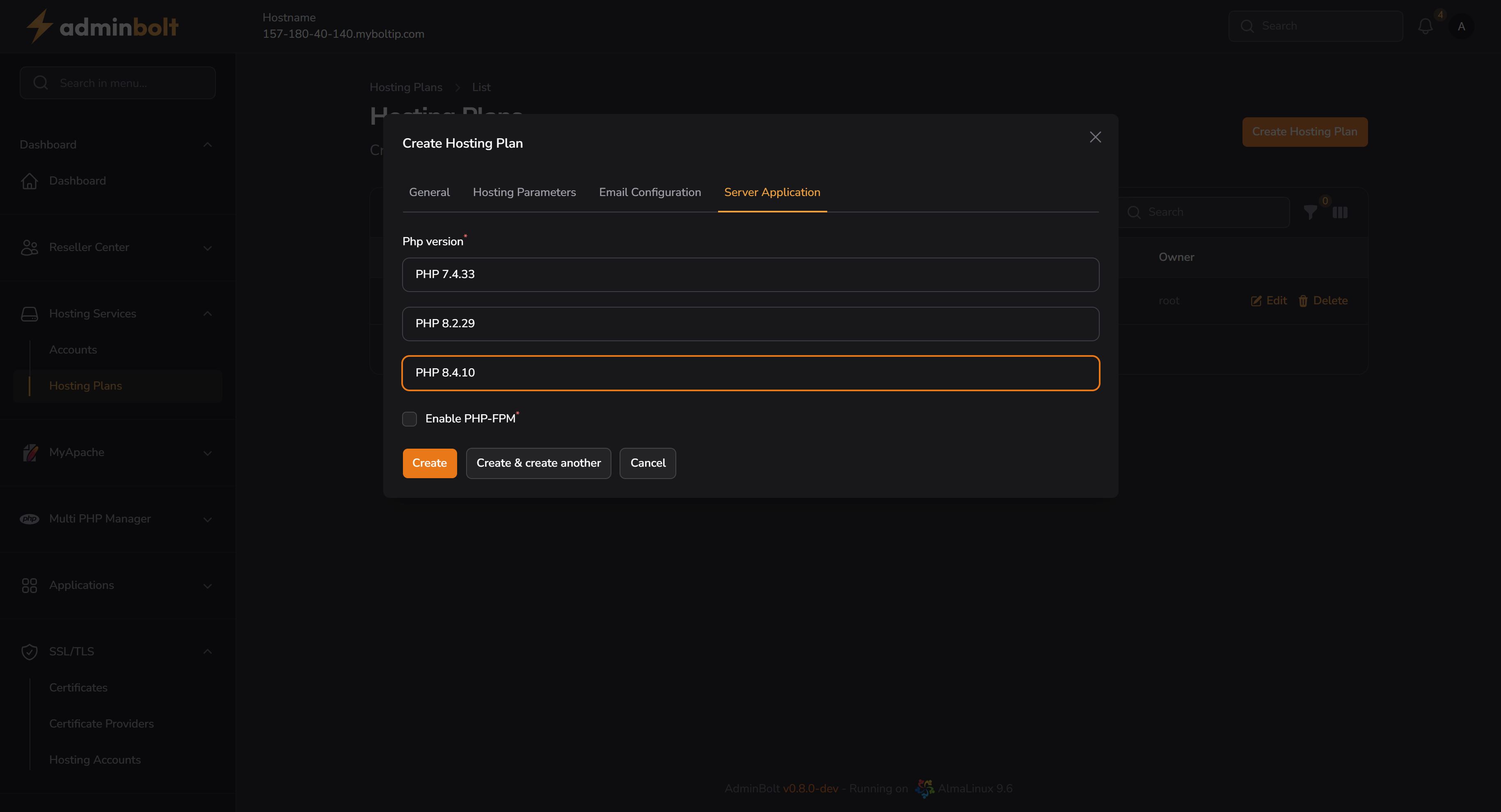
- PHP Version – Select one of:
- PHP 7.4.33
- PHP 8.2.29
- PHP 8.4.10
- Enable PHP-FPM – (Optional toggle, only visible for PHP 8.2.29 and PHP 8.4.10)
Editing an Existing Plan
Clicking the Edit button on any plan opens the same modal with pre-filled values.
Changes can be made to any of the tabs (General, Hosting Parameters, Email Configuration, Server Application). Once edited, click Save changes to apply.