

Log Rotation
Log Rotation Settings decides how the server's log files are rolled over and how many old ones are kept. Left alone, busy logs fill a disk; rotated too aggressively, the evidence you need after an incident is already gone.
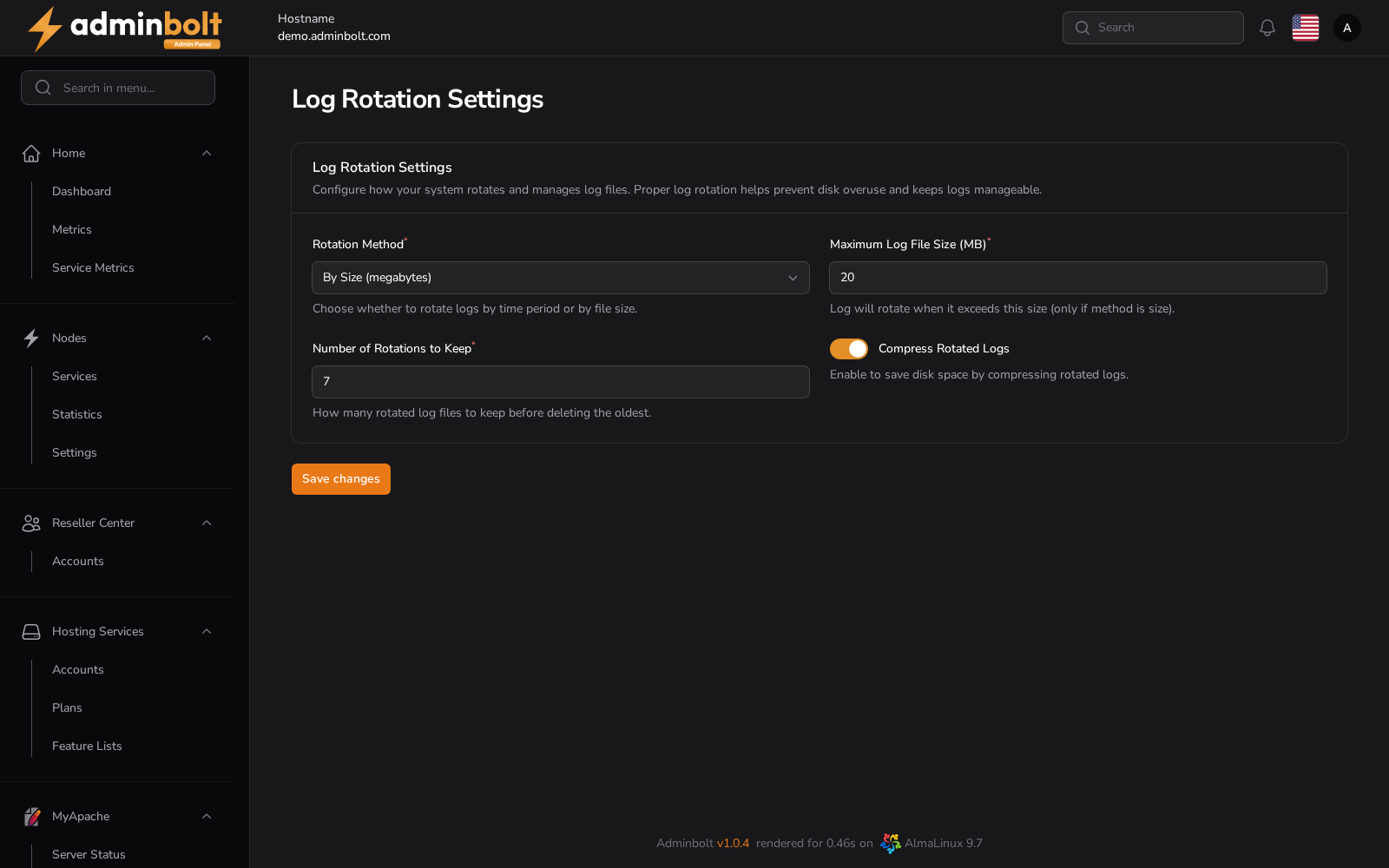
Overview
URL: /admin/settings/log-rotate-settings
The page is reached by its address; it is not listed in the sidebar. The policy applies to the log files the managed services write.
Settings
- Rotation Method (required) - By Period (daily, weekly, monthly) rotates on a schedule whatever the file size; By Size (megabytes) rotates once a file passes a threshold.
- Maximum Log File Size (MB) (required) - the threshold that triggers a rotation. It applies only when the method is By Size.
- Number of Rotations to Keep (required) - how many rotated files are kept before the oldest is deleted. Setting it to
7keeps the last seven. - Compress Rotated Logs - compresses rotated files, which saves a large amount of disk on a busy server at the cost of having to decompress before reading.
Save changes applies the policy.
Choosing a policy
Rotating by period gives you a retention window you can state in days, since the count of rotations translates directly into days, weeks, or months. Rotating by size protects the disk on a server whose traffic is uneven, at the cost of a window you cannot express in days.
Whichever you pick, the retention is the method and the count together: seven daily rotations is a week, seven 20 MB rotations is however long 140 MB of logging lasts.
What this does not cover
This page governs the server's own log files. The login attempts and usage snapshots the panel stores are pruned separately, under Panel Settings.
Reading the logs themselves is a different page: the Logs centre collects them by area and service.