

Subscribers
URL: /client/subscribers
Manage individual subscribers for your mailing lists.
Manage Subscribers
Add and configure subscribers for your mailing lists.
- New Subscriber button - Add a subscriber to a mailing list
- Search bar - Find subscribers by email address
- Filter button - Filter by subscription status (All), moderator status (Yes/No/-), digest mode (Yes/No/-), or no mail status (Yes/No/-)
- Empty state - "No Subscribers" displays when no subscribers exist
- Pagination - Navigate through pages of subscribers
Subscribers are individual email addresses assigned to mailing lists and can be configured with moderation, digest mode, and mail delivery preferences.
Since panel 1.9.1, subscribers belong to the account of the list they subscribe to. The page shows only the subscriptions to your own mailing lists, and unsubscribing or changing a moderator acts only on your own list, even when the same address is subscribed to lists in other accounts.
Adding a Subscriber
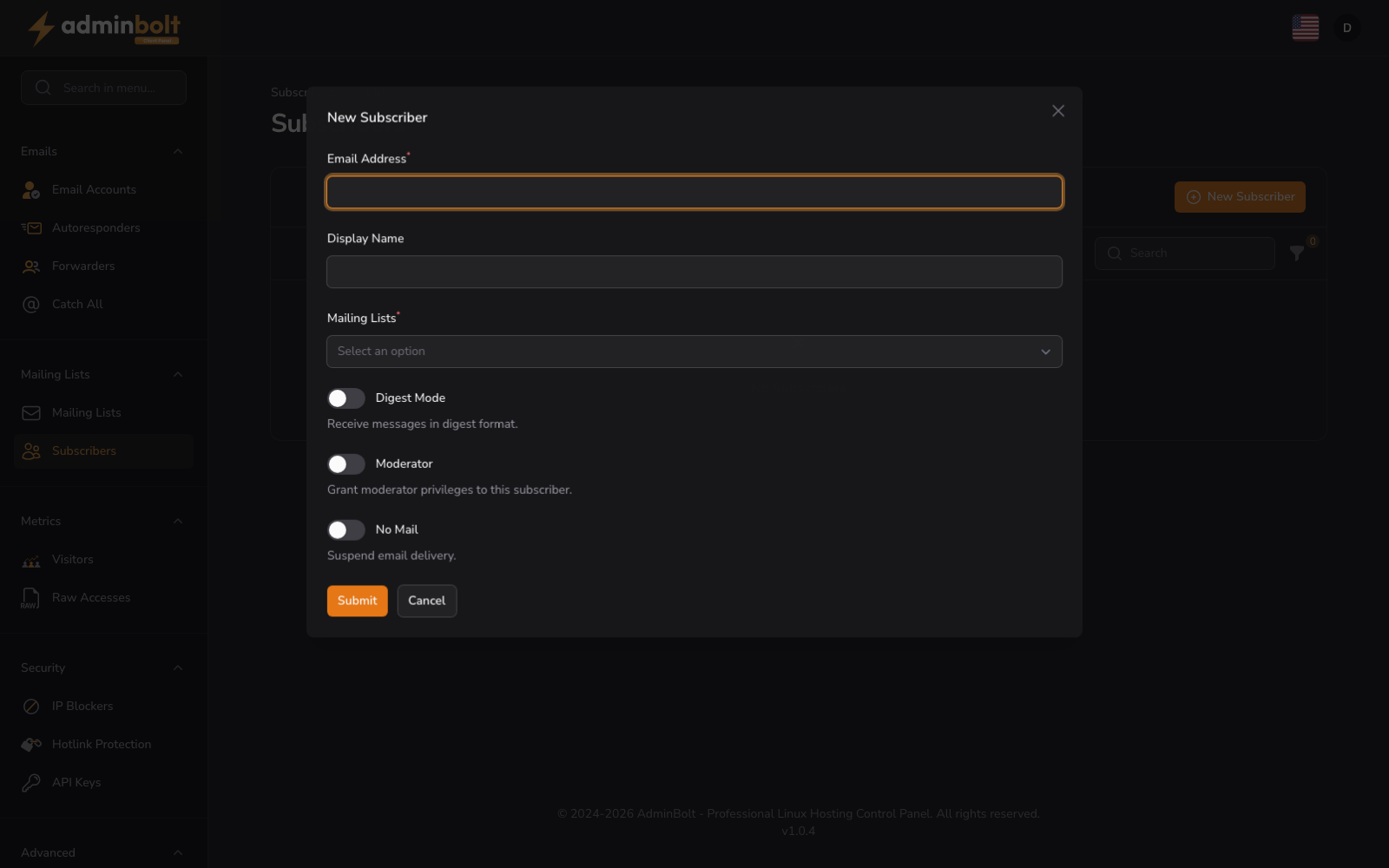
New Subscriber opens a dialog:
- Email Address (text, required) - The email address of the subscriber to add
- Display Name (text) - An optional display name for the subscriber
- Mailing Lists (searchable dropdown, required) - Select one or more of your mailing lists to add this subscriber to
- Digest Mode (toggle) - When enabled, the subscriber receives a periodic digest instead of individual messages
- Moderator (toggle) - When enabled, the subscriber has moderator privileges on the selected lists
- No Mail (toggle) - When enabled, the subscriber remains on the list but does not receive any messages
Dialog buttons: Submit, Cancel
An address that is already on a selected list is reported as This address is already subscribed to this mailing list.