

SSL Statuses – AdminBolt Hosting Panel
Overview
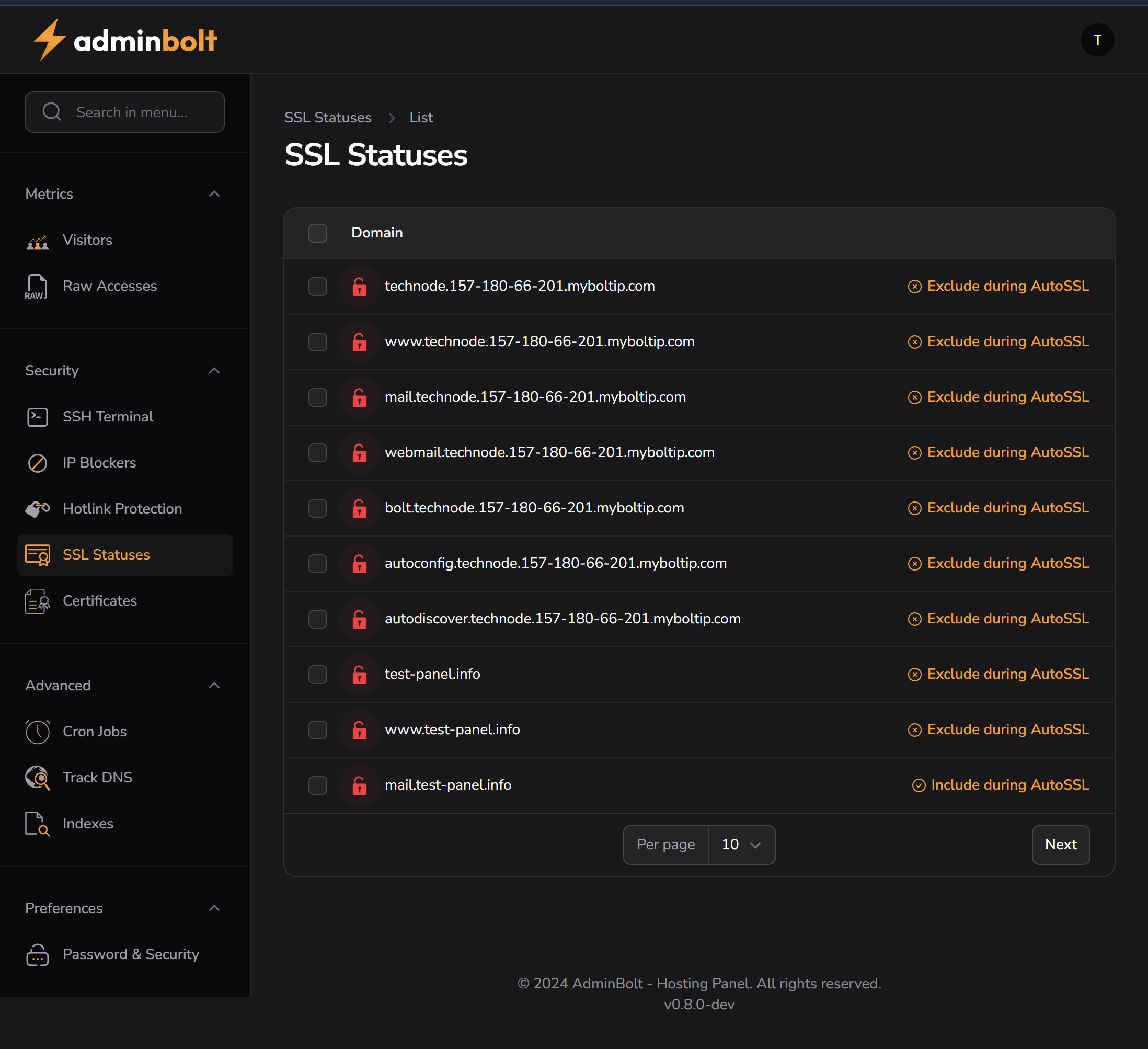
The SSL Statuses page allows users to monitor and manage SSL certificate status for all hosted domains. This is essential for ensuring secure HTTPS connections for websites and email services.
Key Features
- View SSL status for all domains and subdomains
- Toggle inclusion in AutoSSL (automatic SSL management)
- Identify unsecure domains via visual indicators (red padlock)
Interface Elements
| Element | Description |
|---|---|
| Red Padlock Icon | Indicates the domain currently lacks a valid SSL certificate |
| Domain Column | Lists primary domains and subdomains managed under the hosting account |
| Exclude/Include during AutoSSL | Allows the user to toggle participation in the automatic SSL renewal process |
| Checkbox (bulk select) | Allows bulk actions for multiple domains (not yet implemented in image) |
Common Domain Types Listed
www.domain.com– Standard websitemail.domain.com– Mail server endpointautoconfig./autodiscover.– Email client auto-discovery endpointswebmail.– Webmail interface
Managing SSLs
- Navigate to Security → SSL Statuses
- Review the list of domains
- For each domain:
- If you want it managed by AutoSSL, ensure it shows: "Include during AutoSSL"
- To skip it, click the link to Exclude during AutoSSL
- Domains without valid certificates will show a red padlock
Best Practices
- Keep all active subdomains included in AutoSSL
- Exclude only legacy/test subdomains that don’t need HTTPS
- Use a wildcard SSL certificate for domains with many subdomains (optional)
- Regularly check this page to verify certificate coverage
Troubleshooting
| Issue | Solution |
|---|---|
| Red padlock shown | No valid SSL. Wait for AutoSSL or install manually |
| AutoSSL not working | Check DNS records or ensure domain is pointed correctly |
| Mail clients show SSL error | Make sure mail. and autodiscover. are covered by valid certificates |