

Git Version Control
URL: /client/git-version-control-page
Create and manage Git repositories to maintain files and track the history of changes within your hosting account.
The page is in the sidebar under Files as Git™ Version Control when your hosting plan includes the Git Version Control feature. Since panel 1.9.2 the page itself also follows the plan: without the feature, its address and its actions are refused, not only its menu entry hidden.
Create Repository
Click the “Create Repository” button to initialize a new Git repository. Define the repository name and path.
Creating a Repository
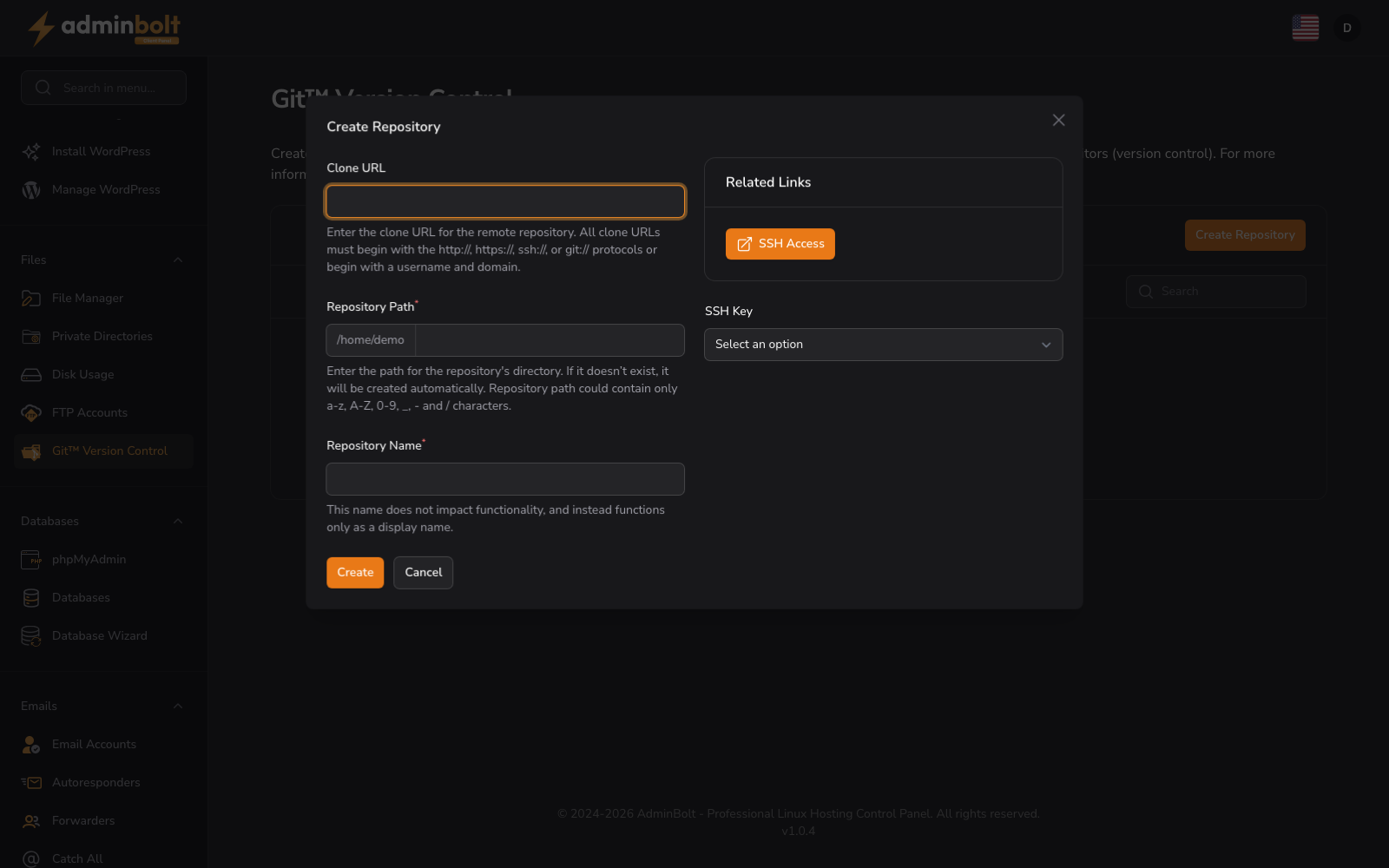
The “Create Repository” form allows you to set up a new Git repository on your hosting account. Complete the following fields:
- Clone URL (text) - The URL of the repository you want to clone. It starts with
https://,http://,ssh://, orgit://, or has theuser@host:pathform. Only public hosts are accepted. - Repository Path (text) - The folder inside your home directory where the repository is stored. The field shows your home directory as a prefix, so you enter the folder only, for example
my-siteorprojects/shop. Use letters, digits,_,-,., and/between folders. A path outside your home directory, a path containing.., and a folder the panel manages (such asmailor.ssh) are refused before anything runs. See Choosing the repository path. - Repository Name (text, required) - The name for your repository.
- SSH Key (dropdown) - An SSH key for authentication with the remote repository. See Git SSH Keys.
After completing the form, click “Create” to initialize the repository or “Cancel” to exit the form.
Choosing the repository path
Since panel 1.9.2 a repository is cloned only into a new or empty folder. The form checks the path before anything runs on the server:
- A folder that does not exist yet is created, together with any missing folders above it.
- An existing empty folder is used as it is.
- An existing folder that is not empty, or a file, is refused: "The repository path already exists and is not empty. Choose another path or remove the existing folder first."
- A path that goes through a link is refused: "The repository path goes through a link (
folder). Choose a folder that is not a link." - A folder on the path that your account cannot open is refused, with the folder named. Check its permissions, then try again.
If the path cannot be checked at all, the form says so; try again in a moment.
When a clone fails
A clone that fails removes only what it created: the repository folder and any folders the clone added above it. A folder that existed before, even an empty one, stays where it was, and nothing outside the repository path is touched. Anything that cannot be removed is left in place.
Search
Use the search bar to filter repositories by name or keyword.
Repository List
The interface displays created repositories in a table format. When no repositories exist, you see:
No Git Repositories Create a git repository to get started.
Repository actions
Each repository row has these actions:
- Manage - the repository's details: name, checked-out branch, SSH key, the latest commit, and the remote URL, with Update From Remote to pull the latest changes.
- History - the last 20 commits of the checked-out branch, newest first, with the short commit hash (hover for the full one), the author, the date, and the subject. A repository without commits says so. Available since panel 1.9.0.
- Remove - deletes the repository's folder from your account and removes the entry from the panel. If the path goes through a link, or the folder cannot be removed, both the folder and the entry stay, and the message says why.
Repositories of your own account only
Since panel 1.9.3 every repository action, including Manage, Update From Remote, and History, works only on the repositories of the hosting account you are signed in to, and the SSH key a repository uses must be one of that account's own Git SSH Keys. A repository that is not in your account is answered as "The repository was not found." Manage saves only the name, the branch, and the SSH key; when the chosen key is no longer there, it says "The selected SSH key no longer exists. Pick another key or create one."
A page left open in another tab after an administrator or reseller has clicked Leave on the impersonation banner shows and acts on nothing. Reload the page and sign in again.
When a Git operation fails
A clone or an update that fails tells you why, with a correlation ID you can give your hosting provider. The most common reasons and what to do:
| Message says | What to do |
|---|---|
| The remote repository rejected the credentials | Use an SSH key for git@ or ssh:// URLs and an access token for https:// URLs, and check that it has access to the repository. |
| The remote repository was not found | Check the clone URL and that the account you use has access to it. |
| The repository path already exists and is not empty | Choose another path, or remove the existing folder first. |
| The remote repository has no commits yet | Push a first commit to it, then clone it again. |
| The requested branch does not exist on the remote | Pick a branch that exists. |
| The host in the clone URL could not be resolved | Check the host name for a typo. |
| The remote host could not be reached | Try again in a moment, or check the URL and the remote service. |
| The secure connection to the remote could not be verified | The remote's certificate could not be verified. Check the URL, or contact your hosting provider. |
| The SSH host key of the remote is not trusted on this server yet | Ask your hosting provider to add it, or use an https:// clone URL. |
| The working tree on the server has local changes | Commit, stash, or remove the local changes, then update again. |
| The local branch has diverged from the remote | The copy on the server and the remote have different commits, so the update cannot be applied. Resolve the difference in the repository folder, then update again. |
| The repository folder on the server no longer holds a Git repository | Remove the entry and clone the repository again. |