

JetBackup
The JetBackup page provides detailed information about the JetBackup module – a robust backup solution tailored for hosting environments. It allows administrators and users to schedule, manage, and restore backups efficiently and securely.
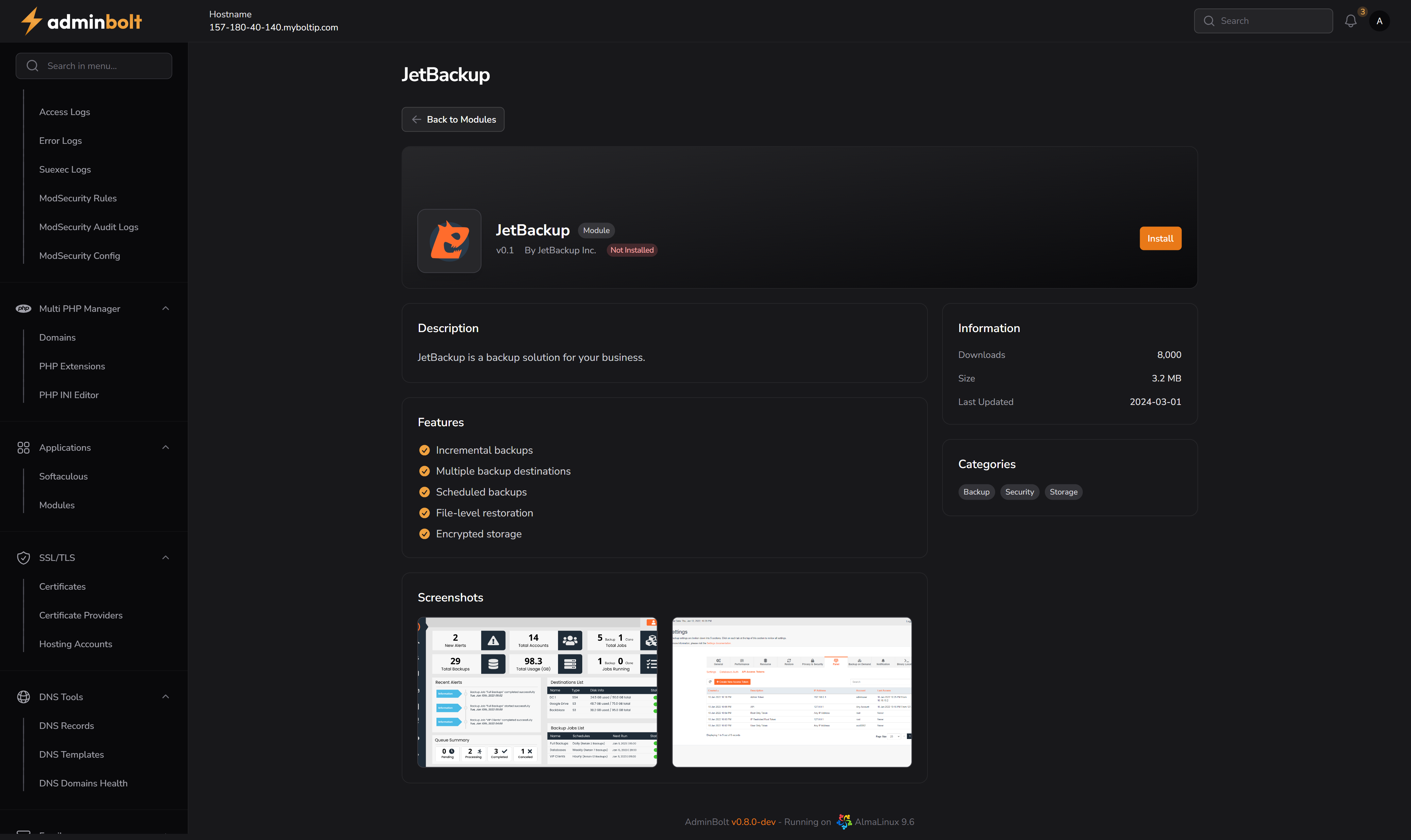
Overview
JetBackup offers advanced features such as incremental backups, file-level restoration, encrypted storage, and support for multiple destinations. It integrates directly into the adminbolt panel and is designed for both business continuity and disaster recovery.
URL
/admin/modules/jetbackup
Description
JetBackup is a backup solution for your business.
It supports incremental and scheduled backups, multi-destination support, and secure storage options. JetBackup helps ensure your data is safe and recoverable at all times, with powerful restoration capabilities down to the file level.
Features
- Incremental backups
- Multiple backup destinations
- Scheduled backups
- File-level restoration
- Encrypted storage
Actions
- Install Button – Located in the top-right corner. Clicking this installs the module and makes JetBackup available in the adminbolt interface.
- Once installed, JetBackup will appear in the sidebar under
Applications > JetBackup.
Installed View
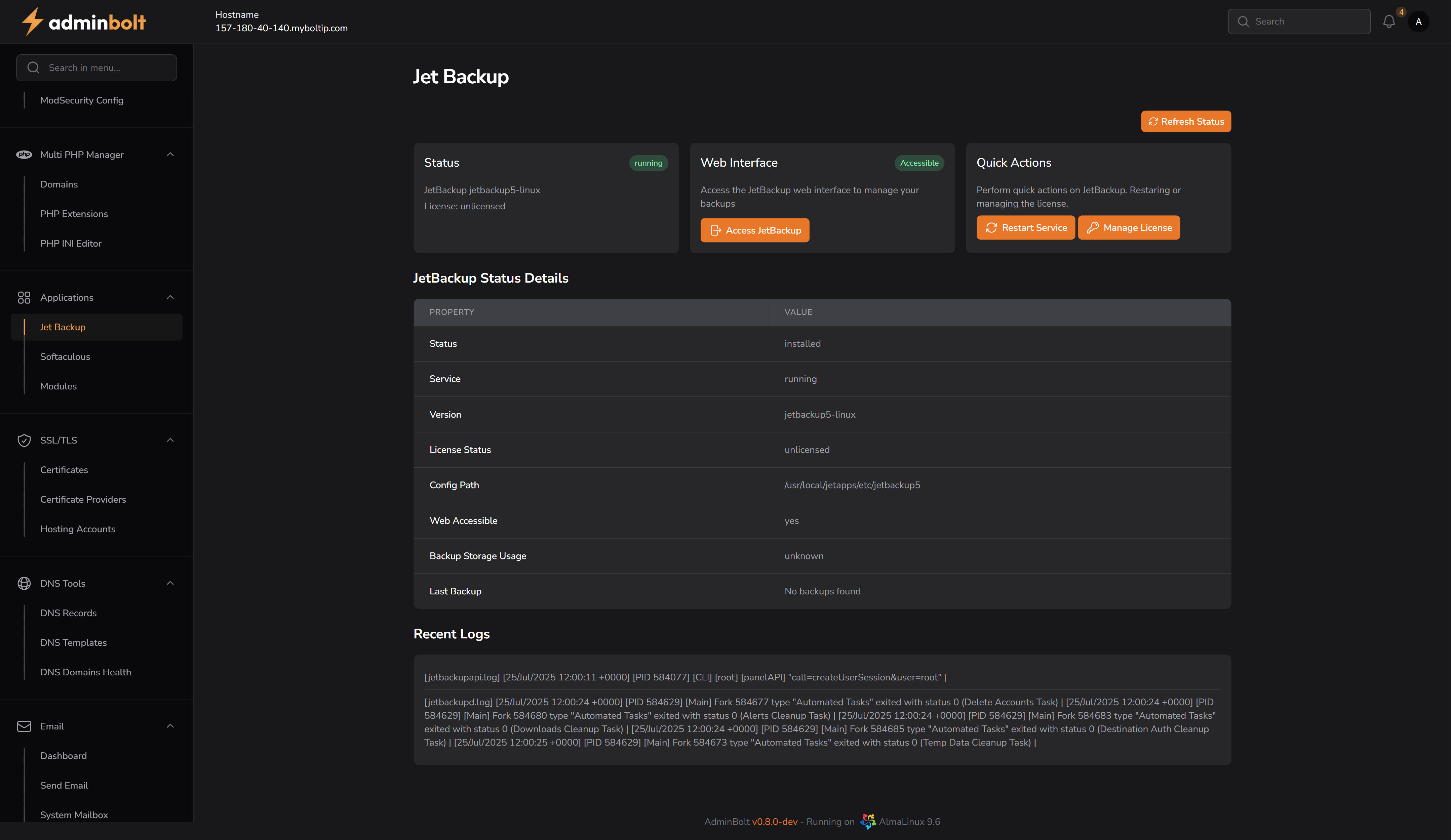
After installation, visiting the JetBackup page will show:
Status Overview
- Status – Displays service name and license (e.g.,
jetbackup5-linux,unlicensed). - Web Interface – Launch button to access the external JetBackup panel.
- Quick Actions – Options to restart the JetBackup service or manage the license.
- Refresh Status – Refreshes the status of the backup service in real time.
JetBackup Status Details
| Property | Description |
|---|---|
| Status | Indicates whether JetBackup is installed or not. |
| Service | Shows the current status of the JetBackup service (e.g., running or stopped). |
| Version | Displays the installed JetBackup version. |
| License Status | Indicates whether the license is valid, expired, or unlicensed. |
| Config Path | File system path to the JetBackup configuration directory. |
| Web Accessible | Confirms if the JetBackup web UI is accessible from the panel. |
| Backup Storage Usage | Displays current backup storage usage, if available. |
| Last Backup | Shows the timestamp or status of the most recent backup (if any). |
Recent Logs
- Real-time log viewer displays the most recent JetBackup actions.
- Useful for debugging automated tasks or reviewing service behavior.
Notes
- Ideal for production hosting environments requiring fast recovery and flexible storage strategies.
- Backup destinations and scheduling can be customized post-installation.
- JetBackup supports full automation and advanced backup policies once properly licensed and configured.