

Fail2Ban Settings
The Fail2Ban Settings section allows administrators to configure jails and actions for protecting services like SSH and FTP from unauthorized access and brute-force attacks.
URL: /admin/fail2ban-settings (menu: Fail2Ban → Settings)
Tabs
1. Jails
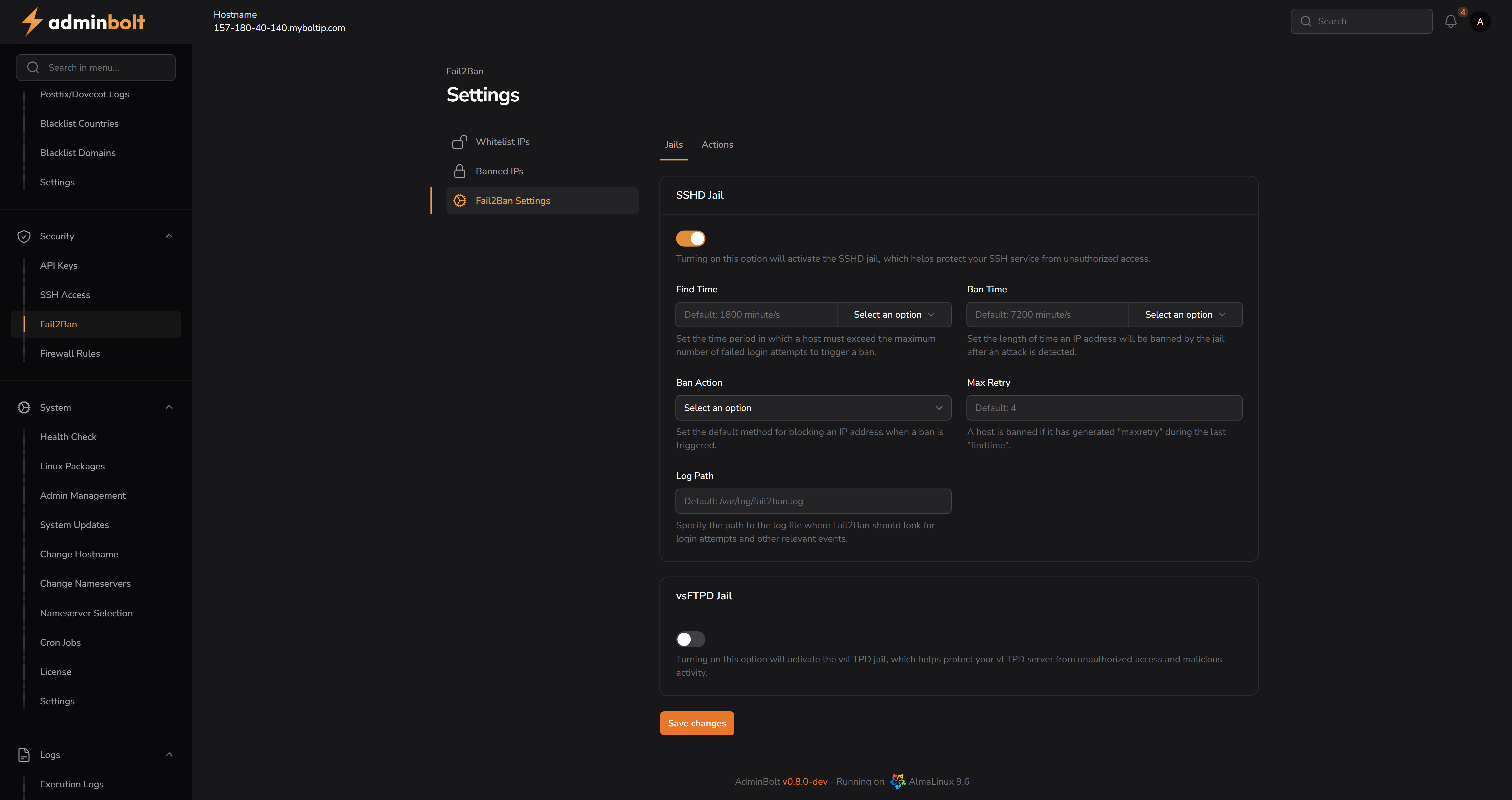
SSHD Jail
- SSHD Jail (Toggle) – Enables or disables the SSHD jail, which helps protect the SSH service from unauthorized access.
- Find Time – Time period in which a host must exceed the maximum number of failed login attempts to trigger a ban.
- Default:
1800 minute/s - Options:
seconds/s,minute/s,hour/s
- Default:
- Ban Time – Duration that an IP address will remain banned after detection.
- Default:
7200 minute/s - Options:
seconds/s,minute/s,hour/s
- Default:
- Ban Action – Method for blocking an IP address when a ban is triggered.
- Options:
iptablesiptables-newiptables-multiportshorewallfirewalld-allportsfirewalld-rich-rulesfirewalld-ipsetfirewalld-multiport
- Options:
- Max Retry – Maximum number of failed login attempts allowed within the Find Time period.
- Default:
4
- Default:
- Log Path – Path to the log file Fail2Ban will use to monitor and detect intrusions.
- Default:
/var/log/fail2ban.log
- Default:
vsFTPD Jail
- vsFTPD Jail (Toggle) – Enables or disables the vsFTPD jail to protect the FTP server from unauthorized access.
2. Actions
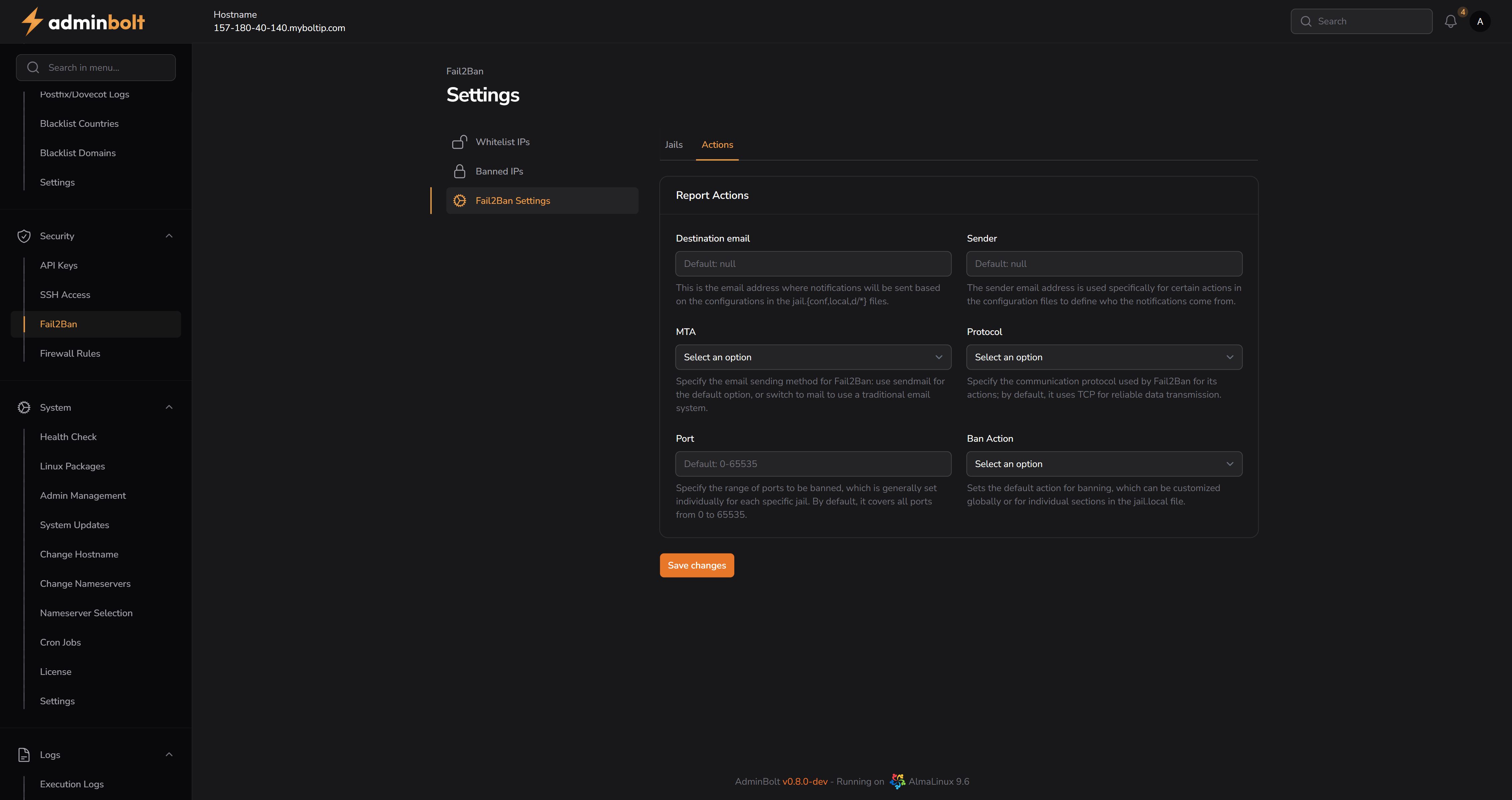
Report Actions
- Destination Email – Email address to which notifications will be sent.
- Default:
null
- Default:
- Sender – Sender email used for outgoing ban notifications.
- Default:
null
- Default:
- MTA – Mail transfer agent used to send ban notifications.
- Options:
sendmailmail
- Options:
- Protocol – Communication protocol used for sending ban notifications.
- Options:
tcpudp
- Options:
- Port – Port range to be banned. By default, it covers all ports from
0–65535. - Ban Action – Default action for banning (applies globally or per jail).
- Options:
iptablesiptables-newiptables-multiportshorewallfirewalld-allportsfirewalld-rich-rulesfirewalld-ipsetfirewalld-multiport
- Options:
Save Changes
Both tabs include a Save changes button to persist configuration updates.