

MyApache Suexec Logs
The MyApache Suexec Logs page displays real-time logs for script executions performed under the Suexec mechanism in Apache.
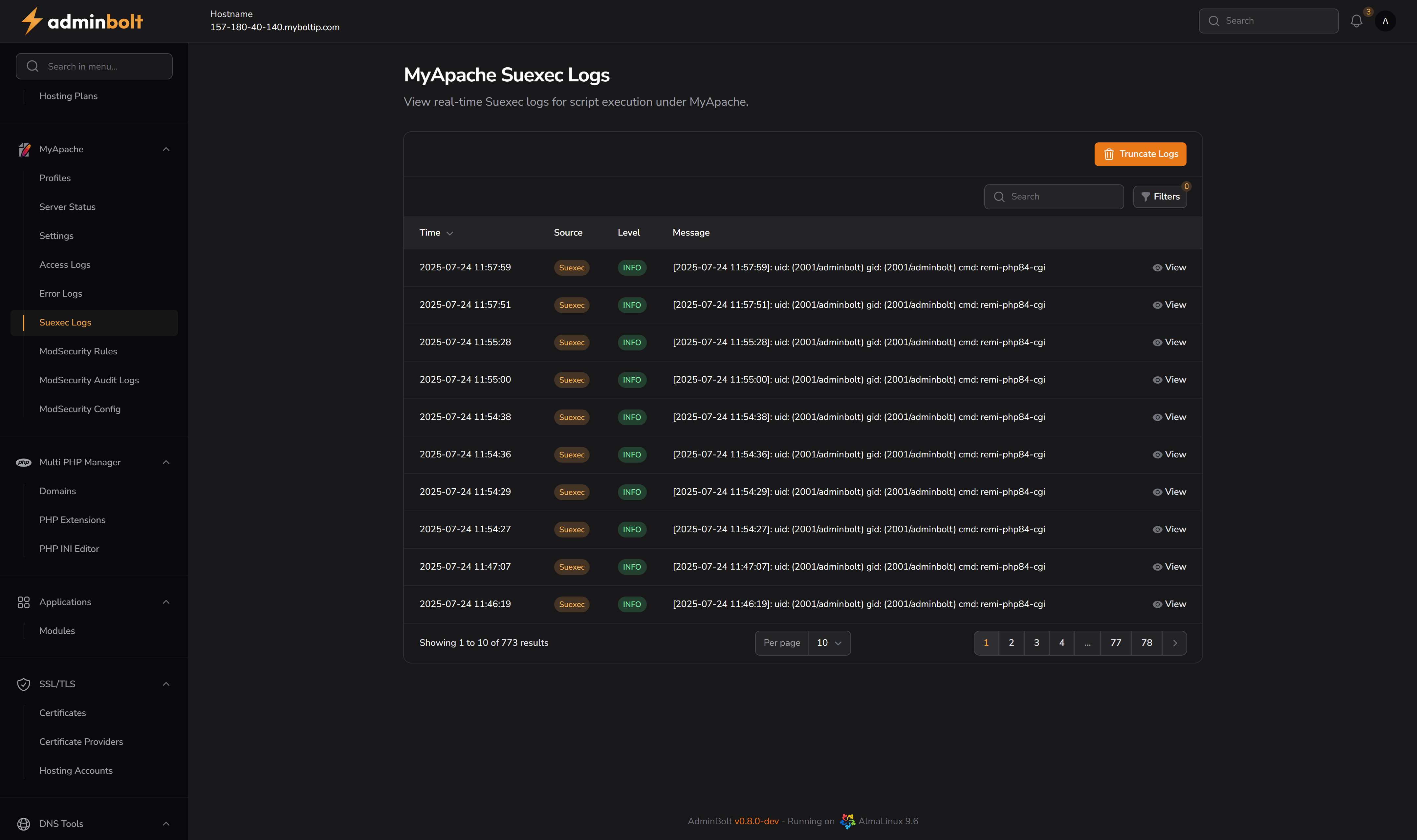
Overview
This section allows administrators to monitor and debug CGI or PHP script executions that are run under user privileges via Apache's Suexec mechanism.
URL: /admin/my-apache-suexec-logs
Interface Elements
Search and Filters
Located at the top right above the log table:
- Search Bar – Search log entries by keyword (e.g., username, command).
- Filters Panel (via Filters button):
- Level – Filter logs by severity (e.g., INFO, ERROR).
- From / Until – Filter logs within a date range.
Log Table
| Column | Description |
|---|---|
| Time | Timestamp when the script was executed. |
| Source | Always marked as "Suexec". |
| Level | Log level (typically INFO for standard executions). |
| Message | Suexec execution details – includes UID/GID and executed command. |
| View | Button to display the full execution log in detail. |
Actions
Truncate Logs
- Orange button in the top-right.
- Deletes all current entries from view.
- Requires confirmation to prevent accidental deletion.
Pagination
At the bottom of the log table:
- Allows switching between pages.
- Choose number of entries per page: 10, 25, 50, or All.
View Details Modal
Each entry includes a View icon:
Clicking the eye icon opens a modal window that reveals full log details:
- Created at – Date and time of log.
- Source – Log source (always Suexec).
- Level – INFO, ERROR, etc.
- Message – Full execution log including UID, GID, and executed command.
Notes
- These logs are vital for monitoring user-specific script activity.
- Useful for tracking security incidents or misbehaving scripts.
- Generated in real-time based on Apache Suexec executions.