

Reseller Accounts
The Reseller Accounts section allows administrators to create, manage, and impersonate reseller accounts.
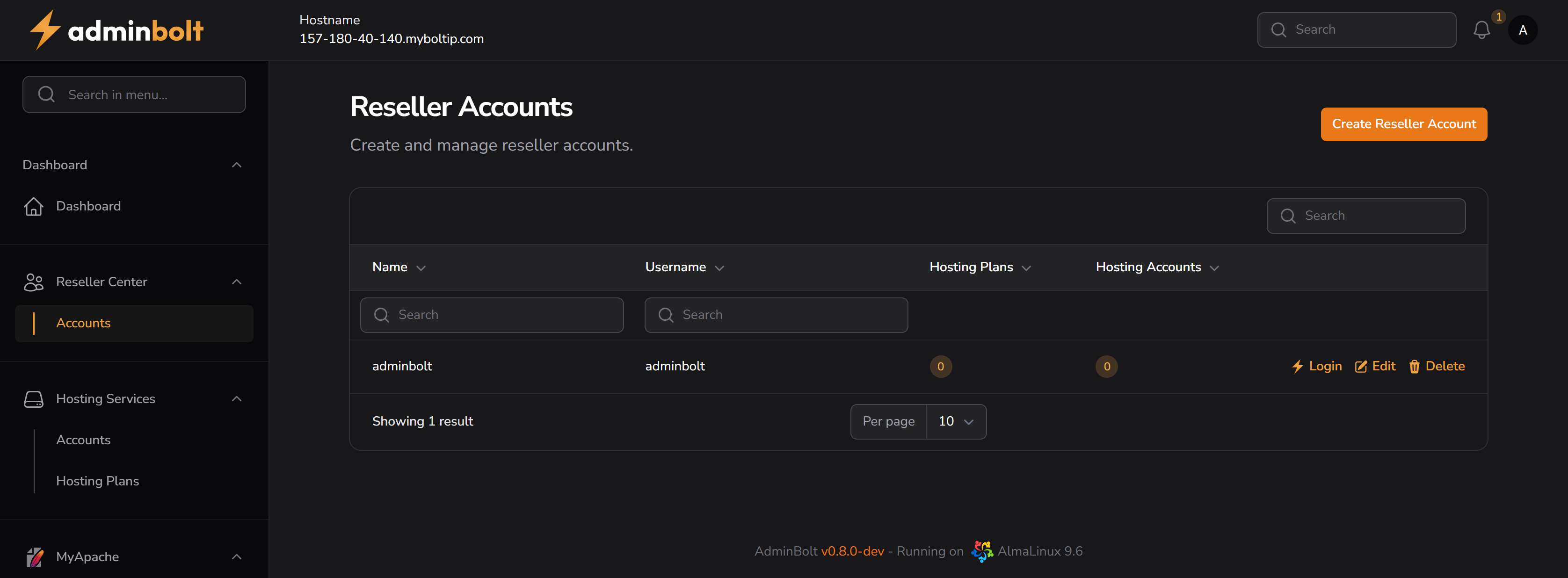
Overview
URL: /admin/resellers
This page displays a list of all reseller accounts along with the following columns:
- Name – Display name of the reseller
- Username – System username used for login
- Hosting Plans – Total number of hosting plans created by the reseller
- Hosting Accounts – Total number of hosting accounts managed by the reseller
Actions
- Login – Impersonates the reseller and opens their dashboard
- Edit – Update reseller info and credentials
- Delete – Permanently removes the reseller account
Search and Filtering
- Individual search boxes are available for:
- Name
- Username
Each input filters the list dynamically based on entered text.
Pagination
Pagination controls allow you to set how many records to display per page:
- Options: 5, 10, 25, 50, All
Creating a Reseller Account
Clicking the Create Reseller Account button opens the creation form.
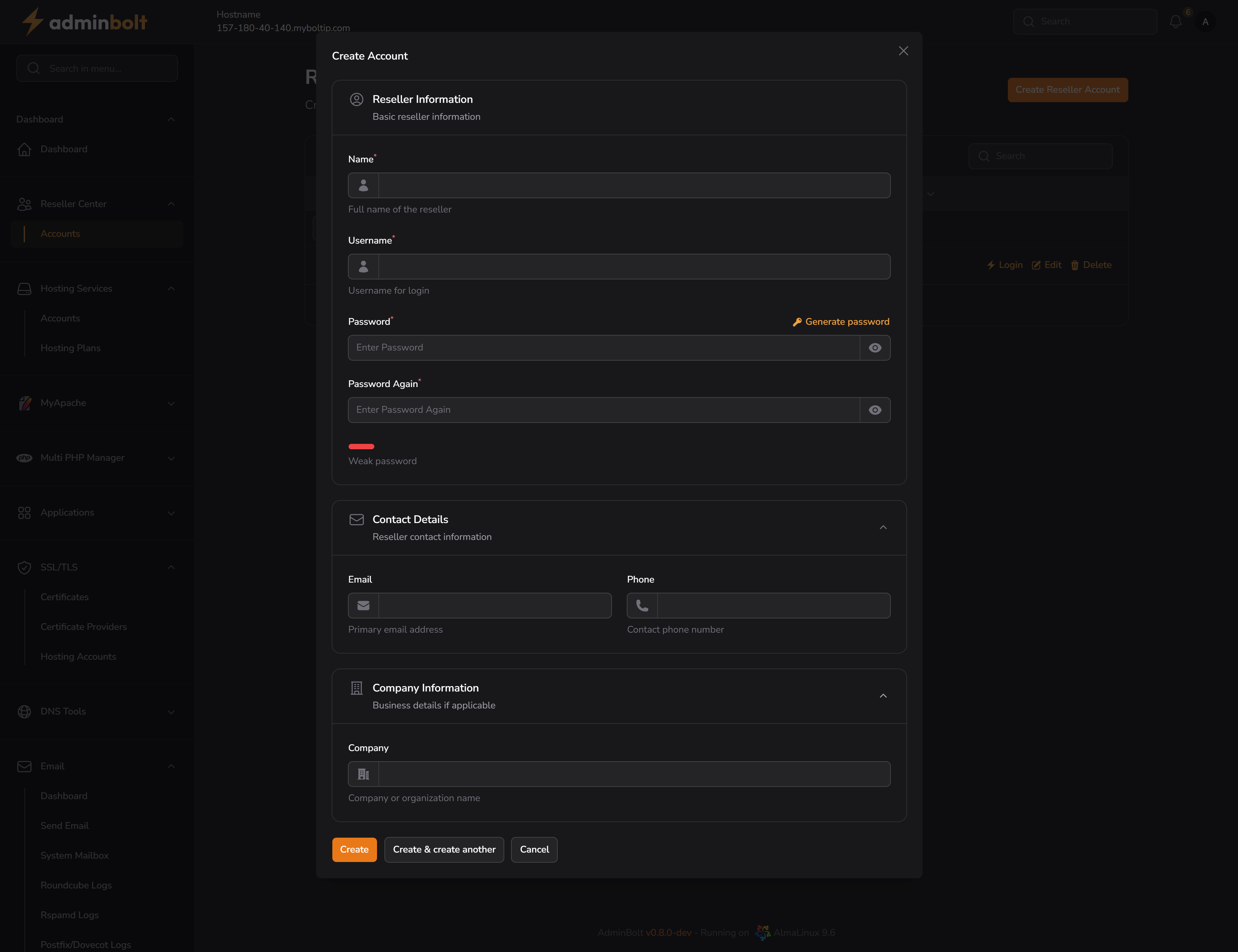
Fields
Reseller Information
- Name (required) – Full name for display
- Username (required) – Login username
- Password (required) – Secure password with strength validation
- Password Again (required) – Confirmation of password
You can click Generate password to auto-generate secure credentials.
Contact Details (optional)
- Email – Primary email address
- Phone – Contact number
Company Information (optional)
- Company – Business or organization name
Buttons available:
- Create – Save the new reseller
- Create & Create Another – Save and reopen the form
- Cancel – Close without saving
Impersonating a Reseller
Clicking the Login button next to a reseller account allows the admin to impersonate that reseller.
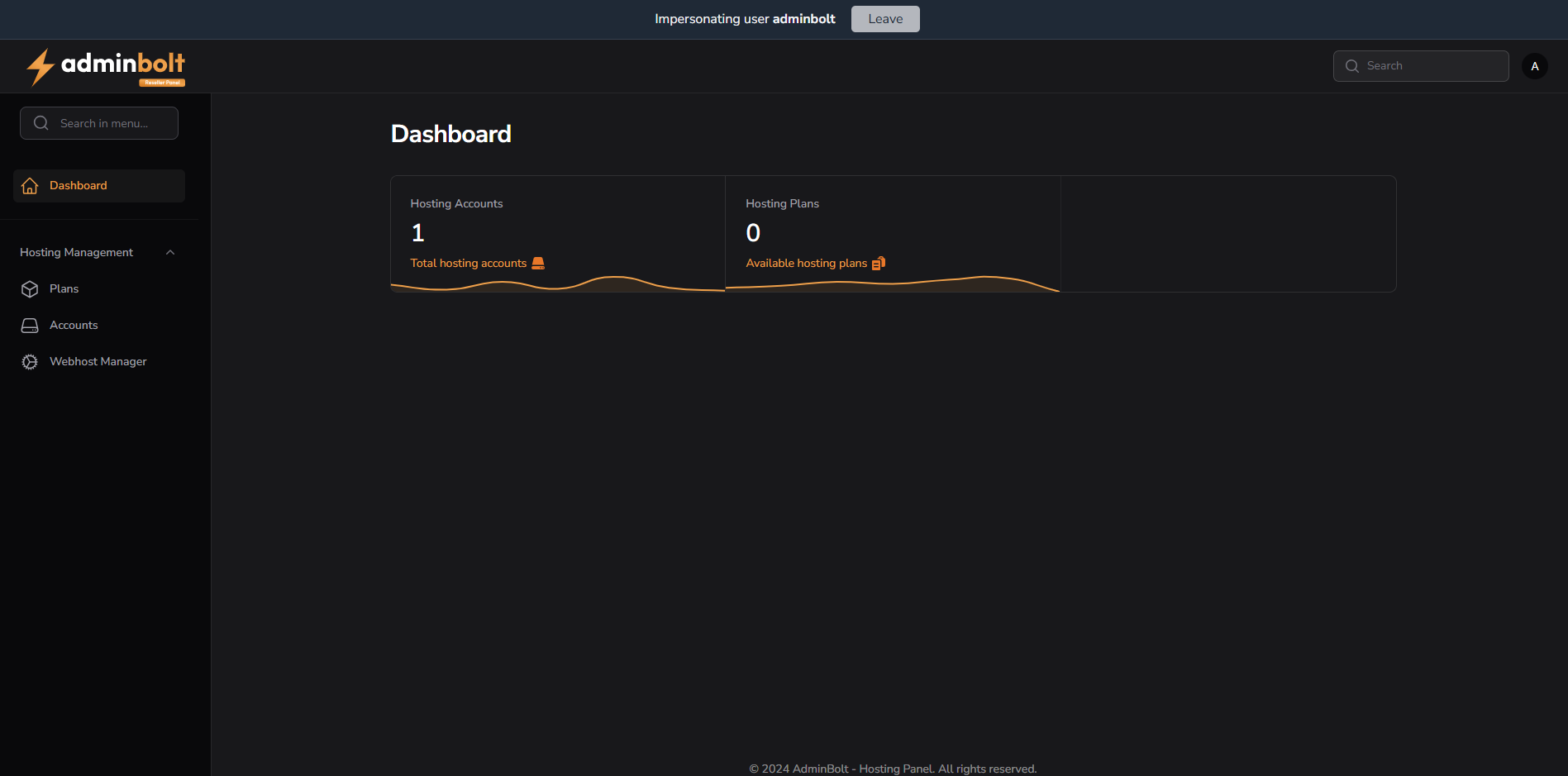
While impersonating:
- The top of the screen will display a blue bar with "Impersonating user {username}"
- The interface switches to the reseller panel layout
- To stop impersonating, click the Leave button in the top bar
Editing a Reseller Account
Clicking Edit opens the form with all fields pre-filled.
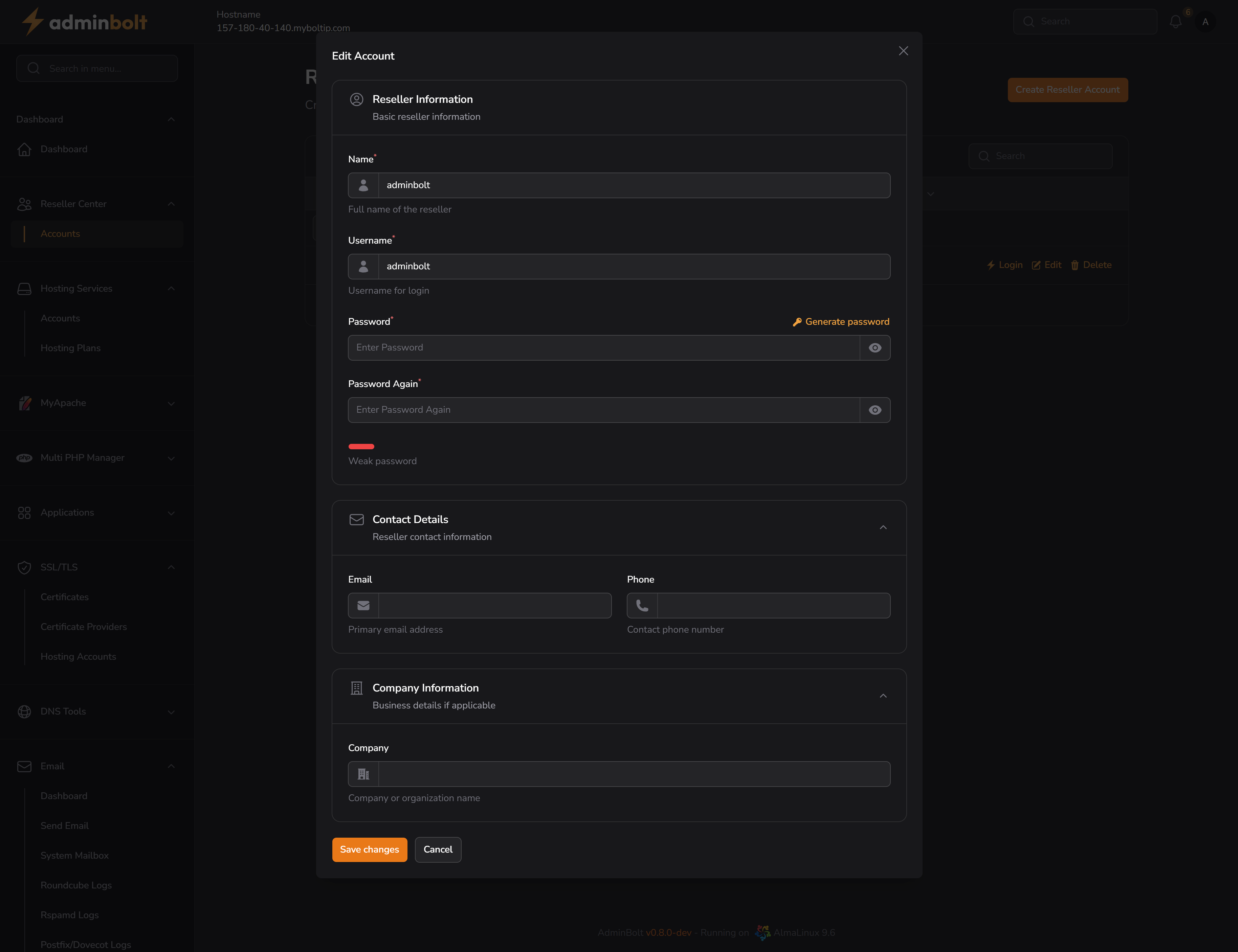
You can update:
- Name
- Username
- Password
- Contact and company details
Click Save changes to apply updates.