

DNS Health
Overview
URL: /client/d-n-s-domains-health-check
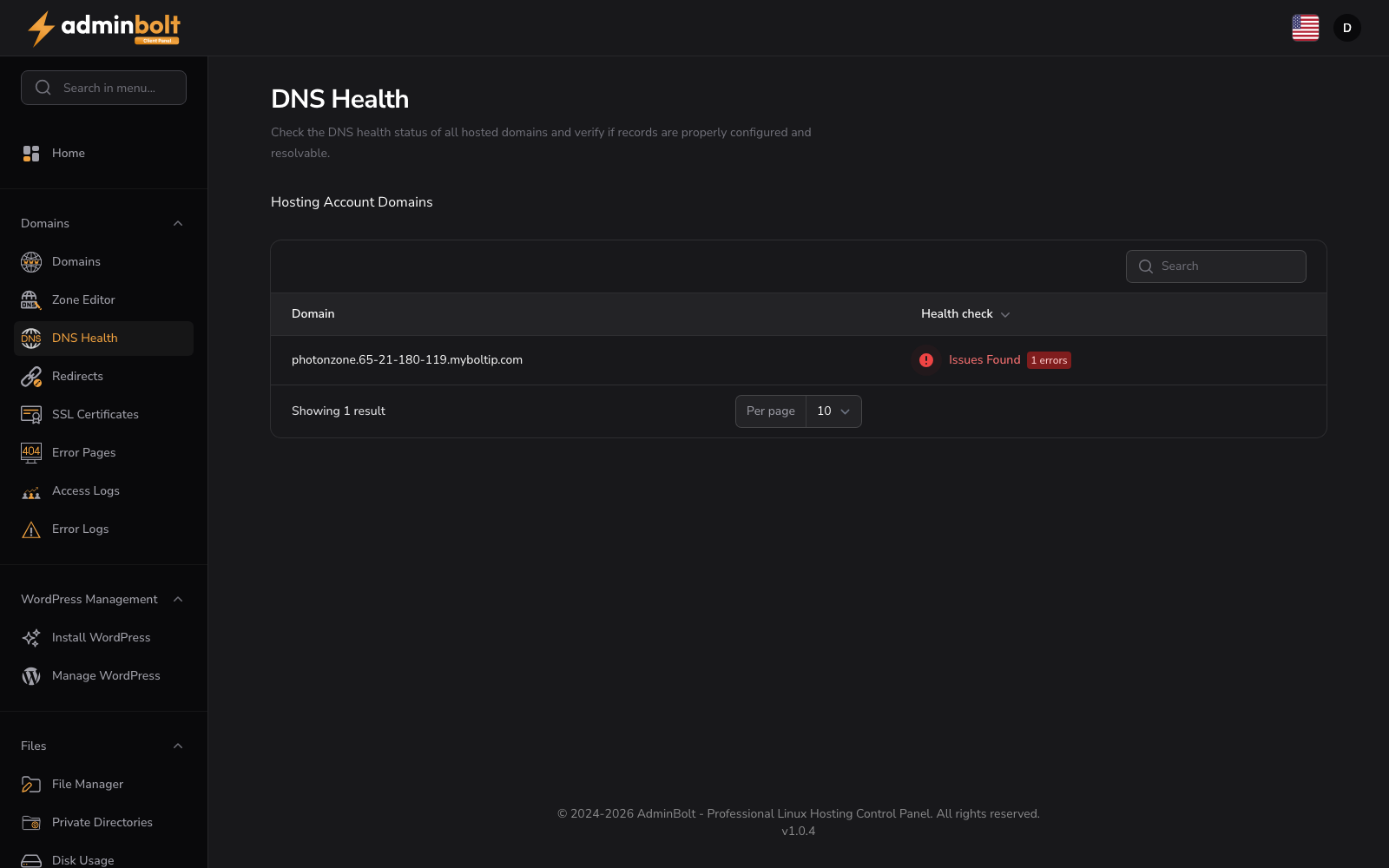
The DNS Health page allows you to check the DNS configuration of your domains. Run health checks to identify configuration errors and warnings that may affect domain functionality.
Checking Domain Health
Hosting Account Domains
The main section displays a table of all domains on your account:
- Domain - Domain name
- Health check - "Health Check" button
Click "Health Check" to run a DNS health check on that domain.
Health Check Results
After running a health check, a results modal displays:
- Summary - Overall health status
- Records Checked - Number of DNS records validated
- Errors - Critical issues that prevent proper domain function
- Warnings - Non-critical issues that may cause problems
- Status - Shows "DNS Zone Healthy" or "Issues Found"
Within the results, use Show Raw Output to reveal the full unformatted check output, and Close to dismiss the modal.
Search and Filter
Use the search bar to find specific domains by name.
Pagination
Use the per-page selector to control how many domains are displayed on each page.