

CloudLinux Manager
The CloudLinux Manager provides a comprehensive solution for managing server environments with advanced virtualization and isolation features.
CloudLinux Manager Overview
URL: /admin/cloud-linux-installer?step=step-1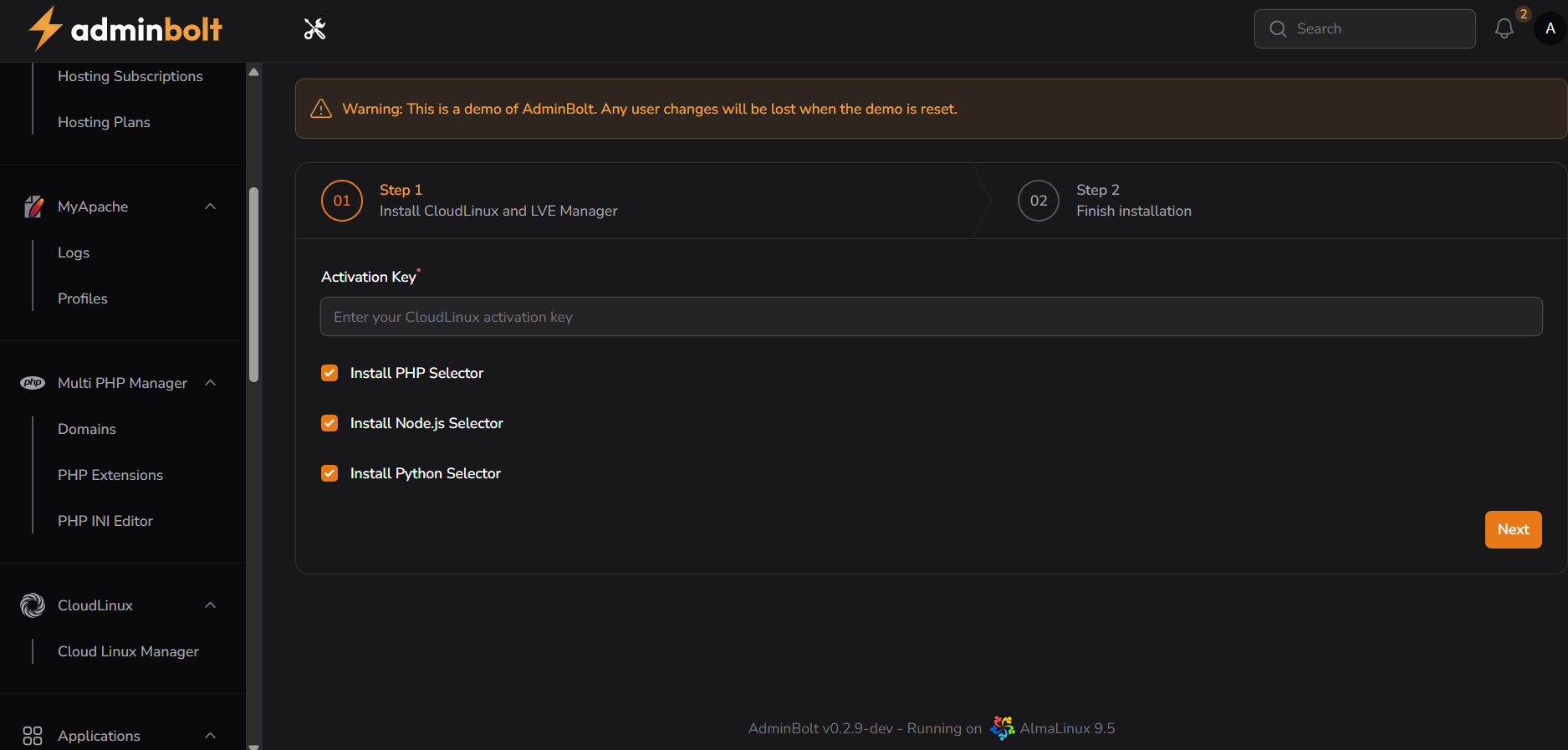
Interface Elements
Top Bar
- Step 1: Install CloudLinux and LVE Manager
- Step 2: Finish installation
Activation Section
- Activation Key input field
- Required Field
- Placeholder text: "Enter your CloudLinux activation key"
- Validates key format and presence
Installation Options
- Checkboxes for additional components:
- Install PHP Selector
- Install Node.js Selector
- Install Python Selector
Navigation
- Next button
- Becomes active after entering valid activation key
Installation Process Details
Step 1 Requirements
- Valid CloudLinux activation key
- Optional component selectors
- Minimum system requirements check
Component Selector Benefits
- PHP Selector: Multiple PHP version management
- Node.js Selector: Runtime environment flexibility
- Python Selector: Version control and isolation
System Preparation
Pre-Installation Checks
- Compatibility with current system
- Sufficient resources
- Network connectivity
- License verification
Post-Installation Actions
- Verify component installations
- Configure resource limits
- Set up version selectors
Management Benefits
The CloudLinux Manager provides:
- Streamlined server environment management
- Advanced virtualization technologies
- Flexible development infrastructure
- Enhanced security through isolation
- Easy multi-version language supporta