

Multi PHP Domains Manager
The Multi PHP Domains Manager page allows administrators to manage which PHP version is assigned to each domain, and whether PHP-FPM is enabled for performance optimization.
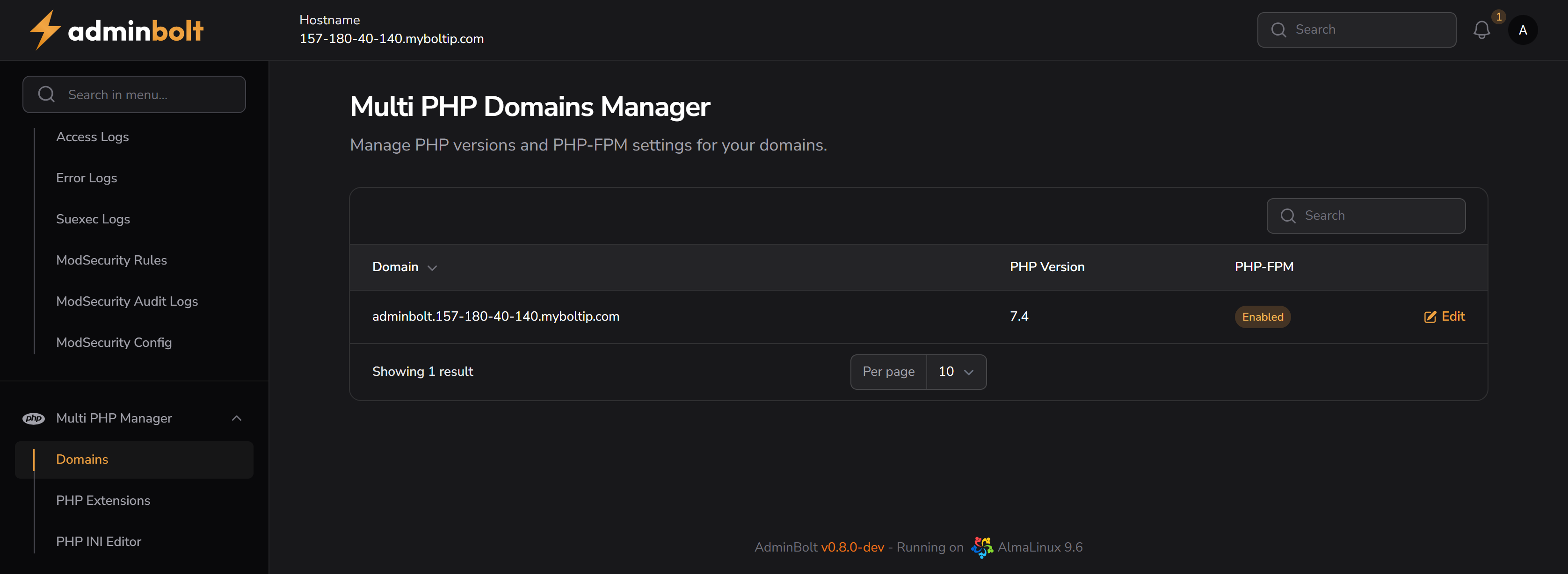
URL: /admin/multi-php-domains (menu: Multi PHP Manager → Domains)
Domain PHP Settings
Domain Listing Table
| Domain | PHP Version | PHP-FPM |
|---|---|---|
| your.domain | php-version | Enabled/Disabled |
- You can search, and paginate through domains.
- Click the Edit button next to a domain to modify its PHP configuration.
Edit PHP Version
When editing a domain, the following options are available:
PHP Version (Required)
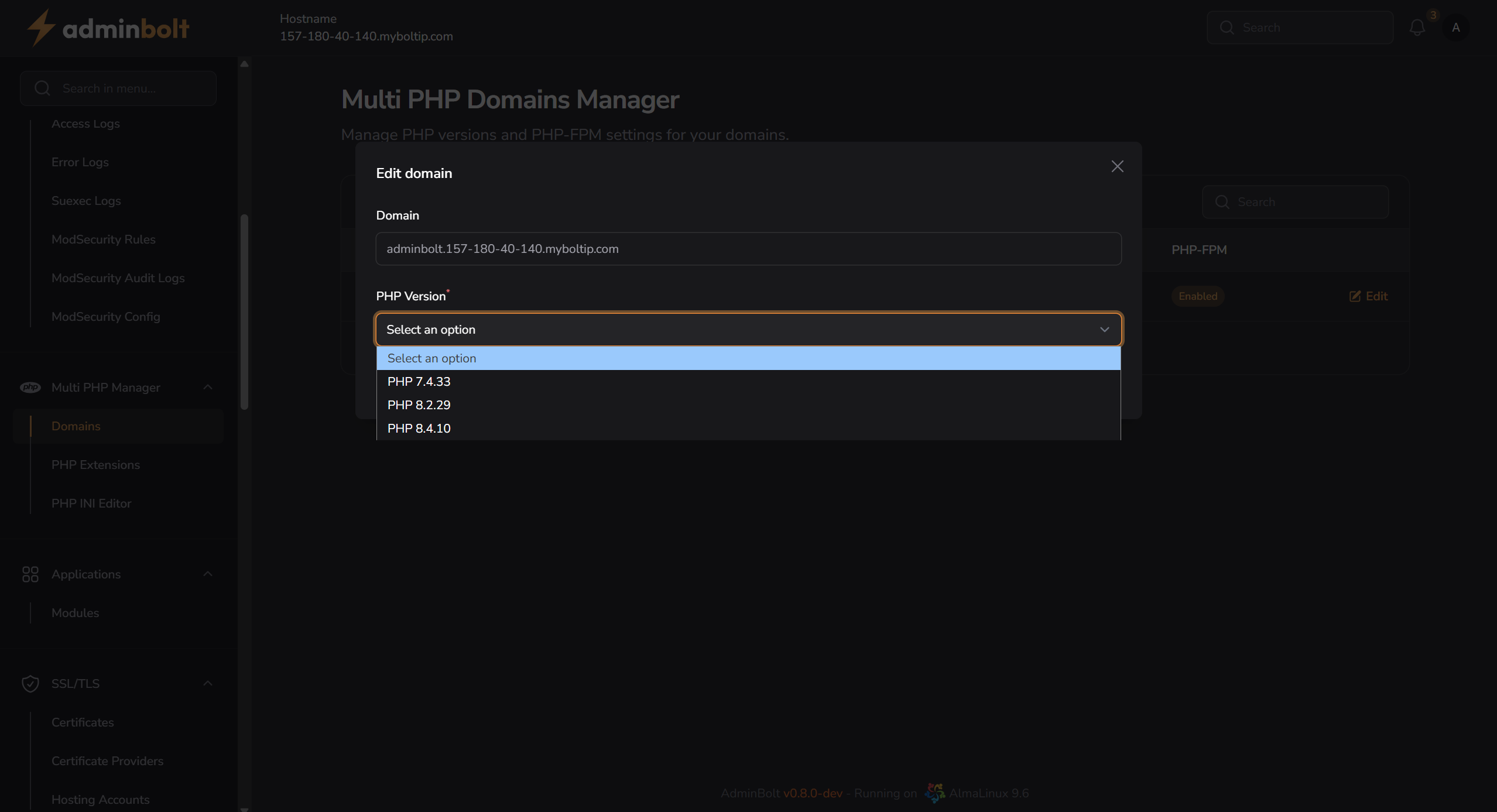
Select a PHP version from the dropdown.
Enable PHP-FPM
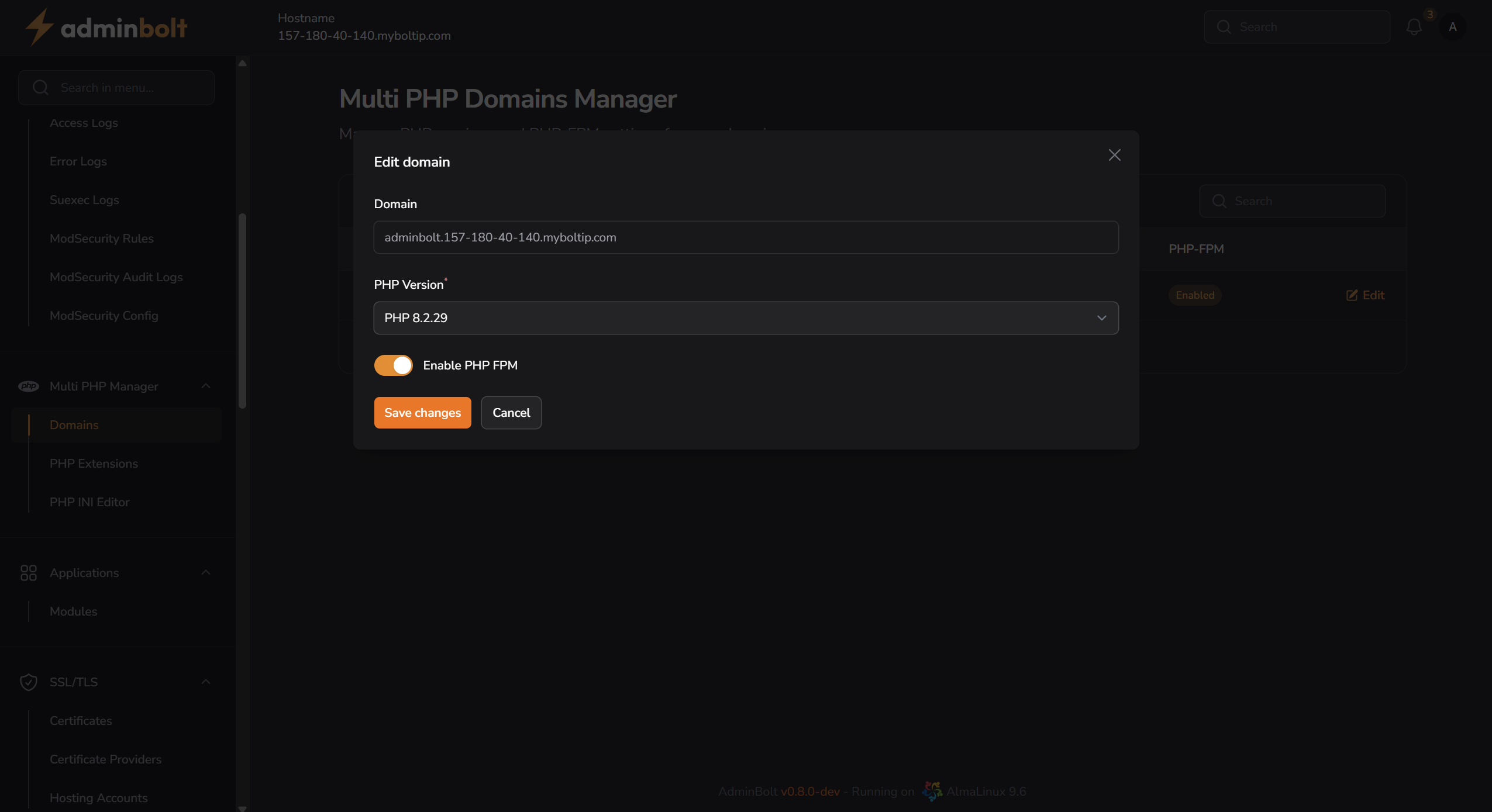
For PHP 8.2.29 and PHP 8.4.10, you will also see a toggle option to enable or disable PHP-FPM:
- Enabled: PHP-FPM is active (recommended)
- Disabled: PHP runs in standard mode without FPM
This toggle will not appear when PHP 7.4.33 is selected.
You must click Save changes to apply the selected version and PHP-FPM state. Changes are applied immediately.
Note: PHP-FPM toggle is available only for modern versions (8.2 and above). Older versions like PHP 7.4 have PHP-FPM enabled by default and cannot be toggled via UI.
You must click Save changes to apply the new version. Changes take effect immediately.
Note: PHP-FPM is automatically enabled when supported for the selected version.